2-3-4 Player Games
Share one keyboard for short competitive minigames with two, three, or four local players.
- Session
- 1–5 min
- Controls
- P1: WASD; P2: arrow keys
- Best for
- Quick
Landscape gives you more room
2-3-4 Player Games
2-3-4 Player Games
P1: WASD; P2: arrow keys
Play loads a game hosted by Playgama that may show ads and use cookies.
Provided by Playgama. Ads and cookies may load only after you press Play. Read the Playgama Privacy and Cookie Policy.
Share one keyboard for short competitive minigames with two, three, or four local players.
How to play
How to Play 2-3-4 Player Games
Gather two to four players around one PC, assign each person a key cluster, and follow the displayed goal for the selected mini-game.
- 01
Choose the number of local players who can share the keyboard comfortably. Leave enough space for every hand to reach its keys without covering another player's cluster.
- 02
Assign the controls before starting: Player 1 uses WASD, Player 2 uses the arrow keys, Player 3 uses IJKL, and Player 4 uses TFGH.
- 03
Read the current mini-game's objective together. Confirm whether the round is decided by reaching a finish, earning points, or another result shown on screen.
- 04
Use short, deliberate presses until you understand how the current activity responds. The same key cluster can feel different when the movement goal changes.
- 05
Keep your attention on your own character or marker while using opponents' positions as peripheral information. Looking directly at every rival makes it easy to lose your own state.
- 06
After the result, rotate seats or key assignments when fairness matters, then start the next round only after everyone knows the new objective.
About the game
A same-device mini-game collection for two to four players
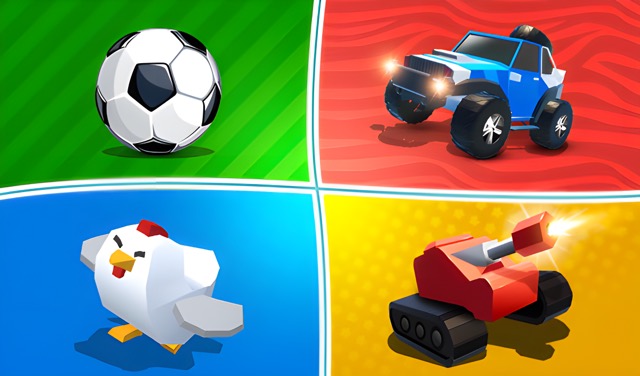
2-3-4 Player Games by RHM Interactive is a local multiplayer collection for two, three, or four people sharing one PC. In multiplayer, everyone plays on the same device with a separate cluster of keyboard keys. Paint Run also offers a 1P choice for solo practice. The mini-games change the immediate challenge, asking players to reach a finish first or earn a higher score than their opponents.
This is local group play rather than online matchmaking. The appeal comes from quick rules, visible competition, and everyone reacting in the same room. Success depends on understanding the current objective before the action starts, learning the assigned key cluster, and making small controlled inputs while several players use the keyboard at once.
Because the collection changes activities, no single tactic wins every round. A racing challenge may reward a clean route, while a scoring challenge may reward patience and timing. The transferable skill is adaptation: identify how the round is won, notice what ends an attempt, and change your input rhythm before repeating the same mistake.
Controls
Controls for 2-3-4 Player Games
- Player 1 — W, A, S, D
- Move using the first key cluster.
- Player 2 — Arrow keys
- Move using the directional arrow cluster.
- Player 3 — I, J, K, L
- Move using the upper-right letter cluster.
- Player 4 — T, F, G, H
- Move using the center-left letter cluster.
Useful strategy
Make the shared keyboard part of the setup
- Place the keyboard flat and centered before choosing sides. A crowded angle can make one player's keys easier to reach than another's and cause accidental presses.
- Let every player test one movement input before the competitive round. This catches swapped seats and forgotten key clusters without sacrificing a real attempt.
- Read the win condition aloud when the mini-game changes. Familiar controls do not guarantee that the next activity rewards the same movement or timing.
- Use brief presses first. Holding a direction before learning the response can send a character past a target or into an early mistake.
- Watch one nearby rival when their path affects yours, but keep your own marker at the center of attention. Losing track of yourself costs more than missing a distant opponent.
- Rotate a difficult key set between rounds. Changing assignments separates player skill from comfort with one part of the keyboard and keeps repeat sessions fairer.
Set up four key clusters without hand collisions
Start with the physical layout. Player 1's WASD cluster and Player 4's TFGH cluster sit relatively close, while Player 3 uses IJKL and Player 2 uses the arrows. Ask players to rest only the needed fingers near their own keys and keep wrists outside the central space. This reduces accidental presses and blocked keys.
For three players, use the player clusters shown by the current setup and arrange people around those keys. For four, place everyone around the device before launching the round. A few seconds of arrangement prevents repeated pauses after the action begins.
Laptop keyboards can feel more crowded than full-size models. Use lighter taps and avoid leaning a whole palm across the deck. If two players continually collide, swap physical seats or key assignments between rounds rather than treating the awkward layout as part of the competition.
Read each mini-game before relying on reflexes
The collection changes the activity while preserving the group format. Before moving, identify your marker, the objective, and the condition that ends the round. Look for a finish, score display, hazards, or boundaries shown by the current game. These visual facts are more useful than assumptions carried from the previous activity.
Agree on one practice moment when a new challenge appears. Each person can press a direction briefly and observe the response. The goal is not to explore the whole round in advance; it is to learn whether movement is continuous, step-based, sensitive, or constrained enough to require a different rhythm.
After the first attempt, compare what actually decided the result. If the winner took a cleaner route, focus on control. If the winner timed a small number of important actions, reduce unnecessary movement. Adapt to the evidence from that mini-game instead of labeling the result as luck.
Track your player in a crowded screen
Before the countdown or first movement, locate your character, color, or position and trace the nearby route. Keep your eyes anchored there for the opening seconds. When four players move together, following the most active object can pull your attention away from the one you control.
Use opponents as context. A nearby player can signal a collision, contested route, or scoring opportunity, but a distant rival rarely deserves your full gaze. Check them briefly, return to your marker, and make the next input from your own position rather than copying movement blindly.
If you lose track, release the keys for a moment and identify which object stopped responding. Random inputs make the screen more confusing and may turn a recoverable position into an immediate loss. Reorientation is a valid competitive decision when the alternative is uncontrolled movement.
Adapt your input rhythm to the current challenge
Begin with taps, then lengthen holds only when the activity clearly needs continuous movement. Short inputs reveal how quickly the character responds and how much correction remains possible. A long opening hold commits you before you know the handling.
Separate direction changes. Release one key before pressing the next when precision matters, especially on a crowded keyboard where fingers may overlap. If the current mini-game rewards rapid movement, build speed from a correct sequence rather than pressing several directions without a readable plan.
Notice whether a loss came from choosing the wrong direction or holding the right direction too long. These errors look similar at the finish but require different fixes. Change the route for the first; shorten the input for the second. One clear adjustment improves the next round more than general advice to play faster.
Keep a local competition fair and moving
Agree on restarts before a close match begins. An accidental browser action, disconnected focus, or misunderstood opening instruction can justify a replay if everyone uses the same standard. A gameplay mistake should usually stand. Clear rules keep the group from renegotiating only after someone loses.
Rotate key clusters when playing several rounds. Some players are more familiar with WASD or arrows, and the center clusters can feel unusual. Swapping controls gives everyone a chance to adapt and makes a series test broader skill rather than one comfortable hand position.
Use a simple series format when the collection moves quickly: equal attempts, rotating assignments, and a visible tally outside the keyboard area. Keep the focus on immediate rounds. The game provides the mini-games; your group only needs enough structure to know whose turn, keys, and result are current.
Quick answers
2-3-4 Player Games FAQ
Is 2-3-4 Player Games online multiplayer?
This title is designed for local multiplayer on one PC. Two, three, or four people share the same keyboard using separate key clusters; it is not an online matchmaking session.
Can four players use one keyboard?
Yes. The four assignments are WASD, arrow keys, IJKL, and TFGH. Arrange hands and seats before starting so everyone can reach a cluster without blocking another player.
What is the goal of each mini-game?
The immediate objective changes. Some challenges reward reaching the finish first, while others compare scores. Read the instructions and visible result conditions at the start of each activity.
How do I avoid losing track of my player?
Identify your marker before moving and keep it at the center of attention. Check nearby rivals briefly, but return your gaze to your own position before pressing the next direction.
Should everyone keep the same controls for every round?
You can rotate assignments during a longer session. Swapping clusters balances familiarity with WASD or arrows and gives each player a fair chance to learn the less familiar positions.
What should we do when a new mini-game starts?
Read the objective together, confirm player markers, and make one short test input. Then adjust the control rhythm based on how the current activity responds rather than the previous game.
Game information
Game details
2-3-4 Player Games is developed by RHM Interactive and provided through the Playgama-hosted player. The external player may display advertising and is governed by Playgama's privacy terms.
- Developer
- RHM Interactive
- Distributor and host
- Playgama
More about this game
Keep the break going