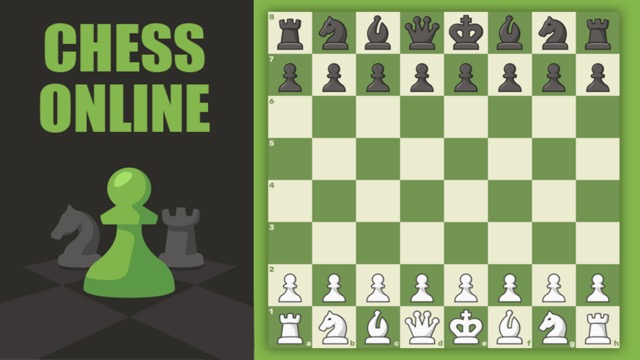
Chess Online Playing
Choose your moves on a classic chessboard, practice against the computer, or share a game with a friend.
- Session
- 3–10 min
- Controls
- Click or tap a piece, then its destination
- Best for
- Strategy
Chess Online Playing
Chess Online Playing
Click or tap a piece, then its destination
Play loads a game hosted by Playgama that may show ads and use cookies.
Provided by Playgama. Ads and cookies may load only after you press Play. Read the Playgama Privacy and Cookie Policy.
Choose your moves on a classic chessboard, practice against the computer, or share a game with a friend.
How to play
How to Play Chess Online Playing
Choose a mode, move pieces according to chess rules, and checkmate the opposing king while keeping your own king safe.
- 01
Choose computer play for solo practice, an online game for a remote opponent, or friend play when you want a direct match, including turns shared on one device.
- 02
Click or tap one of your pieces. Review the highlighted legal destinations, but also ask what that piece currently protects and what line it will leave behind.
- 03
Before selecting a destination, scan for checks, captures, and direct threats available to both sides. Start with the most forcing possibilities because they can make quieter plans irrelevant.
- 04
Develop minor pieces, contest the center, and prepare king safety during the opening. Avoid moving the same piece repeatedly unless a concrete threat or gain justifies the lost time.
- 05
In the middle game, compare attackers and defenders around every target. Calculate at least the opponent's most direct reply before starting a capture or combination.
- 06
When material becomes limited, activate the king, push pawns with support, and stop opposing passed pawns. Continue until checkmate or the game reaches another chess ending shown by the player.
About the game
Classic chess with computer, online, and friend options
Chess Online Playing by MIKMOK uses a clean 2D board for standard chess decisions: develop pieces, protect the king, create threats, and checkmate the opposing king. The game offers computer play, online opposition, and friend play, including taking turns on one device. That range makes it useful for a quiet solo game or a direct two-player match without setting up a physical board.
Select a piece to see its available destinations, then choose where it should move. The highlights make legal movement easier to read, but they do not choose a good move for you. A legal move can still lose a piece, allow checkmate, or trade away an advantage. The useful habit is to inspect the opponent's reply before committing.
This guide concentrates on decisions that transfer across modes: completing development, checking forcing moves, managing exchanges, and using the same-device format fairly. Rules and board themes are easy to learn from the interface; improvement comes from slowing down at critical positions and giving every move a clear purpose.
Controls
Controls for Chess Online Playing
- Mouse click or touch tap
- Select a piece, then select one highlighted legal destination.
- Themes menu
- Change the appearance of the board or pieces when you want a clearer view.
Useful strategy
Check the opponent's best reply before every move
- Begin each turn with a danger scan: is your king in check, is a piece attacked more times than it is defended, or is there a one-move threat against mate or material?
- Use the opening to bring new pieces into useful squares. A knight or bishop that joins the game usually contributes more than an extra pawn move with no immediate purpose.
- After finding a move you like, look for the opponent's checks and captures. This simple second look catches many blunders before they reach the board.
- Trade pieces when the exchange improves your position, reduces dangerous counterplay, or simplifies a material advantage. Equal-value labels alone do not make every trade good.
- In pass-and-play, rotate or hand over the device only after the move is complete. Let the new player settle before starting their clock or expecting a decision.
- Review the first move where your position became difficult, not only the final checkmate. Earlier lost material or neglected king safety usually explains more than the last move.
Choose the right chess mode for the session
Computer play is useful when you want to pause between moves and practice one habit, such as checking every capture or finishing development before attacking. Choose a level that makes you think without turning every position into an immediate collapse. When games become comfortable, increase the challenge gradually and keep the same review habit.
Online play adds an unfamiliar opponent and often more time pressure. Enter with a simple opening plan instead of trying to remember a long sequence. Friend play is better for conversation, rematches, and explaining positions. On one device, agree before starting whether discussion is allowed and how strictly you will treat takebacks.
Build a playable position in the opening
Fight for central influence with pawns and pieces so your army has room to move. Develop knights and bishops toward squares where they attack useful territory, defend important pawns, or help prepare castling. A move can serve two purposes, such as developing a bishop while adding pressure to the center.
Avoid launching a wing attack while most pieces remain on their starting squares. An early queen adventure may win a pawn, but it can also give the opponent free development by attacking the queen repeatedly. Complete the basic setup, connect the rooks, and then choose a plan from the actual pawn structure.
King safety is positional, not ceremonial. Castling is often useful, but first check whether the path is legal and whether that side of the board is secure. If the center is opening quickly, moving the king away from central files becomes urgent; if the position is closed, you may have more time to improve another piece.
Calculate checks, captures, and threats
Checks force the opponent to respond to the king, captures change the material balance, and direct threats demand prevention. Examine these moves for both sides before quieter ideas. You do not have to play the first check you see; you use the forcing-move scan to understand what cannot be ignored.
For a capture, count the attackers and defenders and follow the likely recaptures. Then inspect what opens after the exchange: a rook file, bishop diagonal, knight fork, or attack on the king may matter more than the first captured piece. Stop the calculation when the resulting position is stable enough to compare.
A candidate move should survive one final blunder check. Imagine it has already been played and look at your newly exposed pieces and king. Ask what the opponent would choose if they wanted the most annoying reply, then change the move if the answer is a simple tactical win.
Make exchanges that support your plan
When ahead in material, exchanging active enemy pieces can reduce the opponent's chances, but avoid giving away pawns or weakening the king merely to force trades. When behind, keeping pieces may preserve tactical opportunities. The board position decides whether simplification helps.
Compare piece quality as well as nominal value. A strong knight anchored near the enemy king can be more useful than a passive bishop trapped behind its own pawns. Before exchanging, picture which pieces and pawns remain, then decide whose plan becomes easier in that reduced position.
Pawn exchanges deserve special care because they permanently change files and diagonals. Capturing toward the center may strengthen control, while capturing away can open a rook line or create a passed pawn. Treat the new structure as part of the trade, not as scenery after it.
Give the king and pawns clear endgame jobs
As queens and rooks leave the board, the king can become an active fighting piece. Bring it toward central squares where it can support pawns and restrict the opposing king, while still respecting checks and tactical forks. A distant king often arrives too late to stop a passed pawn.
Create a passed pawn only when you can support its advance or use it to distract enemy pieces. Push with a reason: gain space, fix a weakness, or force the opponent into defense. An unsupported pawn rushed forward may simply become a target and remove your own useful tempo.
When winning, reduce the opponent's counterplay before racing toward promotion. When defending, seek active checks, blockades, or king opposition rather than waiting passively. Endgames reward exact movement, so use any available thinking time to compare the pawn race square by square.
Quick answers
Chess Online Playing FAQ
Can I play Chess Online Playing against the computer?
Yes. Choose the computer option for solo practice. Start at a manageable difficulty and move up when you can complete games while consistently checking threats and replies.
Can two people play on one device?
Yes. Friend play includes a same-device turn-taking option. Place the board where both players can see it comfortably and hand over control only after each move is finished.
How do I move a chess piece?
Click or tap a piece, review the highlighted legal destinations, and select the square you want. A highlighted move is legal, but you still need to judge whether it is safe and useful.
What should I check before moving?
Check whether your king is threatened, then review the opponent's checks, captures, and direct attacks. Finally, test your planned move against their strongest simple reply.
Should I trade pieces whenever I am ahead?
Favor exchanges that reduce counterplay without damaging your position. Keep a strong piece when trading it would expose your king, weaken important pawns, or activate the opponent's remaining army.
Is Chess Online Playing only an online matchmaking game?
No. It also offers computer play and friend options, including turns on one device, so you can choose a format that fits solo practice or local play.
Game information
Game details
Chess Online Playing is developed by MIKMOK and provided through the Playgama-hosted player. The external player may display advertising and is governed by Playgama's privacy terms.
- Developer
- MIKMOK
- Distributor and host
- Playgama
More about this game
Keep the break going