Slides And Climbs
Choose your color, roll the dice, and follow a Classic board against AI or local players.
- Session
- Short play sessions
- Controls
- Click setup choices and dice
- Best for
- Relaxed
Landscape gives you more room
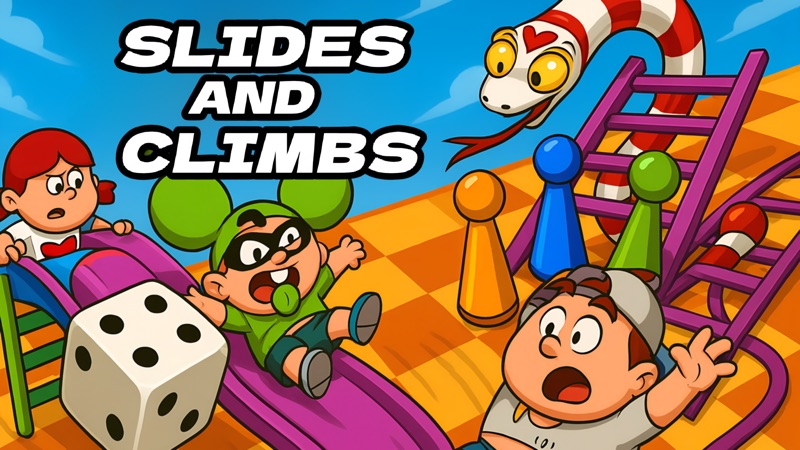
Roll, climb, slide
Slides And Climbs
Click setup choices and dice
Play loads a game hosted by Playgama that may show ads and use cookies.
Provided by Playgama. Ads and cookies may load only after you press Play. Read the Playgama Privacy and Cookie Policy.
Choose Classic, AI opponents, two players and a color.
How to play
How to Play Slides And Climbs
Use this short setup route to learn the board against an AI opponent.
- 01
Open Play and continue through the game’s own play button.
- 02
Choose the left game-mode picture for the Classic board.
- 03
Choose the person-versus-robot option, then the two-piece player-count picture.
- 04
Choose a color and read the opening explanation before continuing.
- 05
Find your piece beside the board and identify the turn marker next to it.
- 06
When your turn arrives, click the lower-right dice button once and let the roll and movement finish.
- 07
Follow any resulting climb or slide, then wait for the next turn instead of dragging the piece yourself.
About the game
Set up a Classic match and take your first turn
Slides And Climbs by Games Hub Studio is a dice-driven board race distributed through Playgama. Use Play here to open its official player. For a straightforward first session, choose the left game-mode picture for the Classic board, select the person-versus-robot opponent option, choose two players, and pick your token color. The game then introduces its numbered board, ladders, snakes, and dice control.
You do not steer a character around this board with movement keys. Wait until your color has the turn marker, click the dice button at the lower right, and watch your piece move automatically. In the two-player Classic setup, the blue piece begins beside the numbered track. A first roll brings it onto the board, so an initial piece outside square one is not a loading problem.
The goal is to reach the finish at the top of the 100-square board. Ladders carry pieces upward and snakes carry them downward when their landing rule applies. The opening tutorial also explains an extra roll for a six. The interesting part is following the changing race, rather than choosing a guaranteed winning route. A disappointing roll is part of the game, not a command you entered incorrectly.
Controls
Controls for Slides And Climbs
- Mouse click
- Choose setup pictures, your color, and the dice button.
- Dice button
- Roll during your turn; token movement follows automatically.
- Tap
- Publisher-listed touch control for the same on-screen choices.
- Gear icon
- Locate the in-game settings control at the upper right.
Useful strategy
Follow the turn before following the dice
- Choose two players against AI while learning the setup pictures.
- Remember your selected color before the board fills with moving pieces.
- Use the turn marker to distinguish your input from the AI’s automatic roll.
- Read the square numbers when the track changes direction at the end of a row.
- Wait for a climb or slide to finish before comparing positions.
- Treat a six as an extra-turn event, not a way to choose the next result.
Read the setup pictures in order
The first mode screen presents two large pictures. The left picture contains the familiar colored playing pieces and a ladder. Choosing it leads to the Classic board used in this guide. The other picture is a different choice; there is no need to explore both before learning a first turn. Keep the route simple so that you can recognize the same controls next time.
The opponent screen separates two people from a person and a robot. Select the robot option when you want the game to handle the opposing turns. That choice is distinct from the following player-count screen, where groups of two through six colored pieces appear. Choosing AI does not remove the need to choose how many pieces participate in the match.
The color screen is the final identity choice. Pick a color that you can distinguish easily from the others on the board. In a two-piece game, blue is an easy reference because you can locate the blue token and its matching circle in the turn panel. Choosing a color is not selecting a difficulty, a special ability, or a better set of dice.
A piece outside the board can still be ready to play
Before its first move, your token can stand on the grass beside the first row. Do not try to drag it onto square one. Watch the turn panel and the small marker near the active piece. When it is your turn, the lower-right dice control becomes the useful action. After a valid roll, the game places and moves the token along the numbered track.
An AI turn can begin without your click. You may see the die tumbling while the opposite color is active, and a six can keep that opponent moving before your next opportunity. Let those animations settle. Repeatedly pressing the dice area during an opponent’s move will not turn it into your turn or let you decide the result.
After your roll, follow your token rather than counting an opponent’s movement. A first blue move to square three is one possible outcome, not a scripted opening that every player should expect. Later rolls can differ. The reliable lesson is the sequence: active color, dice input, movement, any board effect, and the next active color.
Separate the numbered route from ladders and snakes
The board has ten numbered rows, and the direction reverses as the route enters the next row. Use the printed numbers to understand progress instead of assuming that moving right always means moving forward. A piece on a visually higher part of a snake or ladder illustration is not necessarily occupying the numbered square directly beneath every part of that drawing.
The tutorial’s two diagrams explain the basic effects: a ladder takes you up and a snake takes you down. Watch where the moving piece actually settles before deciding who is ahead. Passing across an illustration during ordinary movement is different from landing on a square that triggers it. Let the game resolve the destination rather than manually counting through the artwork.
You cannot aim a normal dice roll to avoid a snake. Useful play here means keeping track of turns and understanding the result, rather than trying a faster click, holding the mouse down, or timing a lucky animation. Enjoy a comeback when a ladder changes the race, and expect that a comfortable lead can disappear after a later slide.
Quick answers
Slides And Climbs FAQ
Where can I play the exact Slides And Climbs?
Use Play here for the official Playgama player. The developer is Games Hub Studio, and the source below identifies this specific game rather than another snakes-and-ladders title.
How do I start a first game against AI?
Choose the left Classic-mode picture, the person-versus-robot opponent option, two players, and a token color. Continue past the opening tutorial and wait for your color’s turn marker.
Do I drag my token or use arrow keys?
No manual movement is needed for the Classic turn described here. Click the dice button during your turn and the token moves automatically. A token beside the board before its first roll is normal.
Why did the same player roll again?
The opening tutorial states that rolling a six gives an extra dice roll. Watch the active-color marker so that an additional AI roll is not mistaken for a missed human turn.
Is six-player support the same as online multiplayer?
The publisher describes local participants and AI opponents. Do not assume that this includes remote invitations or cross-device rooms. Check the current game menu for the kind of session you want.
Can I resume a board after closing the player?
A specific board-resume feature is not established here. Closing the outer player is different from keeping a match open. Read the current game’s own options before relying on a saved race.
Game information
Game details
Slides And Climbs is developed by Games Hub Studio and distributed through the official Playgama player.
- Developer
- Games Hub Studio
- Distributor and host
- Playgama
More about this game
Keep the break going