Wooden Vest
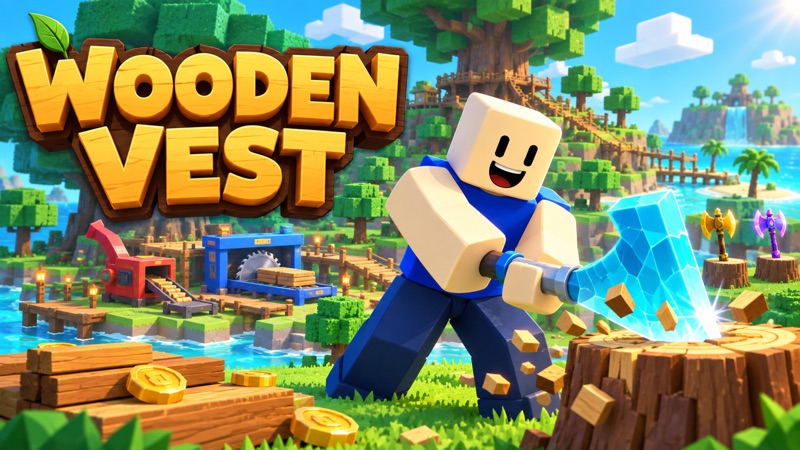
Spin at the roulette, buy the displayed axe, then put it on a stump and watch the wood count rise.
- Session
- Short strategy sessions
- Controls
- WASD to move
- Best for
- Casual
Landscape gives you more room
Put your first axe to work
Wooden Vest
WASD to move
Play loads a game hosted by Playgama that may show ads and use cookies.
Provided by Playgama. Ads and cookies may load only after you press Play. Read the Playgama Privacy and Cookie Policy.
Use E Spin at the Axe Roulette.
How to play
How to Play Wooden Vest
Follow the task text and the nearest interaction prompt through three separate stations: roulette, axe table, and stump.
- 01
Move with WASD toward the Axe Roulette until the E Spin prompt is visible. The opening task specifically directs you to its lever.
- 02
Press E while that prompt is active. In the test, a brief held press triggered the spin and made a Wooden Axe appear on the table.
- 03
Walk up to the displayed axe. Check its name and price, then use E Buy Wooden Axe ($60). Spinning the roulette alone does not complete this purchase.
- 04
With the owned axe in your hotbar, approach the stump until E Place Wooden Axe appears. Press E to install it.
- 05
Wait and inspect the crate beside the stump. An increasing wood count and the changed task text confirm that the axe has started automatic production.
About the game
Spin, buy the axe, then place it on a stump
Wooden Vest is a blocky lumber-production game where your first task is to put an axe to work. Walk to the Axe Roulette, use its E interaction, then approach the axe that appears on the table and buy it. After that, take the owned axe to a stump and use the placement prompt. The axe chops automatically once installed; repeatedly swinging or pressing E at the roulette is not the first production loop.
The opening test produced a Common Wooden Axe labeled one in two and $60. Buying it put an axe in the first hotbar slot, and placing it on a stump changed the task to collecting wood from the crate. The crate count then rose from zero to four. This guide covers that confirmed start and explains the official controls. Later processing, upgrades, merging, and earnings while away were not tested in this short session.
Controls
Controls for Wooden Vest
- WASD
- Move around the island on keyboard.
- E near an interaction prompt
- Use the current station: spin, buy, place, or another labeled interaction.
- Shift / Space
- Run / jump, as listed by the official controls.
- Mouse drag or arrow keys
- Turn the camera; mouse wheel adjusts zoom.
- 1–9 / Tab
- Select a hotbar item / open the backpack, according to the official controls.
- Touch controls
- Use the mobile controls described by the official page; the observed production sequence was on desktop.
Useful strategy
Get one working station before expanding
- Use the visible E prompt to identify your next action. Being near the roulette is different from being beside the axe or the stump.
- After spinning, look for the price over the axe. The first observed $60 purchase was a separate step before ownership.
- Keep the active axe easy to recognize in the hotbar. The observed purchase placed it in slot one before installation.
- Look at the crate count after placement. A tool on the stump and rising wood provide stronger feedback than the decorative scene alone.
- Read the current task before spending on upgrades. The opening sequence introduces production before the later processing and expansion choices.
- Treat the displayed two-per-second rate as the first observed axe’s output indicator, not a guaranteed rate for every axe or upgrade.
How to get your first axe from the roulette
The opening island gives you a short task instead of asking you to understand the entire economy. It directs you to the lever of the Axe Roulette and says to press E to spin. Move until the matching prompt appears near the station. A camera angle that shows the table and lever makes this easier to follow. Do not judge your position only by how close the character looks to the whole machine; the interaction is attached to a specific usable area.
In the observed session, tapping E from an uncertain position did not establish a successful spin. With the station prompt visible, a brief held E press made the axe appear and changed the task. That is a practical way to check the input, not a claim that every interaction always requires a fixed hold duration. Use one deliberate press, release it, and read the result. Repeated inputs without inspecting the screen can leave you unsure which station is responding.
The resulting axe was labeled Wooden Axe, one in two, and $60. Those labels described the item currently on the table. They did not show that it was already yours. The next task asked you to walk up to the axe and buy it, and the nearby prompt became E Buy Wooden Axe ($60). This separate purchase is the step that a quick description of “spin for an axe” can leave out. Read the displayed price for your actual result rather than assuming every spin produces the same item.
Buying the axe and putting it on a stump
Approach the displayed axe until the buy prompt is active. The confirmed purchase produced a You got a Wooden Axe message, placed the tool in hotbar slot one, and changed the next task to taking it to a stump. The rounded money display moved from $1.5K to $1.4K. Use the explicit $60 item price to understand the purchase; the rounded total cannot tell you the exact remaining balance. This is in-game currency in the opening session, not a checkout or a real-money transaction.
Once you own the tool, move toward the stump and watch for E Place Wooden Axe. In this test the first hotbar slot held the axe, so there was no need to hunt through a large inventory. If your session has several items, use the hotbar selection controls described by the official guide and check which tool is active. The prompt names the item to be placed, which helps distinguish an installation from another nearby action.
Press E while the placement prompt is visible, then inspect the stump. The axe left the hotbar and appeared at the working position. The task changed again, now saying the axe was chopping wood and directing the player to pick up wood at the crate. That is the point at which the first setup is complete. Standing near a stump with an axe on the roulette table is not equivalent, because the purchase and placement have not yet happened.
How to tell that automatic chopping has started
The stump is a production station. After installation, you do not need to manually swing the axe for each piece of wood. In the observed start, the crate count rose from zero to four while the installed axe worked, and a two-per-second indicator appeared. Read that changing count alongside the task text. It is a direct check that the setup is functioning and gives you a useful stopping point before learning another station.
The official instructions continue the loop by collecting wood from the crate, putting it into the chipper, and stepping on a green pad to collect money. Those are later actions at different locations. This short test stopped after wood production began, so it does not demonstrate the exact crate pickup, chipper input, or payout amounts. Follow the current prompts for those steps, and check the change in inventory or counters after each interaction rather than assuming that producing wood immediately completes the whole sale.
This distinction also keeps spending decisions understandable. A displayed output rate describes a working tool, while cash and wood are different counters in the broader loop. The official description introduces reinvestment in the sawmill and further expansion. First establish one functioning axe and observe its output. That gives you a baseline for comparing any later purchase instead of buying several systems before you know which part of production is missing.
When E seems to do nothing
Check the current prompt before trying another input. E Spin, E Buy Wooden Axe, and E Place Wooden Axe are three different actions, even though they share the same key. If you are beside the wrong object, a successful key press cannot substitute for walking to the required station. Use small movement adjustments and a readable camera angle until the correct prompt is visible. Then make one input and inspect the task, item, or counter that should change.
If the roulette produced an axe but your hotbar is empty, return to the item and look for its buy prompt. If you own the axe but no wood is appearing, check that it has been installed on the stump rather than merely selected. If the crate is gaining wood, the opening production task is working; the next problem is collection or processing, not getting another first axe. Diagnose the missing stage instead of restarting the whole sequence.
For a different resource-planning game, Braveward asks you to build and hire before a timed threat arrives. Designville: Merge & Design emphasizes matching resources into useful items. Both provide another next-step task for players who enjoy planning what to obtain and where to use it. Wooden Vest’s first loop remains distinct: move through the island, buy the generated tool, and put it at the production station.
Quick answers
Wooden Vest FAQ
How do I get my first axe working?
Use E Spin at the Axe Roulette, walk to the displayed axe and buy it, then approach a stump and use E Place Wooden Axe. The observed first axe cost $60 and produced wood automatically after placement.
Why does pressing E at the roulette not immediately give me an owned axe?
Spinning and purchasing are separate opening steps. After the spin, the axe appeared on the table with a price. Ownership was confirmed only after the buy prompt and the You got a Wooden Axe message.
How do I put the axe on a stump?
Bring the owned axe to the stump and wait for the placement prompt naming that tool. In the tested opening, pressing E installed the slot-one Wooden Axe and changed the task to collecting wood.
Do I need to swing the axe manually?
No for the confirmed first production station. Once placed, the axe chopped automatically and the crate count rose from zero to four without manual swings.
Were upgrades or earnings while away tested?
No. The official page describes additional progression and earnings while away, but this guide verifies only the opening through automatic wood production. It does not promise an offline payout or a particular late-game build.
Game information
Game details
Playable through the official Playgama partner embed. Opening desktop steps and official instructions checked on October 11, 2026. The test ended after automatic wood production; mobile support is officially described rather than verified on a physical phone.
- Developer
- iacycle
- Distributor and host
- Playgama
Keep the break going
Similar games

Build before the horde arrives
Braveward
Raise guilds, hire heroes, and prepare a compact kingdom to survive the night.

DesignVille: Merge & Design
DesignVille: Merge & Design
Merge tools and materials, fill client orders, and work on a growing collection of interior design projects.