DesignVille: Merge & Design
Merge tools and materials, fill client orders, and work on a growing collection of interior design projects.
- Session
- 3–10 min
- Controls
- Drag matching tiles together
- Best for
- Relaxed
Landscape gives you more room
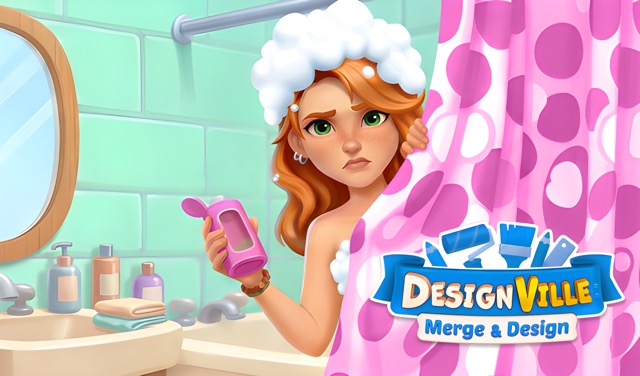
DesignVille: Merge & Design
DesignVille: Merge & Design
Drag matching tiles together
Play loads a game hosted by Playgama that may show ads and use cookies.
Provided by Playgama. Ads and cookies may load only after you press Play. Read the Playgama Privacy and Cookie Policy.
Merge tools and materials, fill client orders, and work on a growing collection of interior design projects.
How to play
How to Play DesignVille: Merge & Design
Combine matching items into higher-level objects, complete client orders, improve the design studio, and choose furnishings for each renovation project.
- 01
Review the visible client orders before moving items. Identify which requested object is closest to completion and which merge chain produces it.
- 02
Bring matching pieces together to create the next item in their chain. Before merging, check whether keeping one pair separate would help two different active orders.
- 03
Keep a working area open on the board. Group related chains near one another and avoid filling every space with items that have no immediate order or partner.
- 04
Submit a completed item to the matching client order only after verifying the icon and quantity shown. Then review how the remaining requests have changed.
- 05
Use earned progress to improve the studio and continue the story. When a renovation choice appears, compare the visible options and select the look you want for the room or garden.
- 06
After each order or reward, reorganize before producing more pieces. New combinations can change which chain deserves space and attention next.
About the game
Merge useful items and turn orders into room designs
DesignVille: Merge & Design by TAPCLAP combines an item-merging board with a design studio story. You combine matching items into improved tools and rarer objects, use the results to fulfill client orders, and apply progress to studio upgrades and interior projects. The puzzle and decoration sides support each other: efficient merges create the items that move a design job forward.
The board rewards planning because every item occupies space. A low-level piece may be the start of a valuable chain, but keeping too many unrelated pieces can block the next useful move. Orders give the board a purpose. Instead of merging everything simply because a match exists, work backward from the items clients currently request.
Renovation choices provide a different kind of decision. Gardens, mansions, and interiors can be arranged with furniture and finishes that match your preferred style. The practical rhythm is to organize the merge board, complete a focused order, collect the resulting progress, and then make the next design choice without losing track of the puzzle chain you were building.
Controls
Controls for DesignVille: Merge & Design
- Mouse or touch
- Select and move visible items, order rewards, and design choices through the on-screen interface.
- On-screen buttons
- Open current orders, studio tasks, story steps, and available decoration options.
Useful strategy
Let current orders decide which merge chain grows
- Work backward from one requested item and count the lower-level pairs needed for its next step. This reveals whether the order is close or should wait.
- Preserve a few empty spaces as a working area. A completely packed board makes even a simple match harder to assemble and limits room for new items.
- Group items from the same chain together without hiding possible pairs. Visual organization reduces accidental moves and makes order progress easier to estimate.
- Avoid advancing an unrelated chain only to clear one match. The higher-level result still consumes space and may be harder to use than the two flexible pieces.
- Complete shorter orders when they release useful space or progress, but keep a longer order visible so spare matching pieces contribute to a future goal.
- Choose room designs for the look you enjoy. Puzzle efficiency advances the project; decoration choices are where you shape the visual result.
Work backward from the client order
Start with the requested icon, then locate the highest matching item already on the board. Trace the chain downward through the pieces you can currently combine. You do not need to calculate every future merge; identify the next one or two pairs that bring the order closer without exhausting the board.
When several orders are open, compare distance and space. A nearly complete request can free items and create progress quickly. A longer chain may still deserve attention when its pieces already occupy many spaces. Choose the order that improves both the task list and the board position.
Recheck after submission. An item that was useless for the completed request may be central to the next one. Keeping decisions tied to the current order prevents yesterday's board plan from consuming today's limited space.
Preserve enough space to make the next merge
Empty cells are an active resource. They let you separate chains, bring a pair together, and receive new items without immediate congestion. Keep a small open zone rather than treating every blank as a problem to fill. The exact location can move as the active chain changes.
If the board becomes crowded, scan for completed pairs connected to current orders first. Then identify isolated low-level pieces with no nearby partner or request. Do not remove or advance an item blindly; choose the action that creates space while preserving the clearest useful chain.
A higher-level item is not automatically more space-efficient when it has no purpose. It still occupies a cell and may require many new pieces before the next match. Merge upward when the result supports an order, consolidates an overgrown chain, or opens a practical work area.
Organize chains so matches remain visible
Place related items in the same region while leaving enough separation to recognize levels. A staircase layout can keep low pieces on one side and advanced items on the other. The goal is not a perfect pattern; it is instant recognition of the pair you can make next.
Keep order-ready items away from pieces you are actively rearranging. This reduces accidental combinations and makes completed requests easy to find. If an item could serve two orders, place it where both chains remain visible until you decide which request has priority.
Reorganize in short passes. Move the active chain, clear the work area, and stop. Constantly polishing every row spends attention without advancing an order. A board is organized enough when you can see open space, current pairs, and the next requested result.
Balance quick orders with longer projects
Quick requests can release space and keep studio progress moving. Complete one when its item is already available or only a merge away. Avoid diverting an advanced piece from a nearly finished long chain merely to satisfy a low-value convenience; compare what each submission delays.
For a longer order, maintain one visible production lane. Feed it matching pieces when they appear, but do not let every other task stop. Smaller orders can supply progress and clear clutter while the demanding chain develops in the background.
When two requests need the same chain, delay the final submission until you compare both. One may unlock the next studio step, while the other may remove more congestion. The best choice connects puzzle value with the project you actually want to advance.
Move from puzzle progress to a coherent design
Decoration is the reward for efficient studio work, but it also benefits from a plan. Before selecting furniture or finishes, look at the whole room and decide whether you want a warm, bright, calm, or dramatic direction. A simple theme makes separate choices feel related.
Compare each visible option in context rather than choosing only the most detailed object. A floor, wall, table, or garden feature changes how later pieces read. Pick the large surfaces first when the sequence allows it, then use smaller furnishings to reinforce the direction.
There is no need to optimize personal taste. Use merge strategy to earn progress and design judgment to shape the result you enjoy. If a later option changes your mind, evaluate it against the room as it currently looks instead of forcing loyalty to the first choice.
Quick answers
DesignVille: Merge & Design FAQ
What do you do in DesignVille: Merge & Design?
Merge matching items into improved objects, use them to fulfill client orders, grow the design studio, and choose furnishings and finishes for renovation projects.
Which items should I merge first?
Start with pairs that advance a visible order or consolidate a crowded active chain. Keep flexible pieces separate when two requests may need the same item path.
How do I keep the merge board from filling up?
Reserve a small working area, group related chains, complete useful orders, and avoid producing higher-level items with no current purpose. Reorganize after major rewards.
Should I always complete the shortest order?
A short order is helpful when it frees space or advances the studio without consuming an important piece. Compare it with longer chains that are close to completion first.
Can I choose how the rooms look?
Yes. The design side presents furniture and decoration choices for interiors, gardens, and other projects. Choose a visual direction and compare each option with the room around it.
What should I do after completing an order?
Review the updated requests, collect the available progress, and reorganize the board before creating more items. The next best merge may differ from the previous plan.
Game information
Game details
DesignVille: Merge & Design is developed by TAPCLAP and provided through the Playgama-hosted player. The external player may display advertising and is governed by Playgama's privacy terms.
- Developer
- TAPCLAP
- Distributor and host
- Playgama
More about this game
Keep the break going
Similar games
Elemental Monsters: Merge
Elemental Monsters: Merge
Combine elemental creatures, arrange your army, and prepare for the next battle.
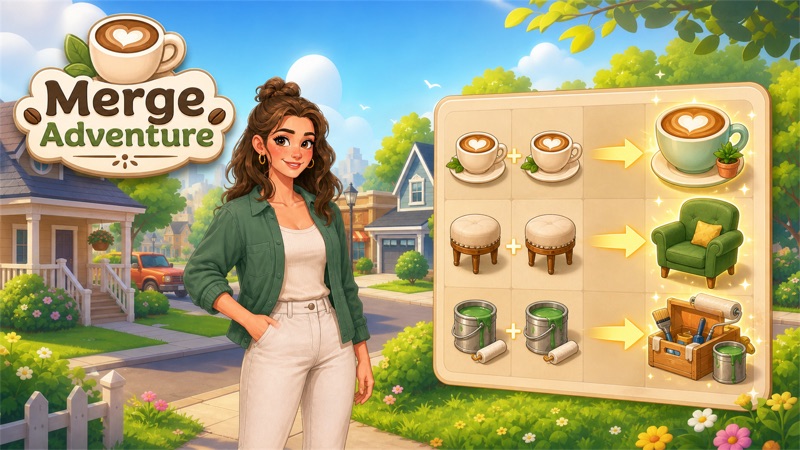
Match before you move
Merge Adventure
Drag matching pieces into gray targets, build a producer, and spend energy on the items your order needs.