Merge Adventure
Drag matching pieces into gray targets, build a producer, and spend energy on the items your order needs.
- Session
- Short merging sessions
- Controls
- Drag matching items together
- Best for
- Management
Match before you move
Merge Adventure
Drag matching items together
Play loads a game hosted by Playgama that may show ads and use cookies.
Provided by Playgama. Ads and cookies may load only after you press Play. Read the Playgama Privacy and Cookie Policy.
Open the board and merge the highlighted teapots.
How to play
How to Play Merge Adventure
Follow the highlighted pair, distinguish movable pieces from gray targets, and check the energy counter when you generate an item.
- 01
Enter Chapter 1 and use the highlighted board button when the character asks you to gather resources for renovation.
- 02
Find the two matching colored teapots in the illuminated area. Drag one onto the other, rather than placing it in a neighboring square.
- 03
When the tutorial introduces gray items, move your available matching piece onto the gray target. Do not try to drag the gray item out of its square.
- 04
Continue the highlighted merge chain until the tutorial identifies a glowing teapot as a producer. A lightning symbol helps distinguish this usable source from ordinary pieces.
- 05
Tap the producer once, inspect the new coffee item, and compare your energy before and after. Read the current order before generating a large collection of unrelated items.
About the game
Merge a matching pair, then put the producer to work
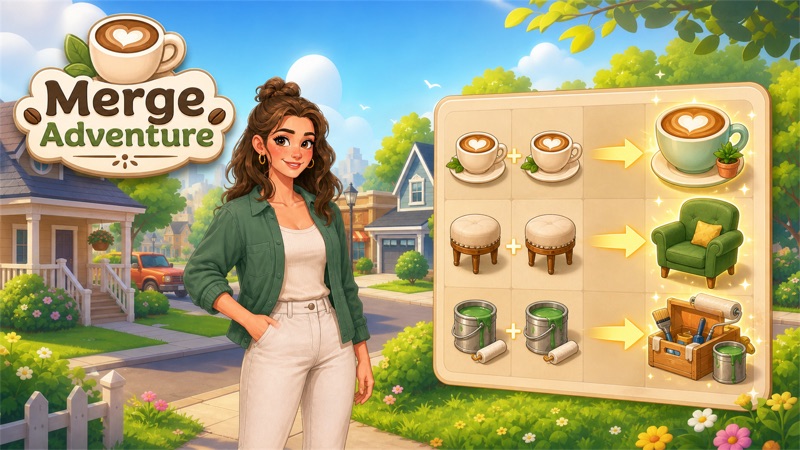
Merge Adventure combines an item-merging board with a neighborhood renovation story. To make the first merge, drag one of the two identical colored teapots directly onto the other and release. Gray items cannot be moved in the opening tutorial, but they can receive a matching movable item. Follow the chain until the game highlights a glowing producer, then tap it to make a new item using energy.
The opening teapot chain leads to a producer that makes coffee beans. A tap on that source uses one energy: for example, a counter of 50 becomes 49 when the new item appears. Orders appear above the board and give you a reason to make particular items. This guide focuses on that beginning. It does not promise a complete recipe list, a fixed energy refill schedule, or the cost of every renovation.
Controls
Controls for Merge Adventure
- Mouse drag and release
- Move an available item onto an identical item to merge the pair.
- Click a producer
- Generate an item from the highlighted source; the opening coffee-bean output uses one energy.
- Click an order
- The official instructions describe selecting a completed order to deliver its requested items.
- Touch drag / tap
- Drag to merge and tap to select items on a touchscreen, following the official controls.
Useful strategy
Make the next useful item instead of filling every square
- Compare both the shape and color of pieces. A small teapot and the taller pot created later belong to different stages of the chain.
- Use the movable piece as the source when the matching target is gray. A gray item is the destination for the merge, rather than a piece to drag away.
- Release on the matching item itself. Dropping beside it is a positioning action, not the same instruction as combining the pair.
- Pause after a merge to see the new object and any newly accessible nearby pieces. The board can change before your next drag.
- Tap a producer deliberately and read the energy change. Producing an item is a different operation from merging existing pieces.
- Let the order guide the chain you work on. Keep the requested object recognizable so you do not continue combining past the stage you need.
How to merge the first two teapots
The story begins outside a damaged house, but the first useful interaction happens on the board. Follow the character’s instruction to gather resources and use the highlighted board icon. The board contains many boxed or gray objects, which can look like a large sorting problem. The tutorial narrows your attention to two colored teapots. Start with those illuminated pieces instead of experimenting with every box around the edges.
A merge uses a complete drag: hold one available piece, move it onto its identical partner, then release. The destination is the other item’s square, not an empty square nearby. The two opening orange teapots combine into a red teapot, advancing the tutorial. That combination changed the object you had available for the next step. It was more than a decorative movement across the board.
Watch the result before planning another drag. An upgraded object can have a different shape as well as a different color. Matching only the general idea of “a pot” is not enough to identify the next pair. Compare the item you now own with the highlighted target. If the pair does not combine, first check their visible stage and where you released the source, rather than assuming you need to spend currency to make the tutorial work.
Why gray items will not move
The tutorial states that gray items cannot be moved but can be merged. This gives you a direction for the action: take a matching piece that is already movable and drag it onto the gray one. Trying to pull the gray target out of its position does not accomplish the same thing. Keep the gray piece in place and use the movable matching pot as the source to advance the chain.
The early board also changed around a successful merge. Nearby coffee-related pieces became visible or accessible as the highlighted area expanded. Use that new information to choose your next step. You do not have to infer a rule for every covered square from one opening interaction. The tutorial rule is enough to solve the current pair: leave the gray item as the destination and bring it its matching partner.
This mechanic is easy to confuse with ordinary rearranging. A player may see an item, try to drag it, and conclude that the controls have failed. Before repeating the input, check whether the tutorial is talking about a gray target. Then look for the same object among your available pieces. The way to progress is the merge into that target, not forcing it into an empty space or continually clicking it.
Producing coffee items uses a separate action
After the opening merges, the tutorial highlights a glowing teapot and explains that it can produce items. A lightning symbol marks the source. This is a different role from a normal piece waiting for a matching partner. Tap the highlighted producer to obtain an output, then examine what appeared on the board. The opening producer makes coffee beans. You can identify the operation by the new object appearing without another matching pair being dragged together.
For example, a producer tap can change energy from 50 to 49 while adding the new item. That is why the energy counter belongs in your decision before using a producer repeatedly. Do not confuse generating a fresh item with combining two objects already on the board. The teapot merges and the producer tap are distinct actions, and this guide does not assign a cost to every later action from that one example. Read the counter and the current item whenever a new source becomes available.
An energy display can include additional controls or a timer. Their presence does not establish a universal refill interval, free refill, or requirement to make a purchase. The starting energy lets you work through the opening producer steps without buying a refill. If you run short later, read the option that the game actually presents and its stated cost. This opening guide does not cover later refill offers or a long-term recovery timetable; use the current offer details when deciding your next step.
Use orders to give the board a clear purpose
The official instructions connect matching items, completing orders, and using rewards on building upgrades. An order was already visible above the opening board. Treat its requested picture as a target for your next chain, rather than making the highest-level object you can reach regardless of what is needed. Keeping the order in view helps you decide whether to create another ingredient, combine a pair, or preserve an item that has reached a useful stage.
This guide takes you through making the first coffee beans, rather than supplying a complete order-reward list or a house-upgrade route. Follow the current order and renovation prompts for those later actions. For another merge-and-project game, DesignVille: Merge & Design is a close next choice. Mystery Town offers another item-merging task. Both are linked below, while the gray-target and producer instructions here apply to this specific Merge Adventure board.
Quick answers
Merge Adventure FAQ
How do I merge the first teapots?
Drag one of the two identical colored teapots onto the other and release. The opening pair becomes a red teapot and advances the tutorial.
Why can I not move a gray item?
The opening tutorial says gray items cannot move but can be merged. Bring a matching movable item onto the gray target. The gray piece stays in place as the destination for the matching item.
How do I make coffee items?
Complete the highlighted chain until the glowing producer appears, then tap it. The opening teapot output is coffee beans, produced with one energy.
Why did my energy decrease?
A producer spends energy to generate a new item; the opening example takes a counter of 50 to 49. Check the current source and counter before repeating it; this is separate from dragging an existing matching pair together.
Is this a complete renovation walkthrough?
No. It covers the opening merge chain and producer action. Detailed order rewards, full renovation costs, refill schedules, and later item chains are outside this opening guide.
Game information
Game details
A guide to the opening board of the official Playgama game, with mouse and touch controls described by the publisher. Covers matching, gray targets, and the first producer.
- Developer
- HONG KONG SKYREACH INTERACTIVE LIMITED
- Distributor and host
- Playgama
Keep the break going
Similar games

DesignVille: Merge & Design
DesignVille: Merge & Design
Merge tools and materials, fill client orders, and work on a growing collection of interior design projects.

Read the room
Mystery Town
Explore a quiet 3D town, collect clues, and connect objects and paper patterns to solve room puzzles.