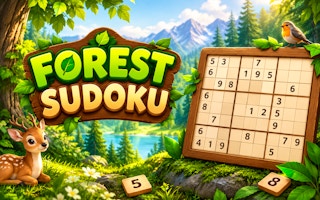
Sudoka
Fill every row, column and 3×3 box with digits 1–9; use notes, undo and hints to work through chapter puzzles.
- Session
- Untimed puzzle stages
- Controls
- Select an empty cell, then click a number or press 1–9
- Best for
- Logic

Solve the neon grid
Sudoka
Select an empty cell, then click a number or press 1–9
Play loads a game hosted by GamePix that may show ads and use cookies.
Provided by GamePix. Ads and cookies may load only after you press Play. Read the GamePix Privacy and Cookie Policy.
Study the givens and identify a row, column or box with few empty spaces.
How to play
How to Play Sudoka
Choose an empty square, compare its row, column, and box, then enter only a number supported by all three constraints.
- 01
Press Play, let the first board load, and identify the dark printed givens. These starting digits are clues and are not the cells you need to fill.
- 02
Click or tap an empty square. Scan across its row, down its column, and through its three-by-three box. Cross out every digit already present in any of those places.
- 03
If exactly one digit remains, enter it with the on-screen number pad or a keyboard key from 1 through 9. Check that the cell and progress display change.
- 04
If more than one digit remains, switch on Notes and record candidates instead of committing a guess. Return after another confirmed placement removes an option.
- 05
Use Undo or Erase to correct an entry. Continue until all empty cells are filled and the game acknowledges the solved board.
About the game
A familiar number puzzle with a bright chapter layout
Sudoka presents a nine-by-nine Sudoku board beside a number pad, score display, progress counter, and controls for notes, undo, erase, and hints. The opening stage is called First Light in the Neon Beginnings chapter. Some numbers are fixed when the board appears; the remaining squares are yours to solve. The aim follows standard Sudoku: put the digits one through nine in every row, every column, and every three-by-three box without repeating a digit in any of those groups. The colorful presentation changes how the puzzle looks, but it does not replace that central rule.
The first useful decision is where to look. A crowded row can be easier than an empty one, and a box with several given numbers may leave only a few possible values. Sudoka shows a selected cell and highlights related numbers, which makes it practical to work methodically rather than guess. In First Light, the empty top-left cell accepts 3: the score rises by 10 points and progress moves to 1/27. Use that immediate feedback to check that a placement registered, then return your attention to the row, column and box that the new digit affects.
Controls
Controls for Sudoka
- Mouse or touch
- Select an empty cell, then choose a number on the visible pad.
- Keyboard 1–9
- Enter a digit in the selected cell.
- Arrow keys
- Move the selected cell around the grid.
- N / Notes
- Switch between candidate notes and a committed answer.
- Backspace, Delete, or Erase
- Clear the selected editable entry.
- Ctrl+Z or Undo
- Reverse a recent entry.
Useful strategy
Practical ways to keep the grid under control
- Start with the most constrained row, column, or box rather than scanning randomly.
- Treat a digit as certain only after checking all three groups that touch its cell.
- Use Notes when two or more candidates remain; a note is easier to revise than a guess.
- After a placement, inspect its row, column, and box again for newly forced cells.
- Check crossing groups before using a hint, because another clue may solve the same cell.
- If you lose track, pause and resume with one small region instead of re-reading all 81 cells.
Read a cell through three overlapping groups
Every empty square belongs to a horizontal row, a vertical column, and one thick-bordered three-by-three box. A candidate is allowed only if it is absent from all three. The common beginner mistake is to check just the row and overlook a duplicate in the same column or box. Make a short list of missing digits for the row, then strike out those that the column and box already contain. This is more reliable than trying numbers until the interface accepts one.
For example, the top-left square in First Light cannot repeat any digit already printed across row one. Its column removes more choices, and its upper-left box resolves the remainder. Entering 3 produces visible progress. The lesson is the method, not a promise that 3 will always be the answer: a daily board or another stage starts with different givens. Apply the same three-group check to the board in front of you.
Thick lines divide the board into boxes. When scanning one box, do not stop at the digits inside it. Each open position also has a row and column extending beyond the box. Sometimes every empty square in a box could hold a digit at first glance, but the external rows eliminate all except one. That observation is a “hidden single”: the box needs that digit exactly once even if the chosen cell still appears to have several possible numbers when considered alone.
Choose a promising region instead of guessing
A Sudoku board gives you several useful starting points. A row with seven printed or confirmed numbers has only two missing digits; compare the columns of its empty squares to place them. A box with eight known numbers has an even simpler remaining value. A column can be equally productive, especially when its missing digits differ from those in nearby rows. Work from the most constrained group available and move elsewhere when a region stops yielding certain information.
After each answer, the grid changes. One confirmed digit affects one row, one column, and one box at once. Revisit those three groups immediately; a previous two-candidate square may now be forced. This local loop is faster than continuing across the board in strict reading order. If no immediate placement appears, compare the possible locations of a single missing digit across a row or box. A digit may have only one legal home even though none of the empty cells is otherwise nearly complete.
Avoid turning a tentative idea into a normal entry simply to see what happens. If a later contradiction appears, you have to trace every decision made after the guess. Sudoka supplies Notes for uncertainty and Undo for correction. Use those tools to preserve the distinction between a proved digit and a working possibility. That distinction makes the puzzle readable again when you return after a pause.
Use notes, undo, and erase with a clear purpose
Notes are useful when a cell has two or three live candidates. First eliminate the impossible values using its row, column, and box. Record only what remains, then move to another region. When a neighboring cell is solved, revisit the note and remove any candidate that is now used in one of the cell’s groups. A small accurate set of notes is more helpful than filling every square with all nine digits.
Undo and Erase answer different questions. Undo is useful immediately after an accidental key press or wrong selection, because it reverses a recent action. Erase clears the selected editable cell when you know its displayed entry is incorrect. If a cell does not respond, first check whether it is a fixed given. Printed givens form the puzzle and should be treated as constraints, not entries to edit. On touchscreens, select the exact cell before pressing the number or erase control; a missed selection can send an otherwise correct digit to the wrong place.
Hints have a visible remaining count. They can help when you are stuck, but the information is most valuable after you have written down why two candidates remain. Try to identify the row, column, or box that should decide the cell, then use a hint only when your own deduction reaches a genuine stop. Read the current in-game prompt before spending one, since the available count and effect may differ between boards.
Fix the mistakes that interrupt a solve
If the board feels impossible, recheck your most recent non-given entries. A duplicated digit often hides in a column while you were focused on a row. Work backward from the last certain placement and inspect its three groups. If the error was a touch or typing slip, use Undo while the action is still recent. If you cannot identify the source, clear one questionable cell and rebuild that region with notes. Do not erase a broad area of correct work just because one square became confusing.
If progress stalls without a visible mistake, switch the type of clue you are seeking. You may have been hunting only for cells with one candidate. Instead, look for a digit with just one possible position within a box or a row. Compare neighboring boxes as well: a digit limited to one row inside a box can rule it out from that row in adjacent boxes. These are ordinary Sudoku deductions; they do not depend on the game’s artwork or score system.
The score and progress panel provide feedback, but neither replaces the grid as the source of truth. A placement may add points, yet a high score is not the goal of a Sudoku solve. Aim to complete a valid board. First Light shows 27 spaces to fill; another stage can have a different number of blanks. Read the current counter rather than carrying the opening-stage figure into later puzzles.
Make a short session productive
For a quick visit, choose one region and try to make three certain deductions. Start with the boxes that have the most givens, then inspect the rows and columns touched by your placements. This produces a useful chain without requiring you to solve the whole board at once. If you plan to stop, leave accurate notes in unresolved cells and avoid a last-second guess that will be difficult to understand when you return.
The interface displays a chapter trail and a daily puzzle entry. Chapter labels and reward icons help you choose a board, but the current givens and controls tell you what to do next. Start each new board by reading those clues again. The Sudoku rule remains the useful anchor even when the surrounding presentation changes.
If you enjoy deduction but want a different style of uncertainty, Minesweeper Online asks you to infer hazards from neighboring numbers, while Lanternward asks where lights may go under sight-line constraints. Those games reward the same discipline of separating a known fact from an attractive guess, although their rules are different. Stay with Sudoka when you want a pure digit-placement puzzle and move only when another kind of logic would better suit your session.
Quick answers
Sudoka FAQ
What is the aim in Sudoka?
Fill the 9×9 board so each row, column, and 3×3 box contains the digits 1 through 9 without a repeat.
Can I play without a keyboard?
Yes. Select a cell and use the on-screen number pad. The official listing also describes touch controls for mobile.
What should I do when two numbers fit?
Do not commit either as a guess. Use Notes to keep the candidates, solve a crossing group, and revisit the cell.
How do I correct an entry?
Select the editable cell and use Erase, or use Undo immediately after an unintended action.
Game information
Game details
Sudoka is played through the official GamePix-hosted player. Airy Arcade does not host the game code.
- Distributor and host
- GamePix
More about this game
Keep the break going