Minesweeper Online
Reveal safe squares and use numbered clues to work around hidden mines in a familiar desktop-style puzzle.
- Session
- At your pace
- Controls
- Left click to reveal a square
- Best for
- Relaxed
Read the numbers
Minesweeper Online
Left click to reveal a square
Play loads a game hosted by Playgama that may show ads and use cookies.
Provided by Playgama. Ads and cookies may load only after you press Play. Read the Playgama Privacy and Cookie Policy.
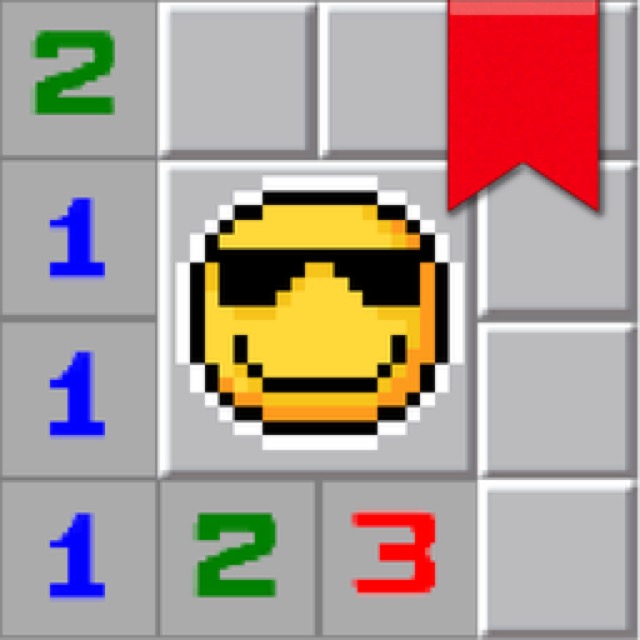
Read each number as the mine count across its eight neighboring squares.
How to play
How to Play Minesweeper Online
Reveal safe squares, use each number to count neighboring mines, and keep refining the covered frontier until the playable area is clear.
- 01
Choose a difficulty that leaves enough room to read the grid comfortably. Very easy is the clearest place to learn because fewer simultaneous clue relationships compete for attention.
- 02
Open one covered square with a left click. If it reveals an empty area, inspect the numbered boundary created around that opening before selecting another distant square.
- 03
For each number, count its eight possible neighbors and separate already identified mine candidates from still-unknown squares. Never count a square that does not touch the clue, even if it looks visually close.
- 04
When a clue already has all of its required mines accounted for, every other covered neighbor of that clue is safe to open. When its number equals the count of its remaining covered neighbors, those neighbors are mine candidates.
- 05
Use a right click to place a flag on a suspected mine according to the official control instructions, and right-click again to remove it. Treat flags as notes that must agree with surrounding clues, not as proof created by the game.
- 06
After every reveal, recount the affected border. Continue until the safe area is cleared, or use the in-game help and reset controls if you need to review the rules or start a fresh board.
About the game
Clear a minefield by turning numbers into safe moves
Minesweeper Online by Toxic Pixels presents the familiar logic puzzle in a Windows XP-inspired window. A grid begins covered, and opening a safe square may reveal a blank region or a number. Your goal is to uncover the non-mine squares without selecting a mine. The visible menu includes five named difficulty choices from Very easy through Very Hard, plus Settings, Sound, and How to play shortcuts.
Each revealed number describes the eight squares touching it horizontally, vertically, and diagonally. A 1 has exactly one neighboring mine, a 2 has two, and so on. The number does not identify which neighbor is dangerous, so progress comes from combining clues. One clue may narrow a mine to two squares; a nearby clue can eliminate one candidate and reveal the safe choice.
The useful rhythm is inspect, count, mark mentally or with a flag, and then open only a square supported by the current clues. Large blank openings make the start feel quick, while compact numbered borders require slower comparison. If the visible numbers allow more than one mine arrangement, pause before taking the risk. Finish the current board before reloading because the session may be lost.
Controls
Controls for Minesweeper Online
- Left mouse button
- Reveal a covered square.
- Right mouse button
- Place a flag on a suspected mine; right-click it again to remove the flag.
- Touch device
- Check the in-game How to play panel for the current touch gesture before marking squares.
Useful strategy
Make every click answer a clue
- Work along the border between revealed and covered squares. Clues beside that frontier can produce deductions; opening an unrelated covered square usually adds risk without using the information you already have.
- Count flags and unknowns separately. If a 2 touches one trusted flag and three other covered squares, the remaining mine count is one, not two. Subtract what you have already established before comparing candidates.
- Recheck a flag whenever a nearby clue becomes impossible. A 1 touching two flags signals that at least one mark is wrong. Remove the least supported flag and rebuild the local count instead of forcing later clues to fit it.
- Open confirmed safe squares before placing every possible flag. Safe reveals create new numbers, and those extra constraints may distinguish between mine candidates that currently look identical.
- Scan corners and straight edges carefully because they have fewer neighbors. A corner clue sees at most three squares, which often makes its possibilities easier to enumerate than a clue in the middle of the grid.
- When no deduction is visible, pause and compare overlapping clue neighborhoods. Two adjacent numbers often share several covered squares; the difference between their remaining mine counts can identify a safe strip or a required mine.
Read one numbered neighborhood at a time
Imagine a revealed 1 touching only one covered square. That square must contain the neighborhood's single mine, so it can be marked. Now imagine a 2 touching two marked squares plus one unmarked covered square. Because the two required mines are already accounted for, the last covered square is safe. These two rules create much of the steady progress in an ordinary position.
Keep the neighborhood exact. A clue applies only to the ring of up to eight touching squares. When grids are dense, it is easy to include a square two columns away or overlook a diagonal neighbor. Trace the ring clockwise and count each covered position once. A disciplined sweep is faster than repairing a chain of deductions built on a casual count.
Numbers should agree with one another. If your interpretation of a 2 conflicts with an adjacent 1, compare the shared squares before clicking. The conflict may reveal a misplaced flag, a missed diagonal, or an assumption that was never proven. Treat agreement across several clues as stronger support than a pattern that appears to fit only one number.
Compare overlapping clues to find hidden safe squares
Some positions cannot be solved by looking at a single number. Suppose a 1 touches covered squares A and B, while an adjacent 2 touches A, B, and C, with no other unknown neighbors. The first clue says exactly one mine lies among A and B. The second needs one additional mine, so C must be a mine. This conclusion comes from subtracting the shared group.
The same comparison can prove safety. If a 1 touches A and B, and a nearby 1 touches A, B, and C with no other unknowns, the shared A-B group already contains the one required mine. C must therefore be safe. You do not need to know whether A or B is the mine before opening C.
Use letters or finger positions mentally when a cluster is complicated. Identify the squares shared by both clues, then isolate the extra squares seen by only one clue. Compare the number of mines each clue still needs after trusted flags are subtracted. The difference belongs in the extra group, which often turns a vague border into a concrete move.
Use flags as reversible working notes
A flag is most useful when several neighboring clues support it. Marking a square because one clue merely allows a mine there can lock your attention onto an unproven guess. Before placing the mark, say why the square must be dangerous: perhaps a 1 has only that covered neighbor, or a 3 has exactly three covered neighbors remaining.
After marking, update every touching number. Subtract the flag from each clue's remaining mine count and ask whether other covered neighbors are now safe. This is where a flag creates value: it simplifies several neighborhoods at once and opens a sequence of supported reveals.
If a later clue contradicts the mark, remove it and return to the last certain state. Do not preserve a flag just because it has been on the board for several moves. A good note remains accountable to the visible numbers, and correcting it early is easier than untangling multiple deductions that depend on it.
Handle uncertainty without pretending it is deduction
If every visible possibility remains compatible with the clues, first verify that no deduction was missed. Remove untrusted flags from your mental model, compare overlapping groups, scan the opposite side of the opened area, and check diagonals. A fresh pass often finds a safe square that a narrow local stare overlooked.
When uncertainty truly remains, distinguish a forced conclusion from a probability judgment. Prefer choices that appear to expose more useful information or avoid concentrating risk beside several unopened regions, but recognize that this is risk management rather than certainty. Multiple arrangements that satisfy every visible clue give you no proven safe square.
After an uncertain click, use the result to improve the next decision instead of repeating the same habit automatically. If the square is safe, inspect the entire new numbered boundary. If the attempt ends the board, remember which alternatives existed and whether an earlier unsupported flag or distant click reduced your options.
Quick answers
Minesweeper Online FAQ
What does a number mean in Minesweeper Online?
It gives the exact number of mines in the eight squares touching that number horizontally, vertically, and diagonally. Edge and corner clues have fewer possible neighbors, but the count rule stays the same.
When is a covered square safe to reveal?
It is logically safe when a touching clue already has all of its required mines accounted for. Any other covered neighbors of that clue cannot contain another mine.
When should I place a flag?
Place one when the surrounding clues require that square to be a mine, not simply because it looks suspicious. Recheck every nearby number after marking it, and remove the flag if new evidence contradicts it.
Does the first click always land on a safe square?
Treat the opening as uncertain and choose a square without relying on automatic protection. The in-game instructions available for this title do not describe a first-click safety rule.
Can every board be solved without guessing?
Exhaust the visible clue relationships first. If multiple mine arrangements still satisfy every number, the next choice involves uncertainty rather than a proven safe move.
How do I mark mines on a phone or tablet?
Open the game's How to play panel and follow the touch instructions shown there. The desktop instructions specify right-click marking, but you should not assume the same gesture on every touch device.
What should I do after revealing a large empty area?
Inspect the numbered border around the opening. Blank expansion reveals information quickly, but the next supported moves usually come from the numbers where the open region meets covered squares.
Game information
Game details
Minesweeper Online is developed by Toxic Pixels and provided through the Playgama-hosted player. The external player may display advertising and is governed by Playgama's privacy terms.
- Developer
- Toxic Pixels
- Distributor and host
- Playgama
More about this game
Keep the break going