MonkeySweeper: Mines puzzles
Reveal tiles, use neighboring numbers, and find monkeys hidden under banana blocks.
- Session
- At your pace
- Controls
- Click or tap a covered tile
- Best for
- Logic
Landscape gives you more room
Read the numbered clues
MonkeySweeper: Mines puzzles
Click or tap a covered tile
Play loads a game hosted by Playgama that may show ads and use cookies.
Provided by Playgama. Ads and cookies may load only after you press Play. Read the Playgama Privacy and Cookie Policy.
Reveal the guided center tile.
How to play
How to Play MonkeySweeper: Mines puzzles
Reveal the tutorial tile, then use numbered clues to reason about nearby hidden monkeys.
- 01
Press PLAY on the Level 01 screen and read the tutorial message.
- 02
Tap the highlighted center banana block to reveal the first monkey.
- 03
Read the numbers that appear around the revealed tile.
- 04
Follow the next visible instruction, and compare overlapping clues before choosing a covered tile.
About the game
MonkeySweeper: Mines puzzles
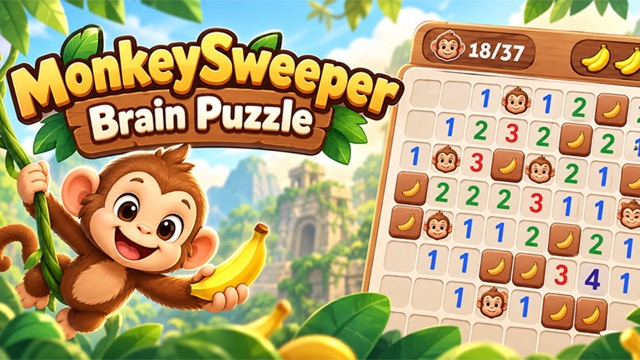
MonkeySweeper turns a minesweeper-style board into a search for hidden monkeys. Covered banana tiles conceal the board, and revealed numbers count monkeys touching a numbered square. The opening tutorial is unusually direct: it places a small three-by-three group on screen and tells you exactly which tile to tap first. That makes it a useful place to learn the rule before attempting a larger puzzle.
Press the green PLAY button for Level 01, then tap the highlighted center banana. The center reveals a monkey face, the nearby tiles show numbered clues, and the tutorial asks for a tile marked 2 next. That is your first chance to connect a number with the covered spaces around it. Continue from the clue now on screen rather than assuming the same center pattern on every later board.
Treat each number as information about neighboring spaces, not as a score or a command to click that many times. The first small board lets you compare the monkey in the center with the numbers around it. Once that relationship makes sense, use it to reason about covered spaces. Work from confirmed facts, pause when multiple possibilities remain, and let the displayed tutorial guide the next move rather than opening tiles at random.
Controls
Controls for MonkeySweeper: Mines puzzles
- Click or tap a covered block
- Reveal or interact with that tile as directed by the puzzle.
- Settings button
- Review available game options before continuing.
Useful strategy
Let clues do the work
- Count the spaces touching a clue, including diagonals, before making a deduction.
- Use a confirmed monkey or safe tile to interpret more than one nearby number.
- When two guesses look possible, inspect another clue instead of tapping rapidly.
- Read the tutorial text after each reveal; its requested next tile can change.
Start with the guided board
The Level 01 screen has a green PLAY button beneath the monkey character. Choose that button to enter the tutorial rather than assuming the title screen itself is playable. The first board is only three tiles wide and three tall. Its message says that monkeys hide under the blocks and points to one specific banana tile. A small board is valuable because you can see every neighbor of the highlighted square without scrolling or keeping a large pattern in memory.
Tap the highlighted center tile once. The center tile reveals a monkey face, while nearby squares show numbers and another banana block. The tutorial explains that each number counts touching monkeys and asks you to tap a 2 next. Read the new clue before revealing another covered square; later boards may arrange these elements differently.
Pause on this new board before following the next prompt. Look at the central monkey and the nearby 1s and 2s. The number describes a local neighborhood, not the total number of monkeys left in the level. If you move quickly past this simple example, later boards can feel like guessing even though their clues are meant to be read systematically.
Understand what “touching” means
A numbered square is about nearby squares. In this style of puzzle, touching includes cells directly above, below, left, and right as well as diagonal neighbors. Draw an imaginary ring around the number. Count the covered or revealed spaces in that ring before deciding what the clue tells you. A 1 means one monkey among its touching cells; a 2 means two. The numeral is not telling you to reveal that many cells immediately.
The guided center reveal gives you a known monkey. Some of the numbers around it can already account for that face. If a clue reads 1 and the central monkey is its only possible monkey neighbor, other touching covered spaces may be safer than they first appeared. If a clue reads 2, the known center accounts for one and another adjacent space still needs consideration. This is the start of deduction, not a request to guess which covered tile is lucky.
Make sure you are comparing the same neighborhood. Two nearby numbers can overlap in several touching cells while also seeing different cells at their edges. It is easy to make a false inference by counting a diagonal for one clue and forgetting it for the next. A slow scan around each numeral is more reliable than trying to solve the entire board in a single glance.
Compare clues that share neighbors
When two numbers sit near each other, compare their touching spaces. Suppose one clue has already been satisfied by a confirmed monkey. If a second clue sees that same monkey and requires one more, focus on the cells that the second clue sees but the first does not. This comparison can narrow a possibility without opening an uncertain tile. The exact arrangement changes from board to board, so use the method with the cells currently visible.
You do not need to memorize a solved pattern to benefit from the tutorial. First mark mentally which monkeys are confirmed, then identify what each number still needs. A clue with all of its required monkeys accounted for can help rule out additional monkeys in its remaining touching cells. A clue still missing monkeys tells you where to keep looking. The two statements are complementary; both become stronger when you combine neighboring clues.
If your reasoning produces two equally possible covered spaces, stop. Another part of the board may provide a clue that distinguishes them. The official listing calls this a logic game, and the early tutorial makes its local count rule explicit. The useful habit is to search for a forced move before trying a tile simply because it is near a big number or in the center.
Keep clues separate from rewards
The initial menu shows a coin total and a PLAY button. Neither the coin count nor other menu options tell you which covered tile is safe. For the first puzzle, focus on the board and tutorial text instead. Revealing the highlighted center tile and reading its nearby numbers does not require a purchase or a special item.
A reward counter can distract from the actual win condition. If you are trying to understand the board, ask what changed after a click: did a tile reveal a face, a number, or a new instruction? The center tap changes the puzzle itself, while a coin count is only surrounding context. Later screens may introduce more options; read their labels before using them.
There is no need to spend currency simply because a deduction feels difficult. Recount the touching cells, especially diagonals, and see whether a clue has already been satisfied by a confirmed monkey. If the board still offers no forced move, acknowledge that uncertainty. A careful unknown is better than a confident but unsupported tap.
Avoid early mistakes and recover your place
One common mistake is reading a number as the count for an entire row or column. The tutorial says the count is for monkeys touching that particular tile. Check the ring around it, not the whole board. Another mistake is forgetting diagonals, which can make a 2 seem impossible when one of its monkey neighbors is on a corner. Recheck the geometry whenever two clues appear to contradict each other.
If a click does not seem to register, make sure the board is fully loaded and you are selecting the tile indicated by the current message. The opening instruction points to the center banana. Clicking the character, menu, or empty background does not advance that lesson. Use one deliberate click and wait for the board to settle, then read the newly visible prompt before acting again.
If you lose track after several reveals, rebuild your understanding from confirmed tiles. Identify every visible monkey first. Then visit each nearby number and count how many of its touching monkey spaces are already known. Finally, look at the still-covered neighbors. This procedure works even if your earlier mental note was wrong, because it starts again from the screen rather than from an unverified memory.
Use a slow solving loop
The most useful rhythm is reveal, read, compare, decide. Reveal only the current guided or logically supported tile. Read the new face, number, or instruction. Compare the clue with adjacent clues and known monkeys. Decide whether a covered neighbor is forced safe, forced occupied, or still uncertain. This loop turns a board that looks busy into a sequence of small questions.
The first tutorial reveal shows a monkey in the center and asks you to tap a 2 next. That gives you a concrete next step for Level 01. Follow the instruction if you are continuing, then repeat the same read-and-compare process on the updated board. Do not treat the opening as proof that the rest of the game always reveals the center monkey first.
If you enjoy this kind of local-count deduction, the related games below offer other logical or minesweeper-style tasks. The shared skill is patience with clues; the symbols and exact actions may differ. For MonkeySweeper, keep the tutorial text and touching rule in view until you can explain why a chosen tile makes sense. Then you are solving the puzzle rather than merely opening blocks.
Quick answers
MonkeySweeper: Mines puzzles FAQ
What do the numbers mean?
The opening tutorial says they count monkeys touching that numbered tile, including adjacent positions around it.
What happens on the first tap?
In Level 01, tapping the highlighted center banana reveals a monkey and nearby numbered clues.
What should I do after the center tile opens?
Read the new numbers and follow the prompt to inspect the tile marked 2. Compare every clue with its touching covered cells.
Game information
Game details
MonkeySweeper runs in Playgama’s official player, which may use cookies or show advertising.
- Developer
- Vie Apps Studio
- Distributor and host
- Playgama
More about this game
Keep the break going
Similar games
Read the numbers
Minesweeper Online
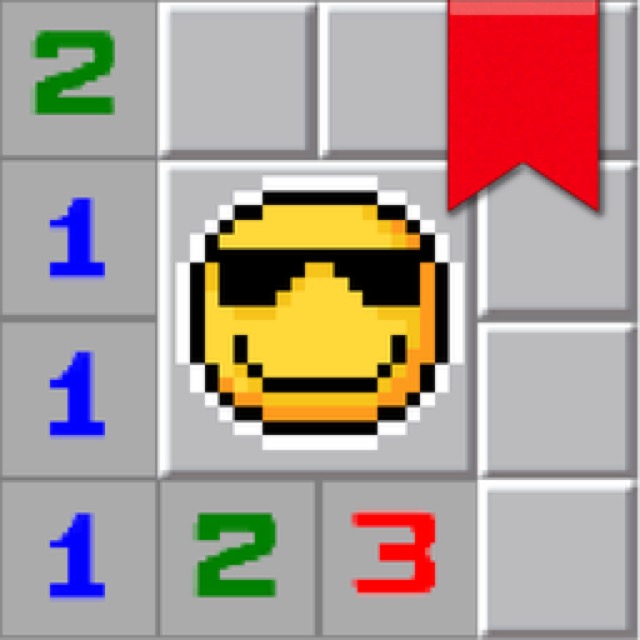
Reveal safe squares and use numbered clues to work around hidden mines in a familiar desktop-style puzzle.

Solve the neon grid
Sudoka
Fill every row, column and 3×3 box with digits 1–9; use notes, undo and hints to work through chapter puzzles.