Forest Sudoku
Fill a nine-by-nine Sudoku grid by checking the row, column, and three-by-three box.
- Session
- Flexible short sessions
- Controls
- Click or tap an empty cell
- Best for
- Brain
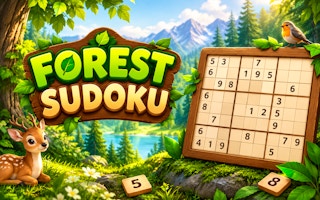
Read the row and box
Forest Sudoku
Click or tap an empty cell
Play loads a game hosted by GamePix that may show ads and use cookies.
Provided by GamePix. Ads and cookies may load only after you press Play. Read the GamePix Privacy and Cookie Policy.
Choose a difficulty, then inspect the starting grid.
How to play
How to Play Forest Sudoku
Choose a difficulty and work from the printed clues rather than guessing.
- 01
Choose Easy first if you want to learn the layout and keypad.
- 02
Select an empty square; inspect its row, column, and three-by-three box.
- 03
Enter a digit only when those checks support it, then watch the score and mistake counter.
- 04
Use Notes to hold tentative possibilities when no single answer is clear.
About the game
Forest Sudoku
Forest Sudoku places a standard-looking nine-by-nine number puzzle inside a woodland scene. The opening menu offers Easy, Medium, Hard, and Expert. The observed Easy board showed a timer, a score, and a mistake counter reading 0/3. Its main task is familiar: use the given digits to determine where each missing number belongs. The scenery sets the mood; the grid supplies the actual evidence for every move.
In the observed opening, an empty cell in the first row accepted the digit 6 from the on-screen keypad. The new 6 remained in the cell, the score increased from 0 to 10, and the mistake counter stayed at 0/3. That confirms a basic selection-and-entry loop, but it does not establish the score for every later move or the complete loss condition. Treat the current board's feedback as the authority while you solve.
The useful habit is to justify one digit through three checks before entering it: the surrounding row, the vertical column, and the three-by-three box. A number that seems absent from a row may still be blocked by its column. If no cell is certain, use the visible Notes option to separate possibilities from final entries, and return after another part of the board provides more information.
Controls
Controls for Forest Sudoku
- Click or tap an empty square
- Select the cell you intend to fill.
- Choose 1–9 on the on-screen keypad
- Enter the selected number into that cell.
- Notes toggle
- Switch between tentative marking and final entry when the interface permits it.
Useful strategy
Play with a clear next move
- Scan the row and column before studying the smaller box.
- Start with units that already contain many printed numbers.
- After a confirmed entry, revisit neighboring units because one more candidate may now be forced.
- Keep guesses separate from proven numbers; the board displays a limited mistake count.
Understand the three constraints
Each completed row must contain the digits one through nine without repeating a digit. The same rule applies to each column. The bold three-by-three boxes add a third constraint, so a candidate has to fit all three places at once. Reading only the row is a common beginner error: a digit may be absent horizontally yet already present above or below in the same column.
Choose an empty square and make three short inventories. First, cross out numbers already in its row. Next, cross out those in its column. Finally, cross out the digits in its box. A digit left after all three checks is a candidate, not automatically an answer if several possibilities remain. Enter only when a single candidate survives or another clear deduction identifies the square.
The printed clues are fixed reference points for your reasoning. When a cluster looks busy, trace the row with your eyes from left to right, then the column top to bottom. Return to the cell only after you know which digits are present. This deliberate order is slower than random tapping but protects the limited mistake counter shown in the observed game.
Find a productive starting place
Do not feel obliged to fill the top-left empty square first. Scan for a row, column, or box that already has many clues. A unit with eight digits is especially direct because its missing digit is known; you still need to check that the destination cell fits the crossing units. A unit with seven digits offers two missing numbers and can often be resolved by checking the intersecting columns.
If a box contains several empty cells, list which digits are missing from that box. Then inspect the row and column of each empty position. Sometimes one missing digit can occupy only one position, even though that position could otherwise hold several candidates. This is a placement deduction: the box needs the digit somewhere, and all its other spaces are blocked.
Move from constrained places to less constrained ones. One confirmed digit changes the possibilities in its row, column, and box. That is why a single careful move can unlock several later answers. Recheck those three affected units immediately, instead of jumping to a distant corner and losing the chain of reasoning.
Use the keypad carefully
On the observed Easy board, clicking a blank cell and then 6 on the game keypad placed the number in that cell. The score changed to 10 and mistakes stayed at zero. This gives a practical input test: after any entry, look at the cell you selected and the feedback near the board. Do not assume a tap registered just because a button animated.
Make sure the highlighted square is the one you intended to solve. On a dense grid, selecting a neighboring cell creates a very different puzzle, even if your number is logically correct for the first position. If the displayed selection is uncertain, stop and click the target cell again before using the keypad. The extra second is cheaper than introducing an avoidable error.
The mistake counter in the observed session read 0/3. That suggests the game distinguishes accepted answers from errors, but this single successful placement does not reveal exactly what happens after three mistakes. Treat the visible count as a caution, not a reason to test the limit. Solve from the clues and use the counter as feedback after deliberate entries.
Separate notes from commitments
Notes are useful when an empty square can hold two or three numbers and neither is forced yet. Write the possible digits as working information, then move elsewhere. The board's Notes control is visible in the player. Confirm its current mode before tapping the keypad, because a note and a final answer serve different purposes even when they use the same digit.
Good notes are small and revisable. Record only candidates that survived the row, column, and box checks. If a nearby answer removes one possibility, update that note the next time you visit the square. A page full of unfiltered digits does not save thought; it merely repeats the entire number set in every cell and hides the useful exclusions.
The Undo, Erase, and Hint icons visible in the observed player displayed ad markers. Those markers are a reason to inspect the current terms before using any helper. This guide does not depend on an ad-gated action. You can learn the core puzzle by checking constraints, placing proven digits, and using ordinary notes where available.
Recover when progress stalls
When you cannot see another answer, do not guess into the first empty cell. Return to the most filled row or box and identify its missing digits explicitly. Compare each missing digit with the crossing column of every open position. Even when no answer appears there, this survey may expose a cell elsewhere whose candidate list has narrowed.
Another useful scan is to choose one digit, such as 6, and ask which boxes still need it. In each box, the rows and columns containing an existing 6 eliminate positions. If only one position remains, you have a justified placement. Repeat with a different digit if the first scan yields no result. This gives your search a clear target instead of aimless board-wide staring.
If you have made an entry that the game flagged, separate an input slip from a reasoning slip. Verify which cell was selected, then reconstruct the row, column, and box evidence you used. A digit may have been valid for the neighboring cell, or you may have forgotten a clue in the same column. Correcting the underlying habit is more useful than memorizing one board solution.
Choose a difficulty that supports learning
The menu lists Easy, Medium, Hard, and Expert. These are visible choices, not a promise about a particular number of clues or techniques. Start on Easy if you are learning the interface: it provides room to practice selecting a cell, entering a number, reading feedback, and revisiting affected units. Later choose a harder label when the deduction routine feels steady.
Changing difficulty does not change the basic row-column-box logic. What changes for a player is how quickly a clear next number presents itself. On a less obvious board, take more notes and work through boxes systematically. Avoid translating a slower start into a belief that the puzzle requires guessing. Often the missing step is checking a crossing unit you skipped.
A short session can have a modest goal: make three proven entries without a mistake, or clear one crowded box. You do not need to finish the entire puzzle in one sitting to practice well. The timer is visible, but accuracy is a better early target than speed; the observed interface rewards a confirmed entry and also tracks errors.
Quick answers
Forest Sudoku FAQ
Is Forest Sudoku a nine-by-nine puzzle?
The observed Easy board was nine by nine with three-by-three boxes; check your current selected mode before entering digits.
How did you verify an actual move?
A selected blank accepted 6 from the keypad, showed 6 in the cell, raised the score from 0 to 10, and left mistakes at 0/3.
Should I use the Hint button?
The observed Hint icon carried an ad marker. The core solving method here uses visible clues and notes; inspect the current game prompt before any helper.
Game information
Game details
This game runs in the official GamePix publisher player. The external game may use cookies or show advertising under GamePix terms.
- Distributor and host
- GamePix
More about this game
Keep the break going
Similar games

Solve the neon grid
Sudoka
Fill every row, column and 3×3 box with digits 1–9; use notes, undo and hints to work through chapter puzzles.
Read the numbers
Minesweeper Online
Reveal safe squares and use numbered clues to work around hidden mines in a familiar desktop-style puzzle.