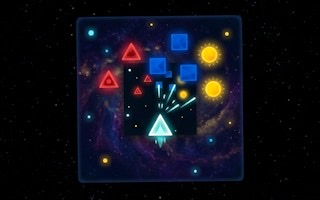
Shatter
Break the required targets before time expires, then prepare your equipment for the next arcade challenge.
- Session
- 1–5 min
- Controls
- Click or tap targets; hold and drag to keep attacking
- Best for
- Quick

Shatter
Shatter
Click or tap targets; hold and drag to keep attacking
Play loads a game hosted by GamePix that may show ads and use cookies.
Provided by GamePix. Ads and cookies may load only after you press Play. Read the GamePix Privacy and Cookie Policy.
Break the required targets before time expires, then prepare your equipment for the next arcade challenge.
How to play
How to Play Shatter
Select a target, attack until it breaks, and move through the remaining objects quickly enough to clear the full stage before time expires.
- 01
Survey the whole stage before committing. Count the visible targets, identify the easiest first break, and notice which objects may require a longer sustained attack.
- 02
Click a target to begin, then hold or drag as the current stage requires to keep pressure on the intended object. Release when it breaks and reacquire the next target.
- 03
For keyboard play, use the arrow keys to change the selected target and press Enter to attack. Confirm the highlight before committing time to the input.
- 04
Watch the timer between targets. If the opening object took longer than expected, shorten the next transition and prioritize a reliable clear over unnecessary cursor movement.
- 05
Use number keys only for skills currently displayed as available. Match a skill to a stage problem, such as a difficult target or a crowded remaining field, instead of activating it without a plan.
- 06
Collect the stage result, review coins and equipment, and spend on the limitation that cost the most time. Then enter the next stage with one clear improvement to test.
About the game
Clear every target before the stage timer expires
Shatter is a timed target-smashing game arranged across 12 stages and six chapters. Each stage presents objects to break before time runs out. You can click a target and hold or drag to attack it directly, or use the arrow keys to choose a target and Enter to attack. Number keys activate the skills currently shown as available.
The first decision is target order. A nearby or fragile-looking object may clear quickly, while a slower target can consume enough time to threaten the rest of the stage. Coins support equipment and upgrades, so progress also asks whether to strengthen the current weak point or save resources until a purchase produces a clearer improvement.
A strong run keeps the active target unmistakable, uses the shortest reliable input, and checks the remaining field immediately after each break. As new skills and equipment become available, read their displayed descriptions and connect each option to a specific timed-stage problem before spending coins or activating an ability.
Controls
Controls for Shatter
- Mouse or touch
- Select a target, then hold or drag to attack it.
- Arrow keys
- Move the target selection.
- Enter
- Attack the selected target.
- Number keys
- Activate skills that are currently shown as available.
Useful strategy
Spend less time between completed targets
- Choose the first target during the opening survey. An immediate clean break gives you timing information and avoids spending the first seconds moving indecisively across the field.
- Confirm the active target after every direction-key press. Attacking the wrong object wastes more time than taking one glance at the selection highlight.
- Use sustained input only while it produces visible progress. Release promptly after a break so your cursor or selection can move to the next object.
- Compare remaining targets with remaining time after each clear. If the ratio tightens, favor predictable attacks and shorter transitions instead of experimenting mid-stage.
- Save a visible skill for the problem it solves best. Using it on the first easy target may leave no answer for the stage's slowest or most awkward object.
- Upgrade from repeated evidence. If several losses come from slow damage, improve output; if transitions or target control cause the delay, practice selection before spending coins.
Choose a target order before the first attack
Start by counting targets and comparing their positions. Pick an opening object that is easy to select and likely to give a quick result. The first break confirms how the stage responds and leaves more time for the objects whose durability or input needs are less obvious.
Plan only the first few targets, because the field may change as objects break. A short route reduces cursor travel or keyboard selection steps without locking you into a poor final order. After each clear, update the route from the new selection and remaining timer.
When one target appears unusually demanding, decide whether to handle it early with full resources or save it until a skill is ready. Avoid leaving every uncertain object for the end. A good order alternates reliable progress with the stage's hardest known requirement.
Control the attack from selection to release
With pointer controls, place the cursor securely on the target before holding. If dragging is useful in the current situation, keep the motion deliberate and watch whether the intended object continues responding. Fast, wide movements can cross targets and make the active choice unclear.
With keyboard controls, separate navigation from attack. Tap an arrow, verify the selected object, then press Enter. Holding navigation while attacking can move the highlight at the wrong moment. A steady select-confirm-attack sequence is faster than recovering from repeated wrong targets.
Release the input as soon as the break completes. The stage rewards cleared objects, not extra pressure on empty space. Use the completion moment as a trigger to find the next target and check the timer before beginning another sustained action.
Turn the timer into a pacing signal
Divide the remaining time by the number of targets only as a rough warning, because objects may take different effort. If one early break consumes a large share, respond by shortening transitions and using a suitable skill. Do not panic-click across the field; lost selection wastes the time you are trying to save.
Check the clock at natural boundaries: before the first attack, after a break, and before committing to a slow target. Watching continuously pulls attention away from the object. Boundary checks give enough information to adjust order while keeping the current input accurate.
A failed stage is timing data. Remember which target first put the pace behind schedule. On the next attempt, change its position in the order, reserve a skill for it, or improve the equipment related to the slowdown. One targeted change makes the new result comparable.
Use available skills for a specific bottleneck
Read the icons and descriptions for skills currently available to you. Connect each one to a stage condition before pressing its number key. A skill may be most valuable against a durable target, during a crowded sequence, or when the timer falls behind; the visible effect should guide the choice.
Avoid activating several skills at once unless the stage clearly demands it. Separate use helps you learn what each ability contributed and prevents strong effects from being spent on the same easy problem. If one skill creates enough advantage, keep the others for later targets.
After activation, watch the actual change and adapt. A faster break may let you revise the planned target order, while an effect with a limited window may reward immediate follow-through. The skill supports the clear; it does not replace confirming the next target and input.
Spend coins where the stage repeatedly loses time
Before buying equipment or an upgrade, identify the repeated problem. If attacks progress too slowly even with clean control, stronger output may help. If time disappears during target changes, another purchase may not fix the real issue. Practice the input until the equipment limitation is clear.
Compare a broad improvement with a narrow one using the stages you currently face. An upgrade that affects every target can be valuable when the entire pace is low. A specialized option earns its cost when a recurring target type or chapter condition creates most of the failures.
Do not spend only because coins are available. Keep a reserve when the next meaningful improvement is not yet clear, and read new equipment descriptions as they appear. A purchase should change a decision or measurable bottleneck, not merely empty the balance.
Quick answers
Shatter FAQ
What is the goal in Shatter?
Break every target in the current stage before the timer expires. Recheck the remaining field after each clear so no object is lost during a fast transition.
How do I attack a target with the mouse?
Click the intended target, then hold or drag as the current target requires. Keep the input controlled and release promptly when the object breaks.
Can I play Shatter with the keyboard?
Yes. Use the arrow keys to change the target selection and Enter to attack. Verify the highlight after navigating so time is not spent on the wrong object.
What do the number keys do?
They activate skills currently shown as available. Read the visible description and use the ability against a specific stage problem rather than pressing every key immediately.
How many stages does Shatter have?
The game is structured as 12 stages across six chapters. Each clear still depends on removing the full target set within its timer.
What should I upgrade first?
Upgrade the limitation that repeatedly costs the stage. Improve attack performance when targets break too slowly; practice selection first when most lost time occurs between targets.
Game information
Game details
Shatter is provided through the GamePix-hosted player. The external player may display advertising and is governed by GamePix's privacy terms.
- Distributor and host
- GamePix
More about this game
Keep the break going