Rage Maze Master!
Move through rooftop corridors, turn grey tiles blue, and clear enemies along the connected path.
- Session
- Short play sessions
- Controls
- Click inside the game
- Best for
- Skill
Paint a route across rooftops
Rage Maze Master!
Click inside the game
Play loads a game hosted by Playgama that may show ads and use cookies.
Provided by Playgama. Ads and cookies may load only after you press Play. Read the Playgama Privacy and Cookie Policy.
Identify the blue fighter and connected grey path.
How to play
How to Play Rage Maze Master!
Choose one valid direction, watch the fighter reach the next part of the route, and then plan the next turn.
- 01
Open the hosted player and identify the blue fighter, grey path, red opponents, and the numbered Level 1 markers.
- 02
Click inside the game view so desktop movement input reaches the fighter.
- 03
Use a short WASD input in a valid direction. In the opening, D takes the fighter along the first corridor to the right.
- 04
Watch the traversed tiles turn blue and the nearby enemy change as the fighter engages it.
- 05
At the next bend, inspect the connected grey path before choosing a new direction. Continue along the rooftop route and bridge.
- 06
Check the numbered progress markers and newly revealed route. Look for unpainted tiles and remaining opponents rather than assuming one section completes the level.
About the game
Move through the maze and turn its paths blue
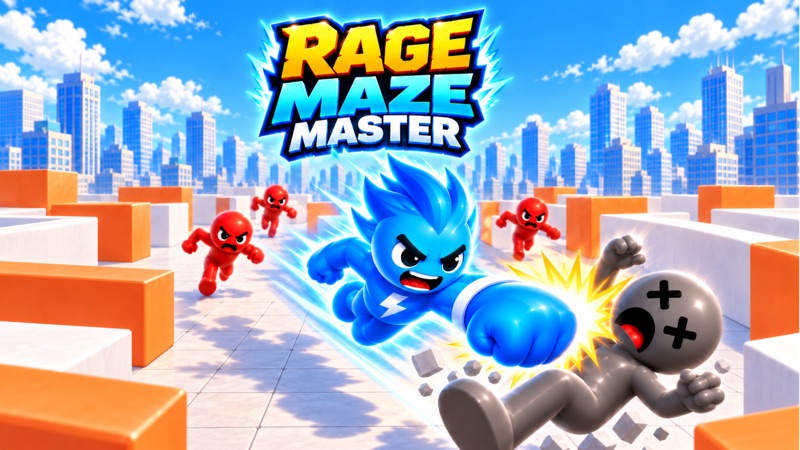
Rage Maze Master! by JoyBits Games is a browser path-painting game with enemies along the route. The opening view shows a blue fighter on a rooftop, grey path tiles, red opponents, and bridges connecting the scene. Move through the marked path to color it blue and engage enemies along the way. The publisher’s objective combines covering the field with clearing its enemies; painting one short corridor is not the same as finishing the whole level.
Use Play to open the official player, then click inside its game view. The opening prompt reads SWIPE TO MOVE with WASD as a desktop alternative. A short D input moves the fighter right along the first corridor, paints the tiles, and clears the nearby opponent. Follow the route at the next bend instead of holding a direction toward empty rooftop space.
Level 1 shows numbered progress markers above the scene. After the first route and its bridge, the first marker turns blue and the next section becomes active. Keep reading the live route as it unfolds. This guide explains the opening movement and coverage task without presenting one short sequence as a complete solution for every level or version.
Controls
Controls for Rage Maze Master!
- WASD
- Move in four directions; this alternative is shown by the opening tutorial.
- Arrow keys
- Four-direction desktop movement listed by the publisher.
- Directional swipe
- Publisher-listed mobile movement; the opening also displays a swipe cue.
- Click inside the game
- Give the player focus before using desktop movement keys.
Useful strategy
Plan around connected paths, unpainted tiles, and enemies
- Use the blue tiles as a record of where the fighter has already traveled.
- Read the next bend before issuing another direction. Empty rooftop space is not the same as a marked route.
- Begin with one short input and wait for the movement to resolve before adding another.
- Look for opponents and grey tiles together when choosing which corridor to cover next.
- A blue progress marker can indicate that a section advanced; keep checking the remaining level instead of assuming a full win.
- If keyboard input seems missing, click inside the game and test one valid direction before restarting.
Follow the marked corridor rather than the shape of the roof
The angled view shows buildings and open rooftop areas around a narrower grey path. Use that path to decide where the next movement belongs. A direction that points across the roof may not be a connected corridor. Before acting, find the tile beside the fighter, trace its connection, and identify the bend or junction you expect to reach.
The opening rightward move is a useful introduction because you can see the fighter leave its starting point and the path change color. Once that movement finishes, reassess the new position. The next useful direction comes from the connected route now visible, not from repeatedly pressing the same key because it worked on the first straight.
At a bend, pause long enough to read which corridor continues. Short inputs make this easier because you can compare one movement with the new scene. This approach is especially helpful in an angled camera view, where a path that goes upward on the screen can appear to run diagonally through the world.
Blue tiles show covered ground; grey tiles identify the next task
Moving through the opening corridor turns its grey tiles blue. That color change gives you a simple coverage record. When choosing a route, look for the remaining grey tiles and ask how they connect to the position you can reach now. A corridor you have already painted can still be part of the route toward an unfinished branch.
Do not judge coverage from the fighter’s location alone. The character may have moved a long way while a side corridor remains untouched. Scan the scene after a turn and compare the connected branches. The publisher’s full-field objective means that a short painted strip is progress, but it does not remove the need to inspect the rest of the level.
When two possible directions are available, consider which one reaches unpainted ground and whether you can return to the other branch. This is route planning, not a rule that every level must begin around its outer edge. Use the layout you actually see. A generic maze strategy can be less helpful than identifying the one grey connection you have missed.
Movement and enemy clearing work together in the opening
Red opponents occupy parts of the route. In the first corridor, the fighter engages the nearby opponent as movement carries it through that area; the opponent changes appearance and falls away. The listed basic controls are directional movement, so begin by learning how the route and this automatic opening interaction fit together rather than searching for an unlisted attack key.
Watch the opponent’s visible change before assuming it has been cleared. The fighter can move and paint ground while other enemies remain elsewhere in the scene. Keep track of both tasks: covered tiles and remaining opponents. A painted corridor does not by itself establish that every combat requirement for the level has been satisfied.
Plan a route that brings unfinished ground and visible enemies into the same sequence when possible. That can reduce unnecessary travel without promising a fastest solution. Later sections may arrange opponents differently, so continue reading the actual field. The opening example explains what to look for, not a universal order for clearing every enemy.
Treat the bridge as a connection to another part of the level
After the first rooftop turns, the marked route leads onto a narrow bridge. The camera follows as the fighter crosses toward the next rooftop. Keep using the connected tiles as your reference, because the buildings and the screen framing shift during that transition. The next section may contain more branches than the opening strip.
The Level 1 display shows numbered markers, and the opening progression changes the first marker to blue while the next one becomes active. Read this as progress within the current level. Continue looking at the newly revealed route and opponents instead of stopping as soon as one marker changes color.
On arrival, take a fresh view of the layout. Identify the nearest grey branch, the first bend, and any opponent on that branch before pressing another direction. This small pause is useful because a movement sequence that fit the previous rooftop may no longer fit the next one. Each connection is an opportunity to update your route plan.
Use the visible position to choose the next correction
If a direction does not produce the movement you expected, inspect the route before repeating it. The fighter may be at a bend with no continuation in that direction, or the game may not have keyboard focus. Click inside the view and test one valid connected direction. This separates a route decision from an input problem.
If you have painted a path but left another branch grey, look for the connection that lets you revisit it. Backtracking can be part of covering a field; it is not automatically a failed attempt. Choose the return path deliberately and watch the fighter’s new position after each movement rather than entering a long sequence without checking the result.
Use a restart control only when you want a fresh attempt, and read any live consequences before confirming it. The opening’s reset icon does not explain every later recovery rule by itself. You can often learn more from recognizing the unfinished branch than from restarting immediately whenever the route differs from your expectation.
Quick answers
Rage Maze Master! FAQ
Where can I play Rage Maze Master! by JoyBits Games?
Use Play above for the official Playgama browser player. The source link identifies JoyBits Games and the exact title, which helps distinguish this release from other maze and path-painting games.
How do I move on desktop?
Click inside the game and use WASD, as shown by the opening prompt. The publisher also lists the arrow keys. Start with one valid direction and watch the fighter reach the next part of the marked path.
How do I paint the maze?
Move through the grey path tiles. Traversed tiles turn blue in the opening. Check for remaining grey branches as the camera reveals the next rooftop, and use connected paths to reach them.
Do I need a separate attack button?
The opening fighter engages a nearby opponent while moving through its corridor, and the basic published controls list directions. Watch the enemy’s visible change and continue checking for remaining opponents; the level objective includes both coverage and enemy clearing.
Does the first blue number mean I won Level 1?
The opening shows numbered progress sections. The first becomes blue as the route advances across the bridge, while another section becomes active. Continue inspecting the level rather than treating one completed section as a full-level win.
Can I follow one fixed move sequence for every maze?
Read the layout currently on screen. A short sequence that crosses the opening rooftop does not establish a solution for every later section or release. Choose directions from connected paths, unpainted tiles, and visible enemies.
Game information
Game details
Rage Maze Master! is developed by JoyBits Games and distributed through the official Playgama player.
- Developer
- JoyBits Games
- Distributor and host
- Playgama