Jade Toss: Arrow Challenge
Draw an arrow back toward a vase and use each miss to improve the next throw.
- Session
- Short limited-life throwing runs
- Controls
- Hold the arrow shaft
- Best for
- Casual
Landscape gives you more room

Pull, release, adjust
Jade Toss: Arrow Challenge
Hold the arrow shaft
Play loads a game hosted by Playgama that may show ads and use cookies.
Provided by Playgama. Ads and cookies may load only after you press Play. Read the Playgama Privacy and Cookie Policy.
Read the target distance and lives.
How to play
How to Play Jade Toss: Arrow Challenge
Hold the arrow shaft, draw it back, release toward the vase and read the result before spending another life.
- 01
Press Play and wait for the Level 1 courtyard. Find the green vase in the center, the arrow on the red mat and the hearts at the right.
- 02
Place a pointer or finger on the arrow shaft. Pull downward while holding it, then release to throw.
- 03
Watch the entire flight. If the arrow misses, read the message and check the aim history marker and remaining hearts.
- 04
Adjust the next pull by a small amount. Change one thing you can judge, such as how far you draw back or where you start the gesture.
- 05
Continue only while you have lives for the run. The score, best and distance indicators are useful feedback, but the target in front of you is the immediate task.
About the game
A short throwing challenge with a visible target and limited lives
Jade Toss: Arrow Challenge places a green vase in front of you and an arrow on a mat at the bottom of the screen. Hold the shaft, pull it down, and release to throw. The opening level shows a distance indicator, an aim history marker, a score area and a vertical row of hearts. You get immediate feedback after a shot: a miss can reduce the lives available for the run.
The first screen is simple enough to practice one variable at a time. The arrow faces the vase, but that does not make an unadjusted throw a guaranteed hit. A missed throw brings up a message explaining that each miss costs one life. Use that result as information about your pull, aim and range. This guide covers that opening target and the controls visible there; later targets may require a different approach.
Controls
Controls for Jade Toss: Arrow Challenge
- Press and hold the arrow shaft
- Begin aiming the throw from the red mat.
- Pull down
- Draw the arrow back before release.
- Release
- Throw the arrow toward the vase.
Useful strategy
Make each life teach you something
- Check the distance display before throwing. The opening vase is marked at 2.0 m, so aim for the target actually in the current scene.
- Begin your drag on the shaft, not on empty floor or on the vase. The on-screen instruction names the shaft as the control.
- Pull downward deliberately, then release. A tap alone does not give the same information as a controlled draw.
- After a miss, wait for the result prompt and look at aim history before trying again.
- Change one input at a time. If you vary pull length and direction together, it is hard to know what fixed or worsened the shot.
- Watch the heart counter. The game states that a miss costs a life, so do not treat repeated blind shots as free practice.
Read the courtyard before pulling the arrow
The opening scene has one obvious physical target: a green vase standing on a circular mark between two short stone lamps. The arrow rests on a red mat in the foreground and points toward it. Several displays around the edges can pull your attention away from the target. The left edge identifies Level 1; the top shows score, best score and a distance measure; the right edge shows hearts. Locate those once, then put your attention back on the arrow and vase. The first useful action is a controlled throw.
The bottom instruction says to hold the shaft, pull down and release to throw. Starting your drag on the arrow shaft matters because it tells the game you intend to aim. Pressing on the vase itself is not the same control. The shaft is narrow, so use its lower half where it crosses the red mat if the first touch does not appear to engage it. Pull downward in a straight motion and watch the arrow respond before releasing.
The distance display on the opening level reads 2.0 m. Treat it as context for this particular target, not a universal range to memorize. Later screens may place objects differently, and the useful pull could change. A score of zero at the start simply means you have not scored yet. It does not tell you where the arrow went. The trajectory, result message and aim history are better tools for choosing the next adjustment.
Throw once and observe the full result
Press on the shaft and draw it back. A longer or shorter pull changes the preparation you are giving the shot, so make the first one moderate enough to leave room to adjust. Release cleanly, without moving the pointer at the same instant in an unrelated direction. Then let the arrow finish its flight. Do not judge the shot from the first frame after release; the meaningful result is whether it reaches the vase or passes by it.
A missed opening throw displays an explicit prompt: each miss costs one life and the run ends when you run out of lives. That message is important because it turns trial and error into a limited resource. The scene also records one of five throws for a visible jade gift task, and an aim history marker appears near the lower left. Read those as current-session feedback. The guide does not assume a prize from a miss, nor does it promise that five throws are enough to win one.
If the arrow misses, compare the visible route with the vase and the displayed distance. Did it travel short, go beyond, or pass to the side? Use the answer to change one part of the next draw. A small correction lets you tell whether you moved toward the target. Throwing rapidly without checking the result can consume hearts while teaching little about the geometry of the shot.
Adjust one variable before the next life
The easiest way to learn from a miss is to keep most of the gesture the same. If the throw looks too weak, draw a little farther down on the next try. If it passes the target, shorten the draw. If it goes to one side, correct the initial line without also making a huge power change. The game shows an aim history marker specifically so you can compare a previous attempt with the new one. Use it as a reference, not as a guarantee that two gestures will be identical.
A heart is a real limit in this challenge. Before a repeat shot, check the right-hand lives display and the result prompt. If you are unsure what the previous shot did, take a moment to read the screen rather than spending a second life on the same unexplained motion. The visible run ends when lives are gone. That makes deliberate practice more valuable than a series of guesses, even on the introductory vase.
The game also shows sign-in and gift controls away from the arrow. You do not need to make an account to understand the basic throw. Focus on the free opening target and its on-screen instructions. If you want to inspect optional menus later, do so after you have learned the shaft control and read the current result. The first player task is still simple: hold, pull down, release and observe.
Choose another kind of aiming challenge
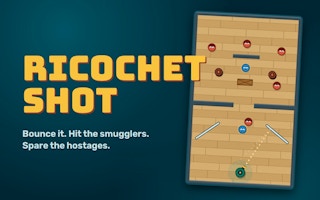
Jade Toss is a good fit if you want a single target and a direct pull-and-release gesture. Ricochet Shot asks for a different kind of planning: you choose a trajectory that uses rebounds to reach a target. ScaleSling also rewards careful launch control but changes the look and response of the shot. These are useful comparisons because each one asks you to read a visible path before committing, while the way a miss is diagnosed differs.
If you stay with the vase, make the next throw as informative as possible. Note the distance, choose a moderate pull, release, and wait for the final message. If it misses, decide whether your correction concerns range or sideways aim. A player who can say why the last arrow failed has a better next move than a player who fires again immediately. Keep that habit when the target or level changes.
Quick answers
Jade Toss: Arrow Challenge FAQ
How do I throw the arrow?
Press on the arrow shaft on the red mat, pull downward while holding, then release.
What happens when I miss?
The opening game states that each miss costs one life. Check the hearts and aim history before another attempt.
What is the 2.0 m display?
It is the visible distance for the opening target. Read the distance shown on the current scene rather than assuming every target is the same.
Do I need to sign in to try the first throw?
The opening Level 1 throw is visible beside a separate Sign in control. You can learn the basic hold, pull and release action without opening an account.
Game information
Game details
Jade Toss: Arrow Challenge runs in the official Playgama player. Airy Arcade provides this independent guide to the visible throwing controls and result feedback.
- Developer
- FTL HK Limited
- Distributor and host
- Playgama
More about this game
Keep the break going