Food: Run and Battle
Guide a food squad through split gates and hazards before it meets another team.
- Session
- Short running battles
- Controls
- Use arrow keys, A/D, or mouse movement to steer
- Best for
- Casual
Landscape gives you more room
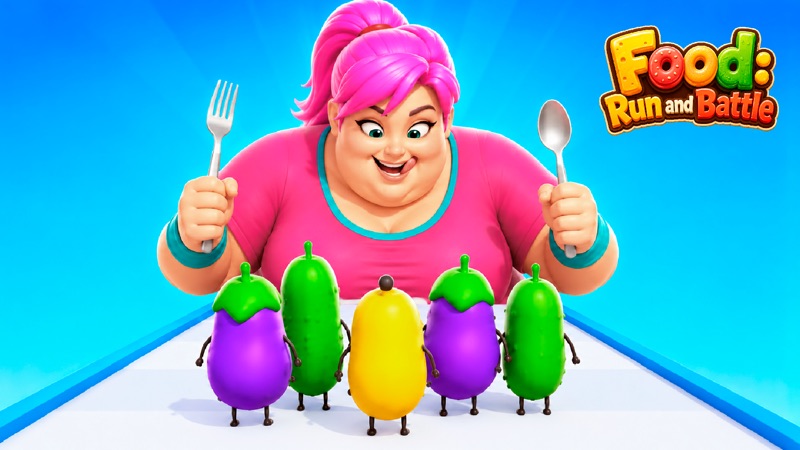
Steer, grow, and clash
Food: Run and Battle
Use arrow keys, A/D, or mouse movement to steer
Play loads a game hosted by Playgama that may show ads and use cookies.
Provided by Playgama. Ads and cookies may load only after you press Play. Read the Playgama Privacy and Cookie Policy.
Read the next split gate and obstacle.
How to play
How to Play Food: Run and Battle
Read the next gate before you reach it, steer the squad to a lane, and keep checking the unit count as the run changes.
- 01
Press Play and wait until the track, your food squad and the movement panel appear. If an advertisement covers the game, close it using its own visible control when available.
- 02
Click or tap the game area if the keyboard does not respond. Use left and right arrow keys, A and D, or the mouse movement shown on the tutorial panel to steer sideways.
- 03
Look ahead at the gate labels and any cones or other obstacles. Pick the lane that fits the current run rather than switching at the last moment.
- 04
Watch the number above your squad and the characters themselves after a gate or clash. That feedback tells you whether the previous route helped or cost units.
- 05
Continue through the track toward the next group or final battle. If a run ends, use the visible result to decide which lane choice or movement timing to change next time.
About the game
Build a food squad while the track keeps moving
Food: Run and Battle is a forward-moving track game. A small food squad advances toward numbered gates, hazards and opposing groups. You steer sideways to choose a route while the track carries the action forward. The opening screen shows three small carrot units, a bright gate split into two choices, and a movement tutorial that lists arrow keys, WASD and mouse control. Your immediate job is to stay with the group and guide it into useful space.
As the run continues, the visible unit type and group count can change before a clash. A short opening interaction led from three carrots to a four-unit pizza group facing another set of food characters, with a red battle area on the track. Treat each gate and obstacle as a local decision: compare the labels, the side of the track, the current unit count and the hazard ahead. The aim is to arrive at the final fight with a team, not merely to touch every shiny gate.
Controls
Controls for Food: Run and Battle
- Left and right arrow keys
- Steer the moving food squad between lanes.
- A and D keys
- Alternative left and right steering shown in the opening tutorial.
- Mouse drag or movement
- Guide the squad laterally when playing with a pointer.
- On-screen upgrade cards
- Inspect the price and effect before spending game-earned currency.
Useful strategy
Steer early enough to keep your options open
- Read both sides of a split gate while it is still far ahead. A decision made a moment early leaves room to correct your line.
- Keep one eye on the number above the squad. It is a clearer summary of the current group than the animated characters alone.
- Avoid drifting toward a cone just because a gate beyond it looks attractive. Consider the whole short stretch of track.
- If keyboard steering appears inactive, click the game area once and then try one direction; the player may not have focus yet.
- Use small lateral moves near hazards. Holding a direction too long can carry the squad across the lane you meant to select.
- Treat an upgrade price as a cost. The opening cards show a price, so compare it with the currency you actually have before assuming an upgrade is available.
Understand the track before committing to a lane
The first thing you see is a long runway with your squad near the bottom and the next gate in the distance. The gate has two labeled sides, each requiring a lateral choice. Farther ahead are obstacles and other food characters. Because the view compresses distance, an object that looks far away can reach your group quickly once movement starts. Scan from the next gate to the obstacle beyond it before steering. Choosing a lane in isolation can leave you with no easy route around the following hazard.
The small bubble above your group is useful. It shows a count, beginning at three in the opening scene. After steering, a gate, or a clash, look back at that bubble. The animation may show several similar characters close together, making them hard to count by eye. The number is faster to read, especially when the squad changes type. It gives you immediate evidence about the decision you just made without needing to know every hidden battle calculation.
Two upgrade cards sit near the bottom of the initial screen. One names starting units and the other profitability; both show a currency price. These are optional decisions separate from moment-to-moment steering. If the currency display is empty, you cannot treat the printed price as a free power-up. Start by learning the track and its controls. Consider an upgrade only when you have enough game-earned currency and can understand what the card is supposed to change.
Steer with short, intentional changes
The tutorial shows arrow keys, WASD and a mouse icon. On desktop, try one brief left or right input and watch the group, not just the cursor. If nothing moves, click the game area once so it receives keyboard focus, then try again. A mobile player can follow the game’s visible touch prompt when it appears. The important control is lateral movement; the squad advances along the track while you decide which side it occupies.
Do not wait until your food characters overlap the gate divider before choosing. Start moving toward the preferred side while the gate is still comfortably ahead. If you overshoot, a short opposite input can correct the line. Holding one key continuously may send the squad past the lane you wanted, especially when the next obstacle is on the opposite side. A few small corrections are easier to understand than a long sweep across the whole track.
The game shows arithmetic-style gates, but a label alone is not the entire route. A larger visible number can be appealing; the path beyond the gate can still contain cones or a rival group. Compare both sides, move into the selected lane, and check the count afterward. If you entered a gate and the count did not improve as you expected, the next useful question is where the squad actually crossed the gate, not whether the displayed number was bright enough.
Read what happens at a clash
The track eventually puts your squad near another food group. In the opening play, the visible lineup shifted from carrots to pizzas, a red circle marked the clash area, and the count over the squad was four. That is enough to show that the run has progressed beyond a menu and that route choices affect what you bring into a fight. It does not prove a fixed recipe for every food type. Watch the current team and opponent rather than expecting the same characters every time.
When the two groups meet, let the encounter finish before trying to interpret the result. Animated splashes and character movement can make a single frame misleading. The next stable count, the presence or absence of your squad, and any result panel are better signals. If your group loses units, think back to the gate and obstacle just before the clash. Was the chosen side clear? Did you steer too late? Did you enter with fewer units than you could have?
A strong next attempt changes one decision at a time. Choose a different side of an early gate, or move earlier around a hazard, and compare the count when you reach the same stretch. Changing every gate choice at once may create a different outcome without telling you why. This is a short-run game, so a small repeatable experiment is often more useful than memorizing an unverified perfect path from a different run.
Fix common routing problems
If the squad appears stationary while the control overlay is visible, give the game area one click and then use a listed direction. Keyboard commands can go to the surrounding page until the player has focus. If an advertisement is still covering the game, wait for its close control and return to the track; clicking through an ad is neither steering nor necessary. Once the units move, release the key and confirm that a short input changes their lane.
If you keep clipping obstacles, look farther up the track. The group does not have to wait until a cone is beside it before changing lanes. Choose a route that gets past both the next gate and the next visible hazard. Use the count above the squad to separate a cosmetic collision effect from a real loss of units. If a run ends, the important lesson is which obstacle or clash ended it and what one earlier move could have avoided that point.
For a different running challenge, Bunny Rush asks you to steer through a moving course with a much smaller character focus. Snowboard Knockout Race Game also rewards reading hazards ahead while controlling a racing line. Food: Run and Battle adds the squad count and gate choice to that same glance-ahead task. If you enjoy decisions about team size as much as steering, stay here and compare how each split changes the next fight.
Quick answers
Food: Run and Battle FAQ
How do I move the food squad?
Use the left and right arrow keys, A and D, or the mouse movement shown by the game. Click the player once if the keyboard has no focus.
What does the number above the squad mean?
It shows the current group count. Check it after gates, hazards and clashes to understand what changed.
Should I always choose the larger gate number?
Read the track beyond the gate too. A visible obstacle or upcoming clash can affect whether that lane is useful.
Can I buy an upgrade immediately?
The opening upgrade cards show a game-currency price. Compare that price with your current balance before selecting one.
Game information
Game details
Food: Run and Battle runs in the official Playgama player. Airy Arcade provides this independent guide to its visible steering, gates and squad feedback.
- Developer
- Prime Web Publish
- Distributor and host
- Playgama
More about this game
Keep the break going
Similar games
Line up the squad
Hard Crash: Zombie Rush
Drag the squad along the bridge, line up automatic fire with barrels, and read soldier gates.
Steer between the gates
Snowboard Knockout: Race Game
Guide a snowboarder downhill with A and D or arrow keys while tracking course progress.