Diamond Painting by Number
Open the heart drawing, match numbered colors, and hold and drag to place sparkling diamonds.
- Session
- Short play sessions
- Controls
- Hold mouse button and drag across the numbered canvas
- Best for
- Relaxed
Landscape gives you more room
Place a little sparkle
Diamond Painting by Number
Hold mouse button and drag across the numbered canvas
Play loads a game hosted by Playgama that may show ads and use cookies.
Provided by Playgama. Ads and cookies may load only after you press Play. Read the Playgama Privacy and Cookie Policy.
Choose the available heart picture.
How to play
How to Play Diamond Painting by Number
Open the heart design, read the palette, then make a small held stroke.
- 01
Open the player and use the distributor’s Let’s Play button if the game cover is still visible. Wait until the actual game appears.
- 02
Choose the visible heart drawing. The opening screen has a grayscale heart preview and an upward arrow indicating the available picture.
- 03
Find the numbered palette at the bottom of the painting screen. The checked palette contained one through five, with pink assigned to number one.
- 04
With the matching number selected, hold the mouse button and move slowly across a short area of the numbered canvas, then release. This produced pink diamonds in the checked session.
- 05
Inspect the new stones on the drawing. Confirm a real filled cell before attempting a longer sweep or changing tools.
- 06
Continue matching palette numbers to the drawing. Treat the full-picture completion screen, later designs, and saving or export as features to confirm in your current session.
About the game
Turn numbered cells into a sparkling picture
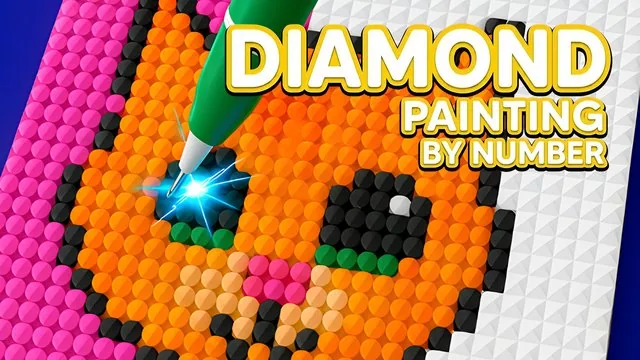
Diamond Painting by Number is a browser coloring game by Mirra Games. Instead of drawing a picture from scratch, you fill a prepared numbered design with corresponding diamond colors. The opening route shows a heart picture and then a tilted canvas containing numbers from one to five. A numbered palette sits along the bottom. In the checked opening, number one was pink, and holding the mouse button while moving across the canvas placed visible pink, faceted diamonds. That held movement is the most useful control to try if a quick click seems to do nothing.
The appeal is building an image through small, visible additions. You do not need physical beads, glue, an art kit, or experience with drawing. You do need to read the numbers, select the intended palette entry, and watch the canvas closely enough to see where a diamond lands. Start with a short stroke rather than trying to cover the entire picture at once. Three newly placed stones are a clearer sign of accepted input than the pen animation or a highlighted area alone.
Use the player above for the browser version, which Playgama lists as free and available on PC, Android, and iOS. The external player may display advertisements and its own privacy choices. The desktop opening and a short pink placement stroke were checked; completing a picture, changing every color, exporting artwork, saved progress, and physical-phone controls were not verified. This guide explains that first useful painting action and the numbered workflow without borrowing features from similarly named mobile apps.
Controls
Controls for Diamond Painting by Number
- Click the heart preview
- Open the available numbered drawing from the initial picture screen.
- Hold mouse button and drag
- Move the painting tool across the canvas. A short held stroke was checked and placed pink diamonds; isolated clicks did not visibly fill a cell in that opening.
- Numbered palette
- Match the selected color number to the numbers on the canvas. The opening palette showed one to five; one was pink.
- Touchscreen
- The official listing supports touch devices. Physical-phone finger placement and dragging were not checked.
Useful strategy
Make steady progress without losing your place
- Begin with one number and a short stroke so that you can see the effect of your input.
- Watch the stone’s landing position rather than the decorative upper part of the pen.
- Compare the remaining printed numbers with the selected palette entry before moving into a new patch.
- Work through a small section, then inspect nearby gaps before moving farther across the picture.
- Confirm saving or export in the game before relying on a long session being available after you close it.
Read numbers before judging colors
The palette number is your guide to the intended color. On the opening canvas, the printed numbers remain visible in unfilled cells, while a placed diamond replaces the flat printed appearance with a small faceted stone. Use that difference to separate progress from a selection highlight. The heart artwork starts in grayscale, so the picture itself is not a reliable instruction to choose a color by intuition. Follow the numbers supplied by the game even when the intended final image is already recognizable.
This is different from a free drawing canvas. A free drawing tool lets you decide the color of any position; a numbered picture gives each cell a role in a prepared design. If you want to invent a completely new image, import your own photograph, or recolor every region freely, confirm that the current game offers those functions first. None of those capabilities was established by the opening play check, and similarly named apps can have different menus and features.
Why dragging is a better first test than repeated clicks
An isolated click on the numbered canvas did not produce a visible filled cell during the opening check. A held mouse movement did: three pink stones appeared after a short stroke with number one active. If your first click seems ignored, hold the mouse button, move a modest distance, and release. Then stop and look at the canvas. This makes the input easy to assess and avoids turning a small control question into a long series of random clicks.
The pen graphic extends well above its working tip. Focus on the lower contact area and the cells that change, rather than trying to line up the center of the illustrated handle with a number. Move slowly enough to compare the stone positions with the grid. The canvas is shown at an angle, so a row of cells is not necessarily a perfectly horizontal stripe on your screen. Short strokes make it easier to learn that visual relationship before you try a larger section.
Choose a manageable section of the picture
A practical approach is to handle one visible color number in a small area, inspect the remaining gaps, and only then continue. Large matching patches are easy to notice, but isolated cells can be left behind among already filled neighbors. Read a small section from one side to the other and keep track of where you stopped. This is a way to organize your attention; it is not a claim that the game requires a particular order or awards a bonus for following one.
When a stroke reaches mixed numbers, pause and recheck the active palette entry. Do not infer that every gray cell needs the current color. Likewise, do not assume that a filled-looking highlight is a completed stone. Compare the texture and the printed number before deciding the section is finished. The checked result contained individual pink gems, not a single flood-filled block. That incremental feedback is the useful signal to look for throughout your session.
What the tool icons and completion goal do tell you
Three large controls with different dot arrangements appear above the canvas. Their appearance suggests different placement shapes, but the opening check did not establish their exact behavior. Start with the current tool rather than assuming one button fills every cell or gives a free shortcut. If you explore another tool, compare a small area before and after using it and read any explanation the game shows. No speed, cost, unlock condition, or multi-cell placement promise is made here.
The official goal is to fill the numbered design with corresponding diamonds and reveal the finished picture. That describes what you are working toward, not a verified final-screen sequence. The short check did not finish the heart or test another design. It also did not establish a timer, penalties for mismatches, automatic saving, a download button, or an offline mode. If any of those matters to how you plan to play, confirm it in the current interface before depending on it.
Quick answers
Diamond Painting by Number FAQ
Can I play Diamond Painting by Number for free without installing an app?
Playgama lists this exact Mirra Games title as a free browser game. Use the player on this page or the official listing below. The external player may show advertisements; no ad-free or offline promise is made.
Why did clicking the canvas not place a diamond?
In the checked opening, isolated clicks did not visibly fill a cell. Holding the mouse button and moving across a short patch did place pink diamonds. Try that held stroke and inspect the actual stones rather than the pen animation alone.
What does number one mean?
On the checked opening palette, one was pink. Match palette numbers to the printed numbers in the drawing. The palette for other pictures was not checked, so do not assume every later picture uses the same numbering.
Can I fill several cells at once with the top tools?
Three dot-pattern tool buttons are visible, but their precise placement behavior was not verified. This guide only confirms a short held stroke with the opening tool.
Can I save or download my completed diamond painting?
Saving, downloads, full-picture completion, and progress after reopening were not verified. Confirm those options in the running game before relying on them for a finished artwork.
Game information
Game details
Independent guide to Mirra Games’ title. A short desktop placement stroke was checked; full completion, other tools, saving, and physical-phone operation were not verified.
- Developer
- Mirra Games
- Distributor and host
- Playgama
More about this game
Keep the break going
Similar games

Choose a small hands-on break
Relaxing Games: 30 in 1
Pick an illustrated activity, interact with its object, and use the back arrow to choose another.

Preview and confirm a look
Elemental DressUp Magic
Choose a character, change an eye or hair option, and confirm to continue designing.