Cat at Lunch
Guide a hungry cat toward food, collect useful bonuses, and dodge dangerous objects along the scrolling route.
- Session
- 2–8 min
- Controls
- Drag the cat with the mouse or a finger
- Best for
- Quick
Landscape gives you more room
Catch the next snack
Cat at Lunch
Drag the cat with the mouse or a finger
Play loads a game hosted by GamePix that may show ads and use cookies.
Provided by GamePix. Ads and cookies may load only after you press Play. Read the GamePix Privacy and Cookie Policy.
Watch the right side of the scrolling course and move the cat toward an open approach lane.
How to play
How to Play Cat at Lunch
Move the cat with your mouse or finger, collect incoming food and bonuses, avoid inedible or dangerous objects, and keep the run going as the distance rises.
- 01
Press Play and locate the cat on the left side of the scrolling course. Check the incoming items on the right before making a large movement.
- 02
Drag with the mouse or a finger to guide the cat around the play area. Move toward a clear intercept point rather than following an item after it has already passed your position.
- 03
Collect edible items such as cheese, sausage, steak, and fish. Confirm the pickup by watching the item disappear and the score change.
- 04
Move away from anything that is not food or is visibly dangerous. Keep an escape lane above or below the current target instead of staying locked onto one horizontal path.
- 05
Track distance, coins, and the heart display separately from score. Use them to judge how far the run has progressed, what resources you have collected, and how much safety remains.
- 06
After an attempt, review the available upgrade screen before starting again. Spend points only after deciding which offered improvement best supports the part of the run that is giving you trouble.
About the game
Guide a hungry cat through a fast-moving lunch run
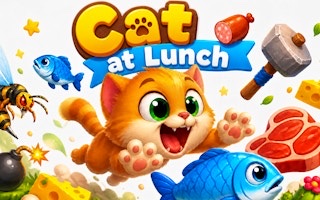
Cat at Lunch is a side-scrolling arcade game about moving a hungry cat toward edible items while the course travels from right to left. Guide the cat with a mouse or finger, line up with food, and move away from anything inedible or dangerous. Cheese, sausage, steak, and fish are among the foods that can appear during a run.
The cat can move around the play area rather than following a single fixed lane. That freedom makes anticipation more useful than last-second chasing. Watch the right side for the next item, move onto a clear approach path, and leave enough room to correct if a hazard or another object follows behind it.
The interface separates score, distance, coins, and lives because they describe different parts of the run. Food contributes to score, distance keeps increasing as the course advances, coins are their own collectible resource, and the heart display shows the remaining life reserve. Reading each counter for its own purpose makes it easier to understand whether a route is profitable, long, or simply risky.
Controls
Controls for Cat at Lunch
- Mouse drag
- Guide the cat around the play area on desktop.
- Finger drag
- Guide the cat on a mobile or tablet screen.
- Pause menu
- Pause the run, resume play, or adjust sound and music.
Useful strategy
Intercept food early and keep an escape route open
- Look toward the right edge, where new items enter. Early identification gives you time to choose a short, controlled route to food.
- Aim for where the food will meet the cat, not where it first appears. The course keeps moving, so a direct chase can lead to overcorrection.
- Use small adjustments once the cat is aligned. Large late movements can carry you past the food or into the path of the next object.
- Do not treat every visible object as a pickup. Identify food first and preserve a clear route away from inedible or dangerous items.
- Check which counter changed after a pickup. Score, distance, coins, and lives have different jobs and should not be added together as one progress number.
- Pause when your hand position or attention needs a reset. Resume only after you are ready to read the incoming side of the course again.
Read the right side before moving the cat
Because items travel from right to left, the right edge is your planning area. Scan there first, classify the next clear object as food or something to avoid, and only then choose the cat's path. This short preview is more dependable than reacting when an object is already level with the cat.
Do not focus so tightly on one piece of food that the object behind it becomes a surprise. Keep a wider view of the lane above and below the target. A good approach collects the current food while ending in a position that still has room to move when the next part of the course arrives.
When the screen becomes busy, simplify the decision. Choose one reachable food item with a clean path, ignore a more awkward target, and return the cat toward open space after the pickup. Passing a risky item can preserve the run and create a better chance at the next group.
Use short drags for precise movement
The cat follows mouse or finger guidance, so the length and direction of your drag shape the route. Use a larger movement early when crossing to a distant lane, then shorten the motion as the cat approaches food. This two-stage approach reduces the chance of overshooting a small target.
Return your pointer or finger to a comfortable position after a major movement. If your hand reaches the edge of its range, the next correction may become slow or awkward. The pause menu is available when you need to reset your grip without trying to manage the course at the same time.
Avoid drawing unnecessary loops. The scrolling motion already brings items toward the cat's side, so a direct intercept usually requires less correction than following the object's entire path. Move to the lane, meet the target, and then settle in open space where you can see the next decision.
Read score, distance, coins, and lives separately
Score reflects successful scoring pickups during the current action, while distance records how far the run has advanced. A long distance does not automatically mean that every food opportunity was collected, and a quick scoring burst does not tell you how much of the course remains. Use score to evaluate collection and distance to understand endurance.
Coins have a separate counter, so recognize them as their own pickup resource rather than another name for score. If you cross a coin's path, confirm that the coin counter changed before assuming it was collected. This habit also helps distinguish a food pickup from a resource pickup when several items overlap visually.
The heart icons represent the run's life reserve. Glance at them after a close encounter so you know how cautiously to approach the next food. With less room for error, favor central open space and obvious pickups over routes that require a long diagonal move through a crowded group.
Turn each attempt into a better next run
The official game description identifies edible items, bonuses, hazards, and post-attempt upgrades as the main progression loop. During a run, keep the immediate task simple: collect recognizable food and bonuses when the path is safe, and avoid items that do not belong in that group. The scoring opportunity is valuable only if the approach keeps the cat under control.
After the attempt, inspect the upgrades the game currently offers. Connect your choice to a specific problem you noticed, such as struggling to reach food cleanly or losing control when the course became crowded. The available options on the screen should guide the decision; there is no need to commit points before reading them.
Use the next run as a comparison. Keep the early route calm, watch the same counters, and notice whether the chosen improvement helps in the situation it was meant to address. This gives each attempt a purpose beyond simply restarting and makes the upgrade system easier to understand over time.
Quick answers
Cat at Lunch FAQ
How do you control the cat in Cat at Lunch?
Drag with the mouse on desktop or with a finger on a touchscreen. Guide the cat toward incoming food and away from inedible or dangerous objects.
What food can the cat collect?
Visible edible items include cheese, sausage, steak, and fish. Read the incoming object before moving so you do not confuse food with something that should be avoided.
What is the difference between score and distance?
Score tracks scoring pickups, while distance shows how far the run has progressed. Read them separately: one describes collection and the other describes endurance.
Are coins the same as score?
No. Coins have their own counter in the interface. Watch which counter changes after a pickup so you know whether you collected food for score or a separate coin resource.
What can I do from the pause menu?
The pause menu provides Resume, Sound, and Music controls. Use it to stop the action briefly or adjust the audio before continuing the run.
How should I choose an upgrade?
Read the options shown after an attempt and choose one that addresses a specific weakness from the previous run. Then watch for that situation on the next attempt to judge the improvement.
Game information
Game details
Cat at Lunch is developed by pipkingames and provided through the GamePix-hosted player. The external player may display advertising and is governed by GamePix's privacy terms.
- Developer
- pipkingames
- Distributor and host
- GamePix
More about this game
Keep the break going