Bunny Rush
Steer a running rabbit past blocks, gaps, and bombs while collecting carrots along the route.
- Session
- 3–10 min
- Controls
- Arrow keys to steer
- Best for
- Quick
Landscape gives you more room
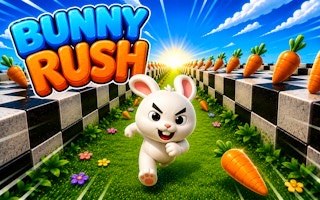
Hop through the course
Bunny Rush
Arrow keys to steer
Play loads a game hosted by GamePix that may show ads and use cookies.
Provided by GamePix. Ads and cookies may load only after you press Play. Read the GamePix Privacy and Cookie Policy.
Start the run and look ahead for gaps and obstacles.
How to play
How to Play Bunny Rush
Press Start, use the Arrow keys to adjust the bunny's path, and press the space bar early enough to clear gaps and obstacles while the course advances automatically.
- 01
Read the control prompt before starting. Bunny Rush explicitly lists Arrow keys and the space bar, so place one hand where you can steer and keep the other ready to jump without looking down.
- 02
Press Start and focus beyond the bunny. The camera follows from behind in 3D, and forward movement begins automatically, leaving you responsible for positioning and jump timing.
- 03
Scan for the next safe strip of road. Carrots can mark a tempting line, while checkerboard blocks, skull-marked black bombs, and missing sections of the course require a route change or jump.
- 04
Use the Arrow keys in controlled taps to adjust the current path. Right Arrow moves the bunny toward the right; watch the response and avoid holding a direction longer than the visible route requires.
- 05
Press the space bar before reaching the edge of a long gap or the face of an obstacle. In the opening, space puts the bunny into the air and carries it across the central gap when combined with rightward positioning.
- 06
After landing, center your attention on the next obstacle rather than watching the completed jump. Track the coin and Highscore displays as feedback, but base each immediate decision on road shape, hazards, and the landing space ahead.
About the game
Guide an auto-running bunny through a fast 3D obstacle course
Bunny Rush is a behind-the-character 3D runner in which the bunny moves forward automatically after you press Start. The road arrives continuously, so your job is to read what is coming, shift toward useful space, and jump before the current route runs out. The game itself lists Arrow keys and the space bar as its controls, making this a keyboard-focused runner.
The opening route mixes rewards and hazards. Carrots appear along the path, checkerboard blocks occupy running space, black bombs carry a skull symbol, and long gaps can cut across the center of the course. Use the Arrow keys to choose a clear approach and the space bar to jump. Watch for solid road beyond a gap before committing to a takeoff line, and leave room to steer after landing.
Success depends on early visual decisions. Because the bunny keeps advancing, an obstacle that is easy to identify can still be hard to avoid if you wait until it fills the screen. Look past the bunny toward the next two route features, decide where you want to land, and use only the movement needed to reach that line. Glance at the counters when the road is clear, then look ahead again before the next obstacle reaches the bunny.
Controls
Controls for Bunny Rush
- Arrow keys
- Adjust the bunny's path using the keyboard controls listed by the game.
- Right Arrow
- Move toward the right side of the visible route.
- Space bar
- Make the bunny jump, including across a visible break in the course.
- Start
- Begin the 3D run and automatic forward movement.
Useful strategy
Choose the landing before you commit to the jump
- Look two features ahead. The first hazard determines when to move, while the second tells you which landing line will leave enough room for the next decision.
- Use short directional inputs when the course allows them. A long hold can carry the bunny past a safe lane and turn an ordinary correction into a new obstacle problem.
- Jump for a named reason: crossing a gap, clearing a block, or reaching a safe landing. Repeated jumps without reading the road can put the bunny in the air when a precise lane change is needed.
- Treat carrots as route information as well as pickups. Follow them only when the visible line remains clear; a reward is not worth ignoring a checkerboard block, skull bomb, or missing platform.
- During a long gap, watch the far edge rather than the empty space below. Align before takeoff when possible, then prepare for the feature that appears immediately after landing.
- Use the counters as feedback after the action. Reading the next section and keeping a safe route should remain the priority over chasing every visible pickup.
Read the 3D road beyond the bunny
The follow camera makes nearby objects large and urgent, but the useful information is farther ahead. Keep your gaze above and beyond the bunny so you can see a gap or obstacle before it reaches the foreground. This extra warning time lets you choose a lane and a jump point as one decision.
Separate the course into safe surface, hazards, and possible rewards. A checkerboard block occupies space, a skull-marked bomb signals danger, a long gap removes the road entirely, and carrots mark pickups along the route. Read their arrangement together rather than reacting to whichever object is most colorful.
Perspective can compress distance. An object that appears close to another may still have usable road between them, while a long gap can begin sooner than its far edge suggests. Use the bunny's steady forward motion to recalibrate distance during the first seconds and make earlier inputs when uncertain.
Plan lane changes around the next landing
A lane change should solve the current hazard and improve the next position. If a central gap is ahead, moving right can create a viable takeoff line, as demonstrated in the opening run. Before pressing the direction key, check whether the right side also contains a block, bomb, or awkward landing.
Use the shortest input that reaches the safe strip. Automatic forward movement means every sideways correction also consumes distance toward the obstacle. Starting early allows a small, calm adjustment; starting late may tempt you to hold the key and overshoot the lane you intended to use.
After moving sideways, release your attention from the old route. Confirm the bunny's new alignment and select a landing area. If the course continues bending or presenting obstacles, prepare the next correction only after the current path is visibly stable.
Time space-bar jumps from the takeoff edge
Space bar puts the bunny into the air. For a gap, the critical question is where the jump begins. Press too early and you may spend useful airtime before reaching the edge; press too late and the road may disappear before the jump develops. Use a consistent visual marker near the front of the bunny to learn the timing.
Long gaps add a positioning requirement. Choose the safe side before takeoff whenever the route permits it, then jump with the bunny already aimed at solid road. The opening rightward jump crosses the central break, showing that movement and jump timing can work together when the destination is selected first.
Stay mentally ahead while airborne. The landing is not the end of the sequence; a block, bomb, pickup line, or another gap may follow. Look at the far platform during the jump and decide whether you need a short correction as soon as the bunny is back on the road.
Weigh carrot lines against the safest route
Carrots provide a visible reason to choose one part of the road, and the Coins display can change during the run. Check the counter after a clear section rather than while you are approaching a gap. That gives you a moment to notice collected rewards without sacrificing the reaction time needed for the next obstacle.
A pickup line is useful when it agrees with safe movement. If carrots lead across clear road and toward a good landing, they can reinforce your route choice. If they pull you close to a skull bomb, a block, or the edge of a gap, protect the run and let the uncertain reward go.
Avoid steering back and forth for isolated pickups. Each correction competes with obstacle preparation, and automatic forward motion does not pause while you reconsider. Favor smooth paths that collect what is naturally reachable and preserve enough reaction time for the next hazard.
Recover your rhythm after a late move or close landing
A close landing can pull your eyes toward the bunny and make the next obstacle arrive as a surprise. As soon as solid road returns, lift your focus down the course, identify the next safe strip, and reduce unnecessary input. One quiet second of accurate reading is more useful than several panicked corrections.
If you find yourself holding a direction too long, release it and observe the current line before pressing another key. Opposite corrections made without a visual checkpoint can create a zigzag that reduces your usable road. Stabilize first, then move toward a specific opening.
Use each short run to calibrate one skill: how early the space-bar jump should begin, how far a brief Right Arrow press moves the bunny, or how distant hazards look through the 3D perspective. Build your method from visible course feedback instead of assuming what will appear after the opening route.
Quick answers
Bunny Rush FAQ
Does Bunny Rush move forward automatically?
Yes. After Start, the bunny advances through the 3D course while you handle path adjustments and jumps with the listed keyboard controls.
What are the Bunny Rush controls?
The game displays Arrow keys and the space bar. Right Arrow moves the bunny right, while space makes the bunny jump.
How do I cross the long central gap?
Choose a safe line before the edge and press space with enough road left for takeoff. A rightward position plus a space-bar jump crosses the opening gap.
What obstacles appear in Bunny Rush?
The opening shows checkerboard blocks, black bombs marked with a skull, and breaks in the road. Read the route ahead so you can change position or jump before they arrive.
What are the carrots for?
Carrots appear as pickups along the route, and the Coins counter can increase from 0 to 3 early in the run. Read the counter directly instead of assigning a fixed value to each individual carrot.
Can I play Bunny Rush with touch controls?
The current game prompt specifies Arrow keys and the space bar. The page may fit different screen sizes, but use a physical keyboard because no touch control is shown in that prompt.
Game information
Game details
Bunny Rush is provided through the GamePix-hosted player. The external player may display advertising and is governed by GamePix's privacy terms.
- Developer
- arkeny
- Distributor and host
- GamePix
More about this game
Keep the break going
Similar games

Hop toward the moon
Infinite Jump Bunny
Jump a bunny left and right through a vertical climb, avoid spikes and fireballs, and collect protective items.

Steer, grow, and clash
Food: Run and Battle
Guide a food squad through split gates and hazards before it meets another team.