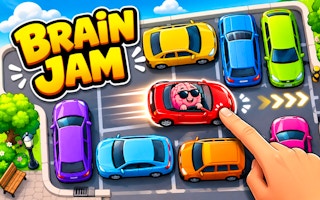
Brain Jam
Slide a blocking vehicle to make room for the red car to leave the crowded lot.
- Session
- Flexible short sessions
- Controls
- Drag a vehicle along its permitted axis
- Best for
- Brain
Move the blocking cars
Brain Jam
Drag a vehicle along its permitted axis
Play loads a game hosted by GamePix that may show ads and use cookies.
Provided by GamePix. Ads and cookies may load only after you press Play. Read the GamePix Privacy and Cookie Policy.
Read the red car exit and the six-move limit.
How to play
How to Play Brain Jam
Read the exit, car orientation, and remaining moves before the first drag.
- 01
Start Level 1 and locate the red car, the exit direction, and the vehicles directly blocking its route.
- 02
Check the displayed move budget before moving a vehicle; the opening allows six moves.
- 03
Drag a blocking car along its apparent lane, then wait for the board and counter to settle.
- 04
Look for newly open cells and either plan the red car path or use Undo if the move did not help.
About the game
Brain Jam
Brain Jam starts with a crowded parking grid and a clear immediate task: get the red car out. The opening board shows Level 1, a six-move allowance, and a calorie display at zero. A white ambulance sat to the right of the red vehicle. Dragging that ambulance downward shifts it to a lower part of the board; the move counter advances from 0/6 to 1/6, and the calorie display may rise. Check these readouts after each move, but use the newly open lane to judge whether the red car is closer to leaving.
The puzzle is about creating usable space, not moving every car as soon as it looks draggable. The red car needs a route to the exit, while neighboring vehicles restrict where it can go. Before touching a vehicle, identify its orientation and the cells it occupies. A horizontal car may need a clear row, and a vertical vehicle may need open cells above or below. Moving the ambulance down changes one obstruction, but the red car may still need other vehicles moved before it can leave.
Treat the move limit as a planning aid. The six-move opening gives you a concrete budget, and an ambulance drag consumes one move. Undo becomes available after a move. Use those visible controls to try a purposeful move, inspect the newly opened space, and revise if the red car remains blocked. Do not rely on an assumed calorie formula or a fixed later-level route; use the current layout and counter to decide what to move next.
Controls
Controls for Brain Jam
- Drag a car with mouse or touch
- Slide that vehicle into an available position on the grid.
- Click or tap Undo
- Reconsider the most recent move when the control is available.
Useful strategy
Make each drag create space
- Trace the red car route before moving an unrelated vehicle.
- Count the empty cells a blocker needs, not just the cells it currently covers.
- Read the move counter after each drag; visual motion alone can be misleading.
- Use Undo to learn from a blocked path rather than spending the full budget on random drags.
Read the crowded lot before acting
Begin with the red car. Its position and the visible exit define which spaces matter. A vehicle that sits far from that route may be interesting but not urgent. On the opening board, the ambulance is close enough to the red car to be a sensible first blocker to inspect. The goal of a first glance is to turn a busy picture into a short question: which occupied cell must be vacated before the red car can advance?
Next, look at the orientation of each candidate blocker. A tall vehicle should be evaluated for vertical clearance, while a wide one needs space along its row. Moving a blocker one way can open the red lane but close another route needed later. Scan the destination cells before starting a drag. If a vehicle has no useful destination, find the vehicle that must move first and work backward from that dependency.
Read the HUD as part of the puzzle, not decoration. Level 1 and Moves 0/6 appear before a first drag. After a successful ambulance move, Moves reads 1/6. That tells you the action counted against the budget. The calorie number may change too, but it does not tell you whether the red-car lane is clear. Use it as feedback that the board changed, not as a substitute for checking the exit route.
Make and verify the first slide
Choose a blocker with a specific destination in mind. The white ambulance can slide downward when its lower cells are open. Once it settles lower on the board, the geometry and move count change. Check what space this creates for the red car or the next blocker. A vehicle can move successfully without making the whole exit route clear.
Drag deliberately rather than flicking across the whole game frame. Stop at a plausible open cell, release, and let the vehicle settle. A successful move should have at least two signs: the vehicle occupies different cells and the move count changes. If the counter stays still, the pointer may have missed the vehicle, the direction may be blocked, or the game may still be animating. Reinspect before spending another input.
After each slide, return your attention to the red car. Is the path longer, shorter, or unchanged? If the blocker moved but another car still occupies the same exit lane, identify that next dependency. If the new position traps a different vehicle, consider Undo. When Undo becomes available, it is a practical way to compare alternatives without spending the whole move budget on one uncertain path.
Use the move budget as a decision filter
A six-move limit makes random experimentation expensive. You do not need to solve the entire board mentally, but you should be able to name the immediate purpose of a drag. Examples of useful purposes are opening one cell in the red lane, freeing a blocker that must move next, or creating a parking space for a vertical car. A move that merely changes scenery is less attractive when the counter advances with each successful slide.
Think in short chains. If Car A blocks the red car and Car B blocks Car A, your next action may have to involve B even though it is not next to the exit. Check whether B has somewhere to go. If not, look for the vehicle that can create that space. This backward reasoning is more reliable than repeatedly pushing the red car into an occupied cell and hoping for a different response.
Re-evaluate after every successful drag. A plan made on the original board can become obsolete when a vehicle takes the only open square another one needed. Read the counter, find the newly exposed cells, and decide whether the chain still fits the remaining budget. If it does not, Undo is better than forcing a low-confidence next move. If the counter approaches six before the red car escapes, reconsider an earlier dependency instead of forcing the next drag.
Recover from common first-level mistakes
If a car refuses to move, first ask whether there is room along its own orientation. The drag gesture cannot create an empty square that the board does not have. Trace the cells immediately ahead of the vehicle. A blocker there may need to shift first. Also make sure your pointer begins on the intended car, especially where two vehicles touch; otherwise a successful gesture could move a neighbor and consume a move for the wrong plan.
If the ambulance or another car moves but the red car still cannot leave, do not call the attempt a failure immediately. A first move may create room for a second blocker. Compare the board before and after: which cells opened, which were occupied, and whether the intended next vehicle now has a destination. If no useful path emerged, use Undo and try a different dependency rather than exhausting the six-move budget.
If the calorie readout changes, avoid interpreting it as a clear reward for a good move. A drag may raise it from 0.00 to 0.05 while the move counter advances. That is feedback, but it does not show whether the chosen slide improved the exit route. For solving the parking puzzle, the reliable signals are the car positions, exit clearance, remaining moves, and any available undo state.
Build a repeatable solving habit
On each new board, identify the target vehicle first and the exit second. Then list only the blockers that intersect that route. This small list prevents the visual crowd from turning into a random-drag exercise. Work backward through the space each blocker needs, and keep one eye on the move limit. You can pause before every input; the visible board gives you time to inspect rather than react quickly.
Use a three-part check for each move: purpose before dragging, visible movement after release, and route improvement afterward. An ambulance slide may satisfy the first two checks while leaving the red car blocked. Use the new open cells to decide what to do next. If they do not support the planned route, Undo and compare a different blocker instead of treating motion alone as progress.
When you return after a break, rebuild your understanding from the current board. Cars may be in different positions from the opening, and a remembered move may no longer fit. Check whether Undo is active, how many moves remain, and what still blocks the red car. Apply the same method to a later layout: read the board anew, spend moves for a reason, and check the red-car route before continuing.
Quick answers
Brain Jam FAQ
How do I know a car move counted?
Look for the vehicle in a new cell and a higher Moves count. On the opening board, a first successful slide changes 0/6 to 1/6; then check whether it opened the red car route.
Why did my car not move?
Check whether cells are free along that vehicle’s orientation, whether you started the drag on the right car, and whether the board has finished its prior animation.
What should I do when the red car is still blocked?
Look for the next vehicle in its exit lane and ask what space that vehicle needs. If your last slide made no useful opening, consider Undo before spending another move.
Game information
Game details
This game runs in the official GamePix publisher player. The external game may use cookies or show advertising under GamePix terms.
- Distributor and host
- GamePix