Bonk Islands
Pull back a shot, launch a rocket, and read the damage and changed ground after impact.
- Session
- Short arena rounds
- Controls
- Press and drag back on the field to aim
- Best for
- Action
Landscape gives you more room
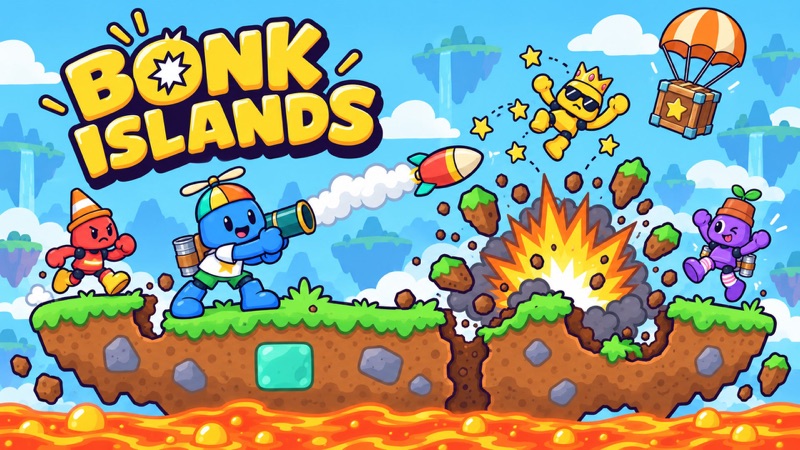
Aim a rocket across the island
Bonk Islands
Press and drag back on the field to aim
Play loads a game hosted by Playgama that may show ads and use cookies.
Provided by Playgama. Ads and cookies may load only after you press Play. Read the Playgama Privacy and Cookie Policy.
Read the rocket card, terrain, and current damage percentages.
How to play
How to Play Bonk Islands
Read the arena, pull back to aim, press GO, then let the impact finish before planning another shot.
- 01
Start the game and find the YOU marker over your character. Note the opponent positions, slopes, lava below the island, and percentages above each player.
- 02
Read the selected Rocket card at the bottom. In the opening tutorial this is the weapon available for the first aimed shot.
- 03
Press on the play field near your character and drag backward. Watch the aiming line and dotted trajectory change as you move.
- 04
Release the drag when the projected arc points toward the part of the island you want to test. The GO button then becomes the clear launch action.
- 05
Press GO once and wait for the rocket and ground animation to finish. Compare the crater, player positions, and percentages with the scene before the shot.
About the game
One rocket can change the whole island
Bonk Islands opens on a small side-view island with several named characters standing on uneven ground. Your character is marked YOU. The opening tutorial presents a Rocket card and asks you to press on the field, drag back, and release to aim. A separate GO button launches the selected shot. This means the first decision is about direction and power, while the visible result is about where the rocket lands and how the characters move.
The first observed rocket struck the ground between characters, carved a crater, and changed their displayed percentages. The tutorial then explained that the percentage is accumulated damage: a higher value means a character gets knocked farther. This guide covers that opening shot and the feedback it revealed. Later weapons, round rules, and match outcomes may require additional observation, so use what the game shows in your current session instead of assuming every turn behaves exactly like the first.
Controls
Controls for Bonk Islands
- Mouse or touch drag on the field
- Pull back from the active character to aim the selected shot.
- Release
- Keep the chosen aim and make the GO launch control available.
- GO button
- Fire the selected rocket after aiming.
- Pause button
- Open the visible pause control if you need to interrupt a round.
Useful strategy
Use each impact as a measurement
- Before dragging, identify the YOU marker. The arena contains several characters and percentages, so it is easy to aim from the wrong reference point.
- Aim at a useful landing area, not only at a character sprite. The observed rocket also removed ground, which changed the surface under nearby players.
- Read the dotted arc as a preview of the current aim. It helps set the first trajectory, but an impact can move characters and change the ground for later turns.
- Use a short, controlled drag for the first shot. You can compare one adjustment with one result more easily than a large sweep across the screen.
- Do not confuse damage percentage with remaining health. The tutorial says higher accumulated damage increases knockback distance.
- Wait until the crater and percentages settle before deciding what the shot achieved. A close hit may still change the terrain or nearby characters.
Read the arena before touching the launcher
The island is not a flat firing range. The opening scene has a valley in the middle, higher ground on both sides, several characters, and lava underneath. A shot aimed directly along the ground can meet a slope before it reaches a distant player. First locate your own character under the YOU marker. Then look at which side of the valley the intended target occupies and what ground sits between you. That small pause keeps the aiming decision connected to the actual layout.
Percentages above the characters begin at zero in the opening view. They are easy to mistake for health bars that empty as players are hit. The tutorial clarifies the opposite relationship: the value is accumulated damage, and a higher percentage means stronger knockback. After the observed rocket, one opponent showed 17%, your character showed 8%, and another showed 1%. Those numbers do not by themselves tell you who wins the whole round. They do tell you that the explosion affected different characters by different amounts.
The Rocket card appears at the bottom beside GO. Treat it as information about the current shot, not proof that the entire game has only one weapon. The pause, music and speaker controls are visible across the top. You do not need to use them to complete the first action. The relevant inputs for that action are on the field and the GO button. Focus on these before trying to infer any advanced inventory or multiplayer rules from the title screen.
Set a clear trajectory, then fire once
The tutorial wording is specific: press on the field, drag back and release to aim. The shot is not fired by the release alone. During the drag, an aiming line and a dotted arc show the direction you have set. Move slowly enough to see whether the arc rises over the nearest slope or points into it. You can make a small adjustment before releasing. The point is to choose one understandable trajectory, not to find a guaranteed perfect curve from a single still image.
After releasing, press GO. In the observed opening action, a rocket crossed the valley and landed near the characters on the left. An impact animation removed some ground and the displayed percentages changed. Watch the projectile until that result is stable. Pressing GO repeatedly during the animation would make it harder to tell which input caused the scene change, and the opening tutorial did not establish that repeated presses give extra shots.
A useful first attempt can be deliberately modest. If the arc is too low, the rocket may strike ground before reaching a far target. If it is very high, it may pass over the area you wanted to affect. You can use the visible dots to choose a middle trajectory and then compare the actual landing place. The next aim, if the game offers one, should change one variable at a time: a little more height or a little more horizontal reach, not both at once.
Read damage, knockback and ground together
The most useful feedback is spread across the arena. Check the percentages first, because they show who took accumulated damage. Then look at where each character ended up. Finally inspect the island itself. The observed rocket left a crater, so the next shot would be made over a different surface. A projectile that misses a direct character hit may still matter if it removes supporting ground or changes where players can stand.
The opening tutorial connects a higher percentage with farther knockback. That does not mean any one percentage guarantees a launch into the lava. Position matters too: a character near an edge or a new crater has less safe ground than one standing in a broad area. Use the number and the location together. If an opponent moved but remained on the island, the first attack was an information point, not proof that the round has ended.
Your own percentage can rise after an explosion near you. In the observed shot it moved from 0% to 8%, even though the projectile was intended to affect others. That is a reason to inspect the path near your character as well as the target. Do not present a close-range blast as a free advantage. If another aim becomes available, consider whether the changed ground makes a similar trajectory safer or more dangerous.
Fix a weak shot with one deliberate change
If the rocket lands short, recall the last visible arc and its first collision. Increase reach slightly on the next chance instead of dragging wildly. If it flies over the target, lower the arc a little. If it reaches the correct horizontal area but produces little visible damage, compare the landing point with the character and nearby terrain. The goal is to learn from the specific miss, because island slopes and craters can make a seemingly similar shot land differently.
A strong percentage change is useful, but it is not the whole round. Watch whether the affected character is actually displaced toward a dangerous edge. The first observed rocket damaged one opponent more than the others and changed the ground, yet several characters remained visible. Do not assume the game will award a win simply because one number rose. Continue reading the current screen after each resolved action.
For another aiming game, ScaleSling asks you to launch a dragon into structural supports and observe the collapse. Jade Toss: Arrow Challenge is a more focused throw toward a single vase, with a limited-life attempt loop. Bonk Islands gives you a broader arena: the rocket, the players and the ground all matter to the same shot. Choose the other game when you want a clearer single target or a fort-collapse puzzle instead of a multi-character island encounter.
Quick answers
Bonk Islands FAQ
How do I launch the opening rocket?
Drag backward on the field to set the aim, release, and press the GO button. The observed opening shot used that sequence.
What does the percentage above a player mean?
The opening tutorial calls it accumulated damage. A higher percentage makes that player get knocked farther.
Why did the ground change after my shot?
The observed rocket impact carved a crater. Check the new terrain before planning another trajectory.
Is a high damage percentage an immediate win?
The opening view does not establish that. Read the player positions and the current round state after the impact.
Game information
Game details
Bonk Islands runs in the official Playgama player. Airy Arcade wrote this independent guide from the opening rocket action and its visible result.
- Developer
- Spacedino Games
- Distributor and host
- Playgama
More about this game
Keep the break going