Bandana Blitz
Deploy into a side-scrolling mission, move with the keyboard, and shoot through obstacles.
- Session
- Flexible missions
- Controls
- Arrow keys or WASD to move
- Best for
- Skill
Landscape gives you more room
Move, aim, and fire
Bandana Blitz
Arrow keys or WASD to move
Play loads a game hosted by Playgama that may show ads and use cookies.
Provided by Playgama. Ads and cookies may load only after you press Play. Read the Playgama Privacy and Cookie Policy.
Choose Deploy, then the first operation.
How to play
How to Play Bandana Blitz
Deploy into the first operation, learn the movement keys, then clear the visible obstacle with fire.
- 01
Choose Deploy from the opening menu, then choose Operation 1: First Contact.
- 02
Read the mission objective and the on-screen keyboard controls.
- 03
Click inside the player to focus it, then use arrows or WASD to move.
- 04
Hold X or J to fire toward the first crate and check the score after it breaks.
About the game
Bandana Blitz
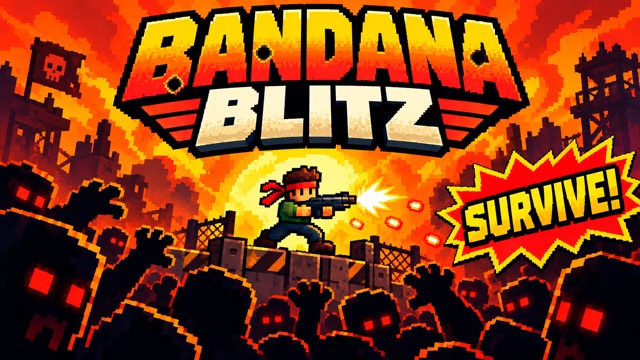
Bandana Blitz is a side-scrolling action game that begins with a mission choice. From the opening menu we selected Deploy, then Operation 1: First Contact. The briefing identified a standard patrol across three sectors, two field supplies, and an evacuation flag beyond the ambushes. That gives the first session a concrete purpose: move through the field, deal with obstacles, and work toward the marked exit. The briefing is a goal statement, not proof that we completed the mission.
The player presents keyboard controls before the action. Arrow keys or WASD move, X or J fires, Space jumps, and E is marked as a skill control. Hold the right arrow briefly to move across the opening ground. Focus the game and hold X to fire at the first visible crate. When it breaks, the score can rise from 000000 to 000050. This gives you a clear way to learn movement and shooting before advancing toward the evacuation flag.
Treat the first crate as a practice target rather than rushing into the whole field. Move enough to see where it sits, hold fire from a clear line, and watch the score and obstacle. Then read the next part of the screen before advancing. This simple rhythm is useful in a run-and-gun game because moving and shooting are separate decisions: you can test your firing lane without charging forward into something you have not seen.
Controls
Controls for Bandana Blitz
- Arrow keys or WASD
- Move the character.
- Hold X or J
- Fire the equipped weapon.
- Space
- Jump.
- E
- Use the skill indicated by the game; read its current effect before relying on it.
Useful strategy
Advance one clear screen at a time
- Focus the game frame before testing keyboard input.
- Practice on the first crate: it gives visible impact and score feedback.
- Move just far enough to see the next obstacle before committing to a long run.
- Keep the evacuation objective in mind, but use the current screen to decide each immediate move.
Read the first mission before moving
The first operation screen is more than a start button. It names First Contact and describes a standard patrol across three sectors. The instruction to clear ambushes and reach an evacuation flag tells you what the game is asking for in that run. It also shows two field supplies. When you reach a supply, read its in-game label to learn what it does.
Begin by identifying the immediate objective and the visible route. A distant evacuation flag is a destination; it does not tell you whether the next few steps are safe. Once the mission loads, look at where your character stands, where the first obstacle is, and how much space you have to move. That small survey matters more than trying to memorize the entire briefing in one glance.
Operation labels may change as you progress, so do not assume every stage has the same layout or number of sectors. Begin with the first operation and read later mission labels as they appear. For a new stage, read the mission panel again, then return to the same local question: what obstacle is directly in front of me, and which key addresses it?
Focus the player and test movement
A browser game can display correctly while keyboard input is going somewhere else. Click inside the game area after the mission begins, then tap a movement key briefly. A short right-arrow hold moves the character across the opening ground. Watch the character shift before trying a longer movement.
The on-screen controls also list WASD. Choose the set that is comfortable on your keyboard and avoid switching repeatedly while learning the first few steps. A short press lets you judge how quickly the character crosses the ground. If a key seems unresponsive, check focus and whether a menu or instruction overlay is still active before assuming you need to restart.
Long movement holds can carry you past an object before you understand it. In a new area, use short movements and stop when a crate, enemy, or platform becomes visible. This is a practical method for learning the scene without claiming a fixed route through every sector. The mission is to advance, but advancing with a clear view is easier to recover from than running blindly.
Use the first crate to learn firing
The opening crate makes a helpful test because it gives observable feedback. With the game focused, hold X and watch shots travel toward the crate. It breaks and the score can change from 000000 to 000050. Use the projectile and the crate reaction to judge whether the shot connected; later targets can behave differently.
The control panel offers X or J for fire. If you use one and nothing happens, verify that the game frame has focus and that you are facing a visible target. Try the other listed fire key only after checking those basics. The goal is to learn what an accepted shot looks like, not to press several unrelated keys at once and guess which one worked.
Shooting from a clear line gives you a simple before-and-after test. Watch the projectile direction and the object it reaches. When the obstacle disappears, look for the next safe step rather than holding fire indefinitely. The first crate is a practice target. Later threats may move or require different timing, so read what appears ahead.
Combine movement and fire deliberately
Once each input works on its own, combine them cautiously. Move into a position where the obstacle is visible, pause, fire, then move again. That sequence makes it easier to tell whether a missed shot came from position, direction, focus, or timing. It also keeps the first operation legible when effects and score changes happen at once.
The control screen lists Space for jump. Use it when the visible ground or obstacle gives you a reason, and observe the arc before trying to cross a gap. E is marked as a skill control. Check the live indicator for its effect, range, cooldown, or cost before relying on it. Read the live indicator before relying on it to solve a difficult part of the course.
If you reach a field supply, inspect the game’s own text or icon before using it. The briefing lists two field supplies, but their effects depend on what the in-game labels show when you reach them. For the first several seconds, movement and ordinary fire are enough to establish a working control routine.
Diagnose common opening problems
If the character does not move, look for an active menu first. Deploy and the operation selection must be completed before movement applies to the field. Then click in the player and try a short arrow press. An unchanged screen during loading is not a failed run; wait for the level art and character to appear before judging the input.
If firing seems ineffective, separate two questions: did a projectile appear, and did it meet a target? A visible projectile and a destroyed crate are two useful signs of a successful shot. A projectile that misses is different from a key that never fired. Adjust position only after you know which problem you have. This is more useful than repeatedly holding a key while the character runs into an obstacle.
Do not mistake the score for the mission objective. A fifty-point rise after the crate was useful feedback, but the briefing’s larger task was to clear ambushes and reach evacuation. Keep the evacuation objective separate from early score feedback. Use score changes to confirm local actions, and use the actual mission panel to judge overall progress.
A practical first-run routine
For a first run, do the same few things in order: select the mission, focus the player, test one short movement, fire at the first clear target, and stop to read the result. This routine avoids the common browser-game confusion of a loaded frame that never received keyboard focus. Each step has visible evidence: menu change, character movement, projectile effect, and score or object change.
After the crate, proceed screen by screen toward the evacuation flag. Keep a little space between your character and whatever appears ahead until you understand its behavior. If the mission introduces an enemy, supply, or new instruction, let the live UI guide that decision. Use the current screen for each next decision rather than assuming every ambush follows the first crate.
For a different action pace, the related games below provide other kinds of shooting and defense. Their controls and objectives are separate. In Bandana Blitz, the most reliable early progress comes from establishing keyboard focus, learning the speed of movement, and using one visible target to confirm fire before increasing the pace.
Quick answers
Bandana Blitz FAQ
How do I begin a mission?
Choose Deploy, then select Operation 1: First Contact from the mission screen.
Why are my keys not moving the character?
Make sure the mission has started and click inside the game frame to give it keyboard focus before trying arrows or WASD.
What should I do after the first crate?
Move forward carefully, read the next obstacle or enemy, and keep the briefing objective of reaching the evacuation flag in mind.
Game information
Game details
Bandana Blitz runs in Playgama’s official player, which may use cookies or show advertising.
- Developer
- Arslan
- Distributor and host
- Playgama
More about this game
Keep the break going