Zombie 2048: Mutant Evolution
Slide mutant tiles across a 4×4 board, merge equal values, and protect space for the next spawn.
- Session
- Short sessions
- Controls
- Arrow keys or WASD to slide all tiles
- Best for
- Strategy
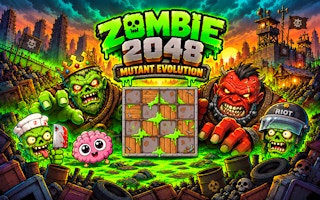
Slide and evolve
Zombie 2048: Mutant Evolution
Arrow keys or WASD to slide all tiles
Play loads a game hosted by GamePix that may show ads and use cookies.
Provided by GamePix. Ads and cookies may load only after you press Play. Read the GamePix Privacy and Cookie Policy.
Choose a direction that brings equal tiles together without trapping the board.
How to play
How to Play Zombie 2048: Mutant Evolution
Slide the board with the arrow keys or WASD, combine equal mutant values, and keep enough empty cells to continue after each new spawn.
- 01
Look at all sixteen cells before moving. Identify equal tiles that share a row or column and note which other tiles block a direct meeting.
- 02
Press one directional key. Every movable tile shifts toward that edge; matching values that collide merge, and the score may rise.
- 03
Wait for the new tile to appear. Reassess the whole board rather than repeating the previous key automatically.
- 04
Choose a setup move when no merge is available. Keep the largest tile in a stable region and make a route for smaller values to join it.
- 05
If a valuable move went wrong and Undo is available, use its displayed key to restore the previous position; do not count on unlimited reversals.
About the game
A 2048 board dressed as a mutant evolution lab
Zombie 2048: Mutant Evolution starts with a compact four-by-four board and low-value mutant tiles. Each directional input slides every movable tile in the same direction. When two equal values meet during that move, they combine into one higher value. A new low-value tile then appears, so every gain also changes the space available for the next decision.
The first zone we opened was labeled Outpost Junkyard. We saw two tiles marked 2 and a score of zero. A Right input shifted the tiles toward the far side of their rows; a subsequent Down input brought the two 2s together, producing a 4 and raising the score to four. Another 2 appeared afterward. That is an observed core turn, not evidence that we unlocked later zones or reached every evolution tier.
The theme makes each merge feel like an evolution, but the useful skill is spatial planning. You must preserve empty cells while building values. A move that merges once and leaves all the remaining tiles scattered can be worse than a move that positions two pairs for future combinations. The board rewards a steady pattern of setup, merge, and rescan.
Controls
Controls for Zombie 2048: Mutant Evolution
- Arrow keys or WASD
- Move all tiles as far as possible in one of the four cardinal directions.
- U or Backspace
- Invoke the in-game Undo control if it is available for the current run.
Useful strategy
Protect your space while growing the mutants
- Keep the largest value near one chosen corner when the board permits it. This reduces the number of directions you need to consider while feeding smaller pairs toward it.
- Do not swipe simply because a direction is available. Name the merge or useful alignment you expect, then compare it with the space lost to the new tile.
- Before pressing a key, scan each row and column that will move. Tiles merge only with equal values, and a different tile between a pair can keep them apart.
- When the board is crowded, prefer a move that frees one or more cells immediately. An attractive high-value setup is worthless if no following turn remains.
- After a merge, check where the newly spawned 2 landed. It can be an opening for the next pair or a blocker in the lane you intended to use.
- Use Undo to learn from a clear mistake, then change your choice. Repeating the same route after restoring the board wastes the information the failed turn provided.
Understand everything one slide changes
A directional key is a board-wide action. If you press Right, every row is considered, not merely the tile you are looking at. The visible opening showed this clearly: both starting 2s shifted toward the right edge of their rows. Before moving, inspect the other rows too. A key chosen for one promising pair can rearrange another pair you meant to keep together.
Merging is value-specific. A 2 joins another 2 to make a 4; a 4 must meet another 4 for the next increase. A tile with a different value is a blocker until the board changes enough to move it elsewhere. You cannot drag one chosen mutant through an occupied cell, so plan the direction of the entire line.
The subsequent Down move in our opening play brought the matching 2s together, changed the score from zero to four, and left a new 2 on the board. The new tile matters as much as the merge. A successful turn changes both the number of free cells and where the next small value can be developed.
Use a corner as an anchor, not a rigid rule
Many players keep their largest value in one corner. That can make the board easier to organize: smaller tiles form a path toward the anchor rather than pushing the biggest mutant back and forth. Choose a corner with usable neighboring lanes and keep the direction of growth consistent when you have a choice.
The corner tactic is a guide, not a command to ignore the current board. If forcing your anchor into place would fill the last open cell, protect the run first. A low-value pair merged elsewhere may free a cell and give you time to rebuild the pattern. The correct move depends on current space and the likely position after the next spawn.
Try to preserve one row or column that can move useful small values toward the anchor. If the lane is interrupted by an unrelated value, avoid piling more tiles behind it. Shift the blocker when the move also creates room or lines up another equal pair.
Look one move past the immediate merge
A move can be good even if it does not score immediately. Suppose two equal tiles are separated across different rows. Moving horizontally may line them up in one column; a following vertical slide can then merge them. This is a reasoning example, not a guaranteed opening-board solution. Check the rest of the board before using a setup move because every tile shifts with it.
Compare two possible directions by asking three questions: what merges now, what cells become free, and what equal pair becomes easier afterward? The score answers only the first question. A new spawn makes the exact future uncertain, but you can still avoid moves that visibly jam your useful lanes.
If several equal pairs are available, consider which merge leaves the larger tile in a workable location. A high-value tile stranded in the middle can obstruct smaller combinations. A slightly lower score this turn may produce a board with more options on the next turn.
Recover when there are few empty cells
A crowded board is a warning before it becomes a loss. Stop making habitual left-right sweeps and identify the nearest equal pair. Check whether a single move joins them or whether one setup move is necessary. If you have multiple candidates, prefer the merge that frees a cell without sealing another route.
If no pair looks adjacent, search the whole grid for repeated low values. They may be separated by one blocker that can move into an empty space. This is where broad directional effects can help: one slide may change two rows and reveal a vertical merge that was not visible at first glance.
Undo may be listed on the in-game controls, but its availability can depend on the player state. Use it only when the control is actually present. A reset or page reload may discard the active run, so treat it as a new attempt, not as a safe way to inspect a move.
What the evolution theme changes
The mutant artwork and zone labels give the familiar number-merging task a progression setting. They do not remove the basic board rule: equal numerical values merge when a full-board directional slide brings them together. Keep reading the numbers even when the creature art grows more elaborate.
The interface lists more evolution stages than we reached in this bounded test. Treat those later stages as possible objectives shown by the game, not as verified rewards or a promise about how long a run takes. The reliable next goal is local: make one more equal pair without losing the space needed for another turn.
If you prefer a physical drop-and-collision merge, Astro Merge on Airy Arcade asks for a different spatial skill. Zombie 2048 is about four-direction board movement. Choose it when you want to plan a sequence of global slides rather than aim one object at a time.
Quick answers
Zombie 2048: Mutant Evolution FAQ
How do I move one mutant?
You do not select an individual mutant. An arrow or WASD key slides every movable tile on the 4×4 board in the chosen direction.
Why did two tiles not merge?
Their displayed values must match, and the slide must bring them together without a different tile blocking the lane.
Does a successful merge leave the board unchanged?
No. The joined value occupies a cell and a new low-value tile can spawn after the turn, so inspect the full board again.
What was actually verified during play?
We moved the opening 2 tiles right, then merged them with a downward move. A 4 appeared and the score rose from zero to four.
Can I undo a move?
The in-game control list names U and Backspace for Undo. Check that the option is available in your current player state before relying on it.
What should I do when the board fills up?
Search for an equal pair that can merge soon, protect any remaining empty lane, and avoid moves that scatter small tiles without freeing space.
Game information
Game details
Zombie 2048: Mutant Evolution runs inside the official GamePix publisher player, which may show advertising or use cookies under GamePix terms.
- Distributor and host
- GamePix
More about this game
Keep the break going