2048 Kingdom
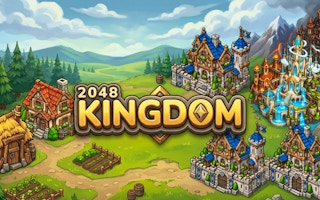
Slide matching buildings together and grow your kingdom while preserving space.
- Session
- Flexible short sessions
- Controls
- Arrow keys or directional swipe
- Best for
- Strategy
Build a stable merge board
2048 Kingdom
Arrow keys or directional swipe
Play loads a game hosted by GamePix that may show ads and use cookies.
Provided by GamePix. Ads and cookies may load only after you press Play. Read the GamePix Privacy and Cookie Policy.
Inspect matching building values.
How to play
How to Play 2048 Kingdom
Slide the whole board, merge equal values, and preserve enough empty space for the next pair.
- 01
Read the four-by-four grid before moving. Identify equal buildings that can meet along a row or column.
- 02
Use arrow keys on a computer or swipe up, down, left, or right. A directional move acts on the board rather than selecting a single building.
- 03
After a merge, check the new building value and the fresh tile. Plan from the resulting layout, not the layout you had before the move.
- 04
Choose a corner for the largest tile and favor moves that keep it there. Leave smaller tiles a route to their matching partners.
- 05
Watch the kingdom progression panel separately from population and best tile. New game starts another run, so use it only when you intend to leave the current board.
About the game
2048 Kingdom
2048 Kingdom gives the familiar sliding-number puzzle a settlement theme. A four-by-four board holds buildings marked with values. Move the board in one of four directions, bring matching buildings together, and create a building with the next value. The kingdom panel tracks a separate progression target, so the puzzle is about managing space as well as watching your settlement grow.
On a fresh opening board, two buildings marked 2 sit in the same column. Moving upward combines them into a 4 at the top of that column and introduces another 2 elsewhere on the board. The progress display changes from zero to four out of 250, while population becomes six and the best tile becomes four. These displays answer different questions: progress earned from merging, the values currently present, and the largest building reached.
The in-game Royal Guide recommends leaving room to maneuver and keeping your highest-value tile in a corner. That is a useful starting habit rather than a guaranteed winning formula. Your job is to preserve useful routes for the smaller buildings while maintaining a stable place for the larger ones. A crowded board can still have a legal merge, but a board with no moves left ends the game.
Controls
Controls for 2048 Kingdom
- Arrow keys
- Slide the board up, down, left, or right on a computer.
- Directional swipe
- Move the board in the swipe direction.
- How to play button
- Open the Royal Guide for the current game’s basic rules.
- New game
- Begin another run; check any confirmation before discarding your board.
Useful strategy
Make your next move count
- Keep a preferred direction and a backup direction. A stable pattern is easier to reason about than using all four directions without a plan.
- Before moving away from your chosen corner, ask whether the largest tile will become harder to reunite with the next large building.
- Check the spaces created by a merge. The immediate score matters less than whether the new layout allows another useful move.
- Work toward equal values in the same row or column. A different building between them can prevent the merge you were expecting.
- Do not mistake total population for the next kingdom threshold. Read the progress bar and its current numerator.
- When space is scarce, inspect every row and column for an available equal pair before deciding the run is finished.
Population, best tile, and progression mean different things
The opening merge is a useful example of the three displays. Two 2 buildings combine into one 4, and a new 2 appears. The resulting population is six, the best tile is four, and kingdom progress is four out of 250. The same move therefore changes several numbers, but they are not interchangeable measures of success. Read the label before setting your next objective.
Population describes the building values present on the board in that opening result. It can rise as new tiles arrive even when you have not reached the next kingdom stage. Best highlights the largest value achieved. The kingdom progress panel lists points toward a named settlement milestone. For the initial Poor Settlement, the next displayed destination is Peasant Village at 250 points.
The menu lists later milestones, but the opening move does not tell you how long reaching them will take. Use the current threshold as a near-term reference. Your most useful immediate objective is usually a healthy board: several empty cells, accessible matching values, and a largest tile that has not drifted into an awkward position.
Make the corner habit practical
Choose one corner and imagine the largest building living there. If you choose the upper-left, upward and leftward moves are natural ways to keep the board packed around it. The purpose is consistency. You want to recognize where the next large matching building should arrive and which row or column will carry it there.
A corner plan can fail when it becomes a rule you follow without reading the board. If a direction produces no useful merge or blocks a necessary partner, consider another move carefully. Ask what happens to the largest tile, what smaller values will shift, and where empty spaces will remain. Changing direction is a decision with consequences, not automatically a mistake.
Try to keep larger values together and smaller values on the more flexible side of the board. This is a planning preference, not a claim that every row must form a perfect numerical sequence. The layout changes after each move and new tile. A workable pattern is one you can preserve without losing the ability to combine the smaller buildings that feed it.
Predict the whole slide before pressing a direction
A directional input moves the board, so inspecting only one attractive pair can be misleading. Suppose two equal values can merge upward, but another row contains a small building separating two larger equals. The upward move may help the first pair while rearranging the second row. Look at all four rows or columns affected by the direction, then judge the resulting board as a whole.
Equal values need a clear route to meet. Two 2 buildings in the same column can combine when the slide brings them together. If a different value remains between them, the expected pair is obstructed. Find a move that changes that obstruction or work on a different pair. Repeatedly pressing a direction does not make unlike buildings merge.
After a successful move, pause to identify the newly introduced tile. Its location can change which direction is useful next. Do not continue a memorized sequence if the board no longer matches your expectation. A short cycle of predict, move, inspect is more reliable than treating the game as a rapid tapping exercise.
Recover space before chasing a bigger number
An empty square provides room for rearrangement and incoming tiles. When only a few spaces remain, prioritize a move that creates a merge without scattering your largest values. A modest merge can be more useful than a risky attempt to create a spectacular building if it keeps the board playable.
Count the available equal pairs along rows and columns. Start with the pair that is already aligned and reachable. Then check what that merge would unblock. Sometimes the value of a move lies in opening a lane for the next pair rather than in its immediate point gain. This is why looking one move ahead can help more than focusing on the current score.
The Royal Guide states that the game ends when there are no moves left. A full board is therefore a warning to inspect legal merges, not proof by itself that a run is over. Conversely, having several large buildings does not protect you if no useful movement remains. Preserve a route for the low values that continue to enter the puzzle.
Common errors and how to correct the plan
One common error is moving in the opposite direction just to see what happens. This can pull your largest building away from its stable corner and leave a small tile behind it. Before making such a move, identify the specific merge or space you need. If you cannot describe the benefit, inspect another direction first.
Another error is confusing settlement progress with the value of a single tile. A building marked 4 is not four completed kingdom stages, and population six is not six points toward every displayed milestone. Use the labeled progress bar to understand the next named threshold. Keep your tactical board decisions separate from the decorative sense of growing a town.
If an arrow key appears to scroll the surrounding page instead of moving buildings, focus the game area once and try a valid direction. On touch input, keep the swipe inside the board and make the direction clear. An unchanged board can also mean that the chosen direction has nothing to move or merge. Read the layout before treating it as a loading failure.
Quick answers
2048 Kingdom FAQ
How do matching buildings combine?
Move equal values together along a directional slide. The opening two 2 buildings combine into a 4.
What ends a run?
The in-game Royal Guide states that the game ends when there are no moves left. Check for possible merges when the board is crowded.
Should I keep the largest tile in a corner?
The Royal Guide recommends it. Use the corner as a stable plan while still reading how each move changes the rest of the board.
Why are population and progress different?
They track different parts of the run. The opening merge produced population six, best tile four, and kingdom progress four out of 250.
Game information
Game details
Play through the official GamePix publisher player. The external game may use cookies or display advertising under GamePix terms.
- Distributor and host
- GamePix
More about this game
Keep the break going
Similar games
Slide and evolve
Zombie 2048: Mutant Evolution
Slide mutant tiles across a 4×4 board, merge equal values, and protect space for the next spawn.
Fuse the next tier
Neon Merge
Merge matching neon crystals, keep space for new arrivals, and build quick chains before the two-minute timer ends.