Shadow Fit
Rotate a 3D shape until its shadow fits the target opening before time runs out.
- Session
- Short timed puzzles
- Controls
- Drag to rotate the shape
- Best for
- Skill
Landscape gives you more room
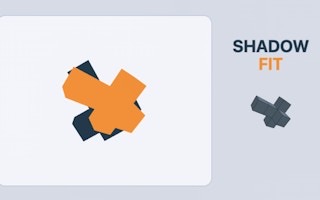
Rotate the shadow
Shadow Fit
Drag to rotate the shape
Play loads a game hosted by GamePix that may show ads and use cookies.
Provided by GamePix. Ads and cookies may load only after you press Play. Read the GamePix Privacy and Cookie Policy.
Study the target silhouette and drag to change the projected shadow.
How to play
How to Play Shadow Fit
Drag to rotate the block cluster, match its live wall shadow to the upper-left target preview, and hold a convincing alignment steady before the round timer expires.
- 01
Select Tap to Start, then study the target preview before moving the shape. Notice which side is longest, where the silhouette steps inward or outward, and whether most of its area sits high, low, left, or right.
- 02
Press and drag on desktop to rotate the cluster. On a phone or tablet, drag with one finger. Begin with a deliberate sweep when the starting projection looks very different from the target.
- 03
Watch the projected shadow while you drag. Follow one distinctive feature, such as an end block or deep notch, rather than trying to compare every edge during the same movement.
- 04
Release and read the Fit percentage. If the score improves and the important feature is moving toward its target position, continue with a smaller drag in a similar direction. If it worsens, reverse or try a different drag direction.
- 05
As the outlines become similar, switch to short adjustments. Compare one edge at a time, release between moves, and avoid a long sweep that carries the cluster past a useful angle.
- 06
When the shadow appears to fit the opening, stop dragging and hold the position steady. Let the game confirm the alignment instead of making one more correction. Repeat the process for each new timed shape.
About the game
Turn a 3D block cluster until its shadow matches the target
Shadow Fit is a spatial puzzle about recognizing a three-dimensional object from its two-dimensional projection. Each round places a block cluster in front of a wall and shows the shadow it currently casts. Your goal is to rotate the cluster until that live shadow lines up with the target opening. The shape and the shadow are two views of the same move: every drag changes the object, and the projection changes with it.
The target preview in the upper-left corner gives you a compact reference for the required silhouette. Compare its longest edge, protruding blocks, empty notches, and overall balance with the larger shadow on the wall. A Fit percentage supplies another clue by showing whether the current projection is closer to the target. Treat that number as feedback on a direction, then return to the outline to decide what still needs to move.
There are 30 shapes, presented one at a time, and each has its own time limit. A near match does not immediately clear the puzzle. Once the projection appears aligned, keep the shape steady so the game can recognize the fit. The challenge therefore has two distinct parts: discovering the right viewing angle before the timer runs down, then resisting unnecessary movement when the silhouette is in place.
Controls
Controls for Shadow Fit
- Mouse drag
- Rotate the block cluster on desktop; the wall projection turns with the shape.
- One-finger drag
- Rotate the block cluster on a mobile or tablet screen using the same single drag control.
Useful strategy
Use the outline for direction and the Fit readout for confirmation
- Read the target as a silhouette, not as a pile of individual cubes. Start with the outer boundary, because the game asks the projected shape to fill the opening rather than reproduce a particular-looking 3D pose.
- Choose one landmark before every drag. A single block that sticks out, a stepped corner, or a narrow side is easier to track than the whole projection while it is moving.
- Use larger sweeps only during the search phase. Once the live shadow shares the target's general width, height, and orientation, shorten each drag so you can keep useful progress.
- Release between adjustments and compare the new Fit percentage with the previous one. A change gives you evidence about that drag direction; constant spinning removes the comparison point.
- If the Fit value improves but one corner still looks wrong, keep the promising general orientation and work locally with smaller motions. Do not throw away a good angle just because it is not finished.
- If several drags produce worse results, return toward the last stronger position instead of continuing around at random. A remembered high point is a practical checkpoint under the timer.
- Watch the remaining time without staring at it. Check the timer after a meaningful attempt, then put your attention back on the target and live outline for the next decision.
- When the projection looks right, take your hand off the input. The official rule requires the fit to be held steady, so extra motion at the end can delay a clear or move the shadow away again.
Break the target shadow into useful landmarks
The upper-left preview is small, so begin with features that survive at any size. Estimate the target's bounding box: is it wider than it is tall, nearly square, or strongly vertical? Then count the major steps around its outside edge. A target might have a broad base with one narrow extension, while another may balance two arms around a compact center. These relationships tell you more than trying to memorize every square separately.
Next, give two or three features simple names in your head: long top, left tooth, low right corner. Use those names as checkpoints against the live wall shadow. If the long top is already horizontal but the tooth remains on the wrong side, you know the object is closer than it was, yet still needs a directional change. This short description also helps after a large rotation temporarily makes the projection harder to recognize.
Compare filled areas as well as the outer edge. A projection can have roughly the right width and height while placing its mass in a different part of the opening. Check whether the center looks dense, whether one side is thin, and whether a notch cuts into the same region. Work from large proportions toward individual corners so the early search stays fast.
Rotate with one question per drag
A drag is most useful when it tests a specific idea. Ask whether you need to expose the long side, bring an extension toward the top, or compress a wide projection. Drag, release, and inspect the result. Even when the attempt is wrong, it teaches you how that movement changed the silhouette. A rapid series of unrelated drags may cover more angles, but it gives you little information about how to return to the best one.
Use the shape itself to understand the turn. Blocks closer to the front can overlap blocks behind them in the shadow, making the projection narrower or hiding a step. A rotation can separate those blocks and widen the outline again. When a feature seems to disappear, it has not necessarily left the cluster; it may have moved behind another part from the current front view. Continue until the arrangement of visible protrusions resembles the target.
Drag direction is a search tool. If one motion improves the important landmark, repeat it gently rather than increasing the distance immediately. If the landmark moves the wrong way, undo part of that turn or change direction. The goal is not to learn a fixed gesture for every puzzle; each cluster starts with its own geometry, so the useful motion comes from observing the current response.
Turn the Fit percentage into a comparison trail
The Fit readout is most informative when you remember the previous value. After a drag, compare new with old: an increase suggests that the resulting projection overlaps the goal more closely, while a decrease warns that the move took you away from it. Record the best value mentally and treat that orientation as a checkpoint. You can explore nearby angles without losing all sense of where the strongest attempt was.
Do not let the percentage replace the picture. The outline explains what kind of correction is needed, while the number helps judge whether the correction helped overall. For example, the score may rise because the width is much better even though a small corner remains misplaced. Keep the improved width, identify that remaining mismatch, and use short drags to work on it rather than restarting the whole search.
Avoid assuming one unseen number is a universal pass mark. The practical finish signal is the game's response after the projected shape looks aligned and remains still. As you get close, wait briefly after releasing. If the round does not clear, compare the edges again and make one small, intentional adjustment. Alternating patient holds with controlled refinements is safer than shaking around a promising fit.
Divide the timer between search, refinement, and the final hold
Use the early part of a round to find the correct family of orientations. Large differences in width, height, and landmark position justify broader drags because the current view is clearly far from the target. Once those large relationships agree, move into refinement even if plenty of time remains. Continuing to spin after finding the right general view spends both time and information.
In the middle of the attempt, maintain a best-known position. If an experiment lowers the Fit value or distorts a landmark, move back toward that checkpoint before trying another idea. This prevents the final seconds from becoming a complete restart. Check the timer at natural pauses after release, not continuously while steering, so your visual attention remains on cause and effect.
Reserve a moment for the required steady hold. When time is short and the shadow is close, repeated large changes are unlikely to be useful. Choose the strongest orientation you have, correct its clearest remaining mismatch with a short drag, and release. If it appears aligned, wait for confirmation. A correct-looking position that never stays still cannot complete the same job as a calm final placement.
Quick answers
Shadow Fit FAQ
How do you rotate the shape in Shadow Fit?
Drag with the mouse on desktop or drag with one finger on mobile and tablet. The cluster and its wall projection rotate together, so watch the shadow while moving.
What is the small image in the upper-left corner?
It is the target shadow preview. Compare its overall width, height, protruding blocks, notches, and weight distribution with the larger live projection on the wall.
What does the Fit percentage mean?
It gives feedback on how closely the current projection fits the target. Compare it after each deliberate drag, while still using the visible outline to decide what to adjust next.
Why did a close-looking shape not clear immediately?
Getting close is not enough. Refine any visible edge mismatch, release the input, and hold the aligned projection steady so the game has a chance to confirm the fit.
How many puzzles are in Shadow Fit?
The official game description lists 30 shapes. They appear one at a time, and each shape has its own time limit for finding and holding the matching projection.
What should I do when the Fit percentage stops improving?
Return toward the strongest orientation you remember, compare one distinctive edge with the target, and test a shorter drag in a different direction. Release again before judging the result.
Game information
Game details
Shadow Fit is developed by nextlayer and provided through the GamePix-hosted player. The external player may display advertising and is governed by GamePix's privacy terms.
- Developer
- nextlayer
- Distributor and host
- GamePix
More about this game
Keep the break going