Ragdoll Football Online
Hold and release a direction to send a ragdoll player across the football pitch.
- Session
- Short timed matches
- Controls
- Hold a direction key and release to push
- Best for
- Physics
Landscape gives you more room
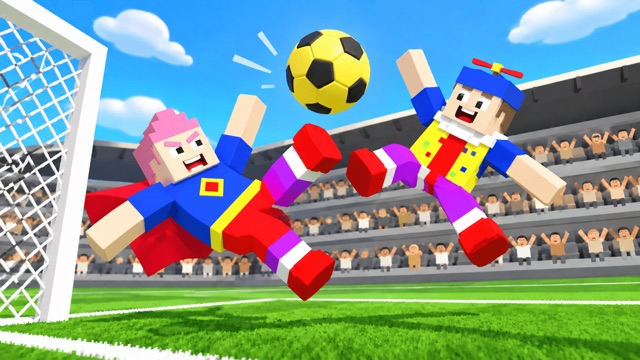
Push toward the ball
Ragdoll Football Online
Hold a direction key and release to push
Play loads a game hosted by Playgama that may show ads and use cookies.
Provided by Playgama. Ads and cookies may load only after you press Play. Read the Playgama Privacy and Cookie Policy.
Start with Offline Match and Practice.
How to play
How to Play Ragdoll Football Online
Use offline practice to learn the release-based push before a match.
- 01
Start the official player and choose Offline Match, then Practice.
- 02
Wait for the countdown and find the controlled player, ball, and goal.
- 03
Hold a direction key such as the right arrow, then release it to push the player.
- 04
Watch the player and ball settle before choosing a new direction.
About the game
Ragdoll Football Online
Ragdoll Football Online turns a small football pitch into a physics contest. You do not steer a runner with a smooth, constant sprint. A directional input prepares a push, and releasing it sends the floppy player across the field. That makes both timing and direction matter. The objective in a match is to put the ball in the other goal more often than the opponent does.
The menu offers Offline Match and Online Match. The offline route leads to Practice, 2v2, and Duels choices. Practice is a sensible first stop because it lets you learn the push without an opponent pressuring every touch. A practice round opens with a 0–0 board and a three-minute timer. Hold a direction, then release it to send the controlled player across the pitch while watching the ball.
That movement is the first core action to master. A stronger-looking push is not automatically a better play: the ball can bounce, your player can tumble, and you may overshoot the space where you need contact. Read the ball position, choose one direction, and observe where your player lands before preparing the next push.
Controls
Controls for Ragdoll Football Online
- Hold WASD or an arrow key, then release
- Push your player in that direction.
- Press and drag on the pitch, then release
- Aim and execute a pointer-controlled push.
- Longer drag
- Prepare a stronger push, according to the game controls.
Useful strategy
Aim before you release
- Start in Practice and learn how far a short push carries the player.
- Look at the ball and the nearest goal before choosing a direction.
- Use shorter adjustments when close to the ball so you do not fly past it.
- Let the ragdoll finish tumbling before you judge where the next push should go.
Choose a mode that fits your first session
The opening menu has an obvious Offline Match button. Selecting it reveals three ways to play locally: Practice, 2v2, and Duels. Practice is described as playing alone on the pitch, while the other two cards describe two-on-two and one-on-one competition. The same screen shows difficulty buttons below. For a first attempt at the physics, choose Practice before exploring the competitive modes.
The menu also offers Online Match. You do not need to enter online play to learn the controls. The offline route is enough to see the field, controlled player, scoreboard, timer, and ball. A player learning the push should remove unnecessary pressure before trying to outscore an opponent. Choose a competitive mode only after you can predict where a short push will carry your player.
Practice has a timer and score display even though you are alone. Treat the visible countdown as the session clock, not proof that you must finish a specific tutorial task within a few seconds. Spend the first moments finding your player; a small green marker helps identify the controlled character. Find the ball and the goal as well. Those three positions form the plan for each push.
Understand hold, release, and momentum
The official control description says to hold a direction key and release it to execute a push. It also offers a pointer route: press and drag on the pitch in the direction you want to move, then let go. Think of these as two ways to prepare an impulse. If you expect continuous walking from a held key, you may believe the input is broken just before the release actually launches the player.
Hold the right arrow briefly and release it to try a first push. The controlled figure moves from a standing position into a tumbling leap across the pitch. A 0–0 scoreboard can remain unchanged even when your player moves. That distinction matters: a visible ragdoll jump shows that the movement input worked, while scoring requires the ball to reach the goal.
Direction does not guarantee a straight line once the figure collides or begins to spin. Let the physics settle and reorient from the new position. If the ball has bounced away during the movement, update the target before pushing again. Repeatedly pressing the same direction without looking can send you even farther from the ball.
Approach the ball in small steps
Your first useful question is where the ball is relative to your character and the goal. If the ball is several player-lengths away, a larger push may close the gap. When you are already close, a smaller adjustment makes it easier to contact the ball rather than sailing over it. The game describes a longer drag as producing a stronger push, so pointer players can use drag length as part of this distance control.
Try to line up the player, ball, and target goal. A direct push through the ball may send it toward the goal; a side impact may send it across the pitch instead. Because the game uses ragdoll collisions, a clean line is more helpful than expecting a precise foot-to-ball animation every time. Read the result of the collision before planning a follow-up.
On the first practice screen, the camera can follow the action and the ball can be airborne. Wait for a moment when you can see both player and ball clearly. Trying to push while your character is still tumbling can make it hard to tell what the input did. This measured rhythm is useful whether you use keys or a drag gesture.
Read the score and clock separately
The scoreboard sits at the top and initially reads 0–0. The practice clock begins at three minutes and counts down. These are different kinds of feedback. A changing clock proves that the round is running; it does not mean a push reached the ball. A jumping player proves the movement input worked; it does not mean the ball entered a goal. Check the correct indicator for the question you are asking.
If you try a shot, follow the ball all the way to the mouth of the goal before assuming it counted. A ragdoll collision may knock it into a wall, produce a rebound, or leave it short. There is no fixed angle that works from every position. Work from the live ball position and the visible scoreboard, then adjust your next push to the actual result.
In a competitive mode, the clock limits opportunities to recover from a poor position. Avoid spending several pushes chasing an old ball location. Look up after each contact, locate the new ball, and choose the next action. The same habit helps in Practice, where there is room to learn without treating the countdown as a reason to mash controls.
Fix common first-match mistakes
If nothing appears to happen while you hold a key, release it. The keyboard action is described as a push on release. If the player leaps but misses the ball, the input worked; the direction or strength needs adjustment. Shorten the next push near the ball and aim from the new position rather than repeating the original command.
If the player tumbles away from the pitch center, stop and reorient. The camera and figure may both move, so comparing against the original screen position can be misleading. Locate the green control marker, then find the ball and goal again. A fresh plan based on current positions is better than trying to undo every spin with an immediate opposite push.
If the ball moves but the score stays 0–0, do not count it as a goal. Follow the ball until it crosses the goal area or is stopped. The scoreboard is the visible confirmation of a scored point. A near miss is still useful feedback: it tells you that the collision angle or push distance should change on the next attempt.
A focused practice routine
Use the first minute to learn two push sizes. Try one modest directional hold and release, observe the travel, then try a different direction from wherever the character lands. Notice how the body rotates and where it comes to rest. This gives you a feel for the physics before the score becomes the only thing you watch.
Next, approach the ball with a clear line to a goal. Work in two stages when needed: one push to reach the ball area, another to make contact. After contact, read the ball path and scoreboard. If the shot misses, adjust the contact side or push size rather than simply pushing harder. Practice is most valuable when every attempt answers a specific question.
After you understand the release action, you can try a one-on-one or two-on-two offline match. The related games below offer different ball-control challenges: one is about curving a football shot, and another about aim and rebound. Their inputs are different, but the habit of watching the ball after each attempt transfers well. In this game, your first milestone is a deliberate push with a visible result.
Quick answers
Ragdoll Football Online FAQ
Why does holding a direction key seem to do little?
The game describes a hold-and-release control. Release the held direction to execute the push, then watch the player move.
Can I practice without entering an online match?
Yes. Offline Match leads to a Practice choice, with a 0–0 board and a three-minute timer.
Does a successful push always score?
No. A push moves your player; a goal requires the ball to reach the net. Watch the ball and scoreboard to confirm a score.
Game information
Game details
Ragdoll Football Online runs in the official Playgama player, which may use cookies or show advertising.
- Developer
- Whalebox
- Distributor and host
- Playgama
More about this game
Keep the break going