Mech Battle Arena
Play ETH Games’ robot card battle: drag an affordable card onto your half and watch the robot advance toward a bridge.
- Session
- Short play sessions
- Controls
- Drag a robot card onto your half
- Best for
- Card
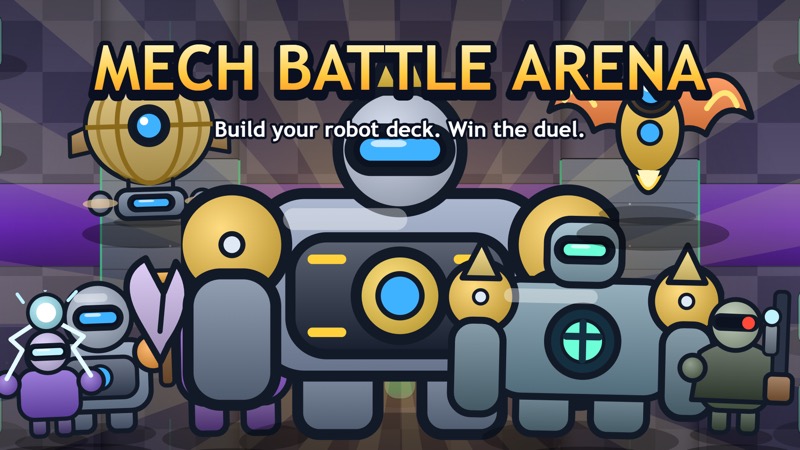
Choose a card and a lane
Mech Battle Arena
Drag a robot card onto your half
Play loads a game hosted by Playgama that may show ads and use cookies.
Provided by Playgama. Ads and cookies may load only after you press Play. Read the Playgama Privacy and Cookie Policy.
Read the robot card cost and current energy.
How to play
How to Play Mech Battle Arena
Spend energy on a deliberate deployment, then watch what the robot does before adding another card.
- 01
Read the opening tutorial. It explains deployment, tower objectives, other card types, and between-battle progression.
- 02
Enter the training battle or an available battle and wait for the countdown to finish.
- 03
Compare a robot card’s displayed energy cost with the regenerating energy bar at the bottom.
- 04
Drag the card onto your own half of the arena below the river, then release it in a useful lane.
- 05
Look for the deployed robot and the new card in your hand. Let the unit move and fight automatically.
- 06
Watch approaching enemies, tower health, and remaining energy before choosing the next deployment.
- 07
At the result screen, return to the menu to inspect your deck or progression. Keep shop, gem, and optional video choices separate from learning basic deployment.
About the game
Turn a robot card into a unit on the battlefield
Mech Battle Arena by ETH Games is a browser robot-card strategy game distributed through Playgama. Your cards become units when you drag them from the bottom panel onto your own half of the arena. Each deployment spends energy, which regenerates over time. Once placed, robots move and attack automatically, leaving you to choose the next card, timing, and lane.
For your first deployment, read the energy cost in the card’s corner, compare it with the energy bar, and drag an affordable robot onto the blue side below the river. Release inside the battlefield rather than on the card panel. A successful placement produces a robot on the board and brings a replacement card into your hand. Follow the unit’s progress toward a bridge before spending again.
The arena has two bridge lanes between your towers and the enemy towers. The tutorial explains that destroying towers earns crowns, and that the king tower, three crowns, or more crowns at the end can decide a battle. Protect your side while creating pressure across a bridge. A new unit is useful only if its placement and timing serve the situation already visible on the board.
Controls
Controls for Mech Battle Arena
- Mouse drag / touch drag
- Move a robot card onto your own half to deploy it.
- Release card
- Commit placement at a valid point when enough energy is available.
- Click / tap menus
- Read the deck, battle, and campaign options.
- Pause button
- Open the battle pause menu.
Useful strategy
Keep energy for the next problem, not just the current attack
- Begin with an affordable robot so you can learn a valid deployment without waiting for a large energy total.
- Release below the river on your half. Dragging toward an enemy tower is not the same as selecting a legal starting position.
- Choose the lane before picking up the card. A unit placed away from the threatened bridge may arrive too late to help.
- After deploying, read the replacement card. Your hand has changed, so the next choice needs a new cost check.
- Avoid spending the entire energy bar simply because several cards are available. Leave room to respond to an enemy approaching a tower.
- Observe automatic movement before issuing more placements. You control deployments rather than steering every robot with the keyboard.
Make your first drag end on the battlefield
Locate the card panel, energy bar, river, and blue towers before moving a card. These give you four different pieces of information: what you can use, what you can afford, where the sides divide, and what you must protect. Choose a robot card rather than assuming every picture in the hand creates the same kind of moving unit.
Hold the card, drag upward into your own half, and release at a clear point on the arena. Keep the destination below the river. For a simple first attempt, use open ground in front of one of your side towers where you can easily see the robot appear. This separates a placement problem from the later tactical question of which lane deserves support.
Check the board and hand after releasing. The card you used should become a visible unit, while your hand receives another card from the sequence. If you see no unit, compare the cost with current energy and make sure the release point was inside a valid area. Do not keep dragging blindly while a pause menu or countdown is covering the arena.
Treat energy as time you can spend now or save
Energy refills during the battle, so waiting is part of decision-making. A cheap card can be available sooner than a more expensive one, but affordability alone does not make it the right response. Read the enemy position before deciding whether to deploy now, wait for a different robot, or preserve enough energy for a second placement.
Use the card corner and energy bar together. Looking only at the card artwork can cause an attempted drag before you can pay its cost. Looking only at a large energy total can tempt you to spend several cards at once without checking where their units will go. A clear plan begins with the board, then the role you need, then the cost you can meet.
Avoid emptying the bar on one speculative push. If an enemy starts across the other bridge, you may need an immediate defensive card. Keeping a small reserve gives you choices while the next refill arrives. The amount to reserve depends on the live hand; use actual displayed costs rather than memorizing a universal number that may not fit your deck.
Watch bridges before adding pressure to a lane
The river and two bridges organize movement through the arena. Look at which bridge an enemy is approaching and which of your towers sits behind that route. A robot placed on the relevant side can contribute to that encounter, while a distant placement may be working toward a different fight. Pick the lane as a response to the current board.
After deployment, follow the robot long enough to see where it moves. Robots walk and attack automatically, so a placement is a commitment rather than a piece you can constantly reposition with WASD. Let that behavior inform your next choice: does the unit have support, is the opposing lane becoming dangerous, or has the fight moved closer to your tower?
Use tower health as a signal to change priorities. When a side tower is under immediate pressure, sending everything toward a quiet enemy tower can leave the threatened lane unsupported. Recheck both lanes between deployments. A balanced view helps you avoid focusing so closely on your own new robot that you miss the enemy unit already reaching home.
Separate moving robots from the other card choices
The tutorial describes robots, buildings, spells, and boosters. These categories do different jobs: buildings work for your side, spells affect areas, and boosters help robots move faster. Read a card’s current description or preview before treating it as another marching unit. Your first successful robot deployment teaches the drag gesture, but it does not establish every card’s effect.
The publisher describes an eight-robot deck and progression through cards, coins, chests, and a campaign. Inspect these menus between battles rather than trying to learn them while a tower is being attacked. Compare an available card with the problem you had in the last match, such as an unsupported lane or a cost you could not afford in time.
Some chest and progression choices include timers or optional videos. They are separate from the basic battle controls. Learning to place an affordable robot, read energy, and follow a lane does not require rushing into a shop or accelerating a timer. Keep your next session goal small enough to assess through the actual battlefield and result screen.
Quick answers
Mech Battle Arena FAQ
Where can I play Mech Battle Arena by ETH Games?
Start Play on this page for the official Playgama-hosted browser player. The source link below opens the exact ETH Games listing.
How do I deploy my first robot?
Drag an affordable robot card from the bottom panel onto your own half below the river, then release. Check for a new unit on the board and a replacement card in your hand.
Do I steer robots after placing them?
Robots move forward and attack automatically. Your main decisions are which cards to deploy, when to spend energy, and where on your side to place them.
Why will a card not deploy?
Check its energy cost, your current energy, the release point, and whether the battle is running. A pause menu or countdown needs to be resolved before normal placement.
How do crowns relate to towers?
The opening tutorial says destroying a tower earns a crown and describes three crowns, the king tower, or more crowns at the end as victory conditions.
Is mobile dragging supported?
The official controls list finger dragging as well as mouse dragging. On touch screens, hold the desired card and release it inside your half of the battlefield.
Game information
Game details
Mech Battle Arena is developed by ETH Games and runs in the official Playgama player. The external game may show advertising or use cookies under Playgama terms.
- Developer
- ETH Games
- Distributor and host
- Playgama
More about this game
Keep the break going
Similar games
Build the first defense
Wall Watch - Hold The Line
Spend the opening 100 gold on a Rifle Post, then reposition it between defensive pads.
Read the next enemy action
Containment Protocol: Roguelike Deckbuilder
Choose a card, confirm its target, and save energy for protection before the enemy acts.