Make a Face
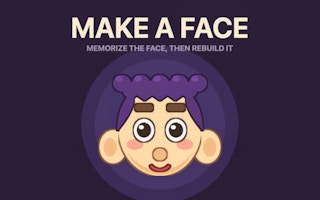
Study a face for a few seconds, then select matching hair, eyes, and other features from close alternatives.
- Session
- Short recall stages
- Controls
- Click or tap the matching feature
- Best for
- Puzzle
Landscape gives you more room
Remember every feature
Make a Face
Click or tap the matching feature
Play loads a game hosted by GamePix that may show ads and use cookies.
Provided by GamePix. Ads and cookies may load only after you press Play. Read the GamePix Privacy and Cookie Policy.
Start a stage and study each visible feature before the portrait is covered.
How to play
How to Play Make a Face
Study the portrait feature by feature, then rebuild each requested part after the reference is hidden.
- 01
Start a stage and scan the portrait while the study timer is active.
- 02
Notice a specific shape or color for each feature you expect to choose, rather than only the overall expression.
- 03
After the portrait is covered, read the requested feature above the option tray.
- 04
Click or tap the exact matching option; watch the match feedback before selecting the next part.
- 05
Complete every requested feature to continue. If a choice is wrong, use the new run to test a better memory strategy.
About the game
Remember the face before it disappears
Make a Face shows a portrait for a short study period, covers it, and asks you to rebuild its features from a tray of alternatives. The first stage focuses on hair, eyes, and mouth. Each selected part appears on the blank face and receives immediate match feedback. The challenge is not to choose a feature that looks generally similar; you need the exact option from the original portrait. A single wrong choice ends the current sequence.
The alternatives are designed to be close enough that a quick glance can mislead you. Treat the study period as a chance to record distinctive details: hair outline and color, eye shape and size, mouth shape, and any unusual placement. As the game advances, the official listing says more parts and look-alikes appear with less viewing time. A deliberate observation method is more useful than trying to remember the portrait as one vague impression.
Controls
Controls for Make a Face
- Mouse click or tap
- Choose a feature from the displayed options.
- Number keys on desktop
- Select an option according to the official keyboard controls.
- Tap to start
- Begin the portrait study period.
Useful strategy
Remember differences, not a general likeness
- Name one distinguishing detail for hair, eyes, and mouth during the study period.
- Compare options only within the feature currently requested.
- Use shape first, then color or size, when two choices look alike.
- Do not rush the selection tray; the pressure is in the short study time.
- If you miss a part, identify which detail you failed to encode before restarting.
- Keep a consistent scan order so later stages do not make you forget a feature.
Study with a repeatable scan order
A portrait appears only briefly, so decide what to inspect before the timer runs out. Start at the hair, then move to the eyes, mouth, and any other visible features. This top-to-bottom order is easy to repeat on the next stage. You do not need to memorize every pixel. You need enough detail to reject the look-alike options. For hair, the silhouette may matter more than the exact shade. For eyes, note whether they are round, narrow, large, or small.
Try turning a visual detail into a short label in your mind. “Spiky dark hair,” “small ring eyes,” and “tiny round mouth” are easier to recall than an unstructured image. The label should describe what actually distinguishes the feature, not a generic impression such as “happy face.” If the game later asks for a part you did not label, use that miss to update your scan order. A consistent routine frees attention for the less obvious details in harder portraits.
Do not spend the whole viewing period staring at the most striking feature. A dramatic hairstyle can dominate your attention while an ordinary-looking mouth slips away. Give each requested category at least a quick look. If you have extra time, return to the feature most likely to be confused with a close alternative. The original portrait will disappear regardless of how certain you feel, so your goal is balanced coverage, not perfect confidence in one part.
Compare one feature tray at a time
After the reference is covered, the game asks for one part and displays several candidates. Read the prompt first. A tray of hair choices calls for a hair memory, not a judgment about which complete face would look nicest. Compare the options against your short label and discard obvious mismatches. If you remember dark spikes, a smooth yellow style can be rejected immediately. Then spend the remaining attention on differences between the two most plausible candidates.
The selected part appears on the blank portrait. Match feedback confirms whether that choice was exact. Use that feedback to reset your attention before the next prompt. A correct hair selection does not mean your memory of the eyes is equally reliable. Recall the eye detail you noted during the study period, then compare only the current eye options. Treat each feature as a small independent decision within the larger stage.
If two options share the same general shape, inspect their smaller differences. Eye choices may vary in size or pupil position; mouth choices may vary between a dot, a line, or a more open expression. Do not invent a detail you never saw. When uncertain, choose the option that best matches the few facts you actually retained. A wrong result is still information about what your study method missed, especially when the same sort of distractor appears in future stages.
Adapt as the sequence becomes harder
The official description says later stages ask you to remember more parts while offering closer look-alikes and less time to study. The scan order remains useful, but you may need shorter mental labels. Instead of rehearsing a full sentence about each feature, keep a compact cue: shape, color, and one unusual detail. If a new feature appears, insert it into the same top-to-bottom scan. This keeps the routine stable even as the portrait gains complexity.
Accuracy matters more than speed in the selection step. The game does not ask you to guess based on the first option that seems familiar. Compare every visible candidate for the requested part, especially when two share the same color. A feature can feel familiar because it appeared as a distractor in a previous stage. Anchor the choice to the portrait you just saw rather than to a general memory of the game’s art style.
An endless sequence changes how you should judge progress. There is no final portrait you must reach to make the run worthwhile. Use your highest stage as a reference, then ask which feature category most often ends the run. If hair is easy but mouths repeatedly cause mistakes, spend an extra glance on mouths during the next study period. Targeted improvement gives you a clearer path forward than simply trying to concentrate harder on everything.
Use a wrong choice to improve the next run
A single mismatch sends you back to the beginning according to the official rules. That can feel severe, but it makes the feedback precise: you know exactly which part failed. Before restarting, ask whether you missed the category entirely, remembered only its color, or confused two shapes. Each error suggests a different correction. Missing a category calls for a better scan order. Confusing two shapes calls for more attention to outline and proportions.
Be careful with a common shortcut: remembering the overall emotion of the face. Two portraits can look equally cheerful while using different eyes or mouths. The game checks parts, so part-level memory is what earns a match. If your answer felt right but failed, describe the two options in plain words and identify the distinction you overlooked. That observation can make similar distractors easier to separate next time.
If clicking does not advance to a new prompt, check whether the game is still in the study period, a transition animation, or a result screen. Wait for the feature tray and its prompt before choosing. On a touch device, tap a visible option fully rather than tapping between cards. Once you see the part appear and match feedback, continue to the next category. For another kind of recall practice, Memory Training tests hidden symbol positions, while Kobadoo Flags tests recognition of country flags.
Quick answers
Make a Face FAQ
What is the objective in Make a Face?
Memorize the shown portrait and rebuild every requested feature from the options after it is hidden.
What happens if I pick the wrong feature?
The official rules say a single wrong part restarts the sequence at stage one.
What should I memorize first?
Use a consistent scan: hair, eyes, mouth, then any added features. Remember a distinguishing detail for each.
Is there an end to the game?
The official description presents it as an open-ended stage challenge, so aim to improve your best stage.
Game information
Game details
Make a Face runs through the official GamePix-hosted player. Airy Arcade does not host the game code.
- Distributor and host
- GamePix
More about this game
Keep the break going
Similar games

Remember the hidden symbol
Memory Training
Study a small set of symbols, then find the requested one after the cards turn over.

Preview and confirm a look
Elemental DressUp Magic
Choose a character, change an eye or hair option, and confirm to continue designing.