Golden Fish
Drag upward to charge the fish’s jump, adjust sideways aim, then release toward the next pool.
- Session
- Short precision runs
- Controls
- Press and drag upward to charge
- Best for
- Casual
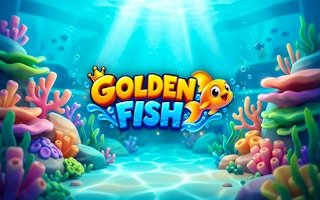
Charge and aim each jump
Golden Fish
Press and drag upward to charge
Play loads a game hosted by GamePix that may show ads and use cookies.
Provided by GamePix. Ads and cookies may load only after you press Play. Read the GamePix Privacy and Cookie Policy.
Press Play and dismiss the in-game controls card.
How to play
How to Play Golden Fish
Line up the next pool, drag upward for enough charge, adjust sideways while holding, and release only when the landing looks safe.
- 01
Press Play and read the first-run control card. Locate the fish, the outline of the next pool and any coins along the route.
- 02
Press and hold in the play area. Drag upward to charge the jump; keep the next landing area in view as you move.
- 03
While still holding, slide sideways to align the fish with the center of the target pool. Avoid aiming only at an optional coin if it puts the landing at risk.
- 04
Release to launch. Watch the full arc and landing before making another input.
- 05
From the new position, re-evaluate distance and alignment. Increase or reduce your next drag according to whether the previous shot fell short or overshot.
About the game
A precision jump from one pool to the next
Golden Fish shows a fish at the front of a sequence of raised pools in a colorful aquatic landscape. The immediate task is to send it forward into the next safe landing area. The game’s first-run card says to press and drag upward to charge, slide sideways to aim, then release to launch. A jump that is too weak may fall short; one that is too strong or badly aimed may miss the pool. Think of the move as a short plan with two parts: reach the pool and land inside its boundaries.
In Coral Reef’s first level, an upward drag launches the fish forward toward the next pool. A well-aligned opening move can also collect coins; the visible counter rose from 0 to 10 on the first launch. The menu includes Daily, Maps, Shop, Missions, Awards and a separate Free Coins ad option. None of those menus is necessary to learn the basic jump. Start with normal Play, practice reaching a safe landing, and treat coin collection as a secondary goal.
Controls
Controls for Golden Fish
- Mouse press and drag
- Drag upward to charge and sideways to aim.
- Mouse release
- Launch the fish with the current aim and charge.
- Touch hold and drag
- Use the same charge-and-aim gesture on a touch device.
- Pause button
- Pause the current run from the visible in-game control.
Useful strategy
Make each launch easier to read
- Aim for the middle of the next pool while learning the power range.
- Treat coins as optional until a safe landing is clear.
- Change charge and sideways aim separately when correcting a miss.
- Keep the drag inside the game frame so the browser does not interpret it as a page gesture.
- Observe where the fish lands, not just where it passes during the arc.
- Use a smaller correction after a near miss rather than overcompensating.
- Read the current target because pool distance and position can change along the course.
Read the next target before charging
The safe target is the next pool, not simply the farthest object visible. In the opening scene, outlines mark successive raised water areas. Pick the nearest one your current launch should reach and aim for its interior. A fish that passes above the pool but falls outside its boundary has not made a safe landing. The center gives you a larger margin than an edge, particularly while you are learning how much drag produces a useful jump.
Distance is only one part of the problem. Look at the target’s sideways position relative to the fish. If the next pool is offset, an upward drag alone may have enough power but the wrong line. The first-run card explicitly says to slide sideways while aiming. Use that adjustment before releasing. A small sideways change can matter more than a large power change when the fish is already reaching the correct distance but landing to one side.
Coins may form a tempting line through the course. The first launch can collect coins and raise the counter, but not every coin needs to lie on a safe trajectory. Set a safe landing line first. Then collect coins that fall naturally along it. A risky detour can cost the run, while a conservative landing gives another launch and another chance to collect. This tradeoff is most important on a new course whose next target you have not yet learned.
Separate charge, aim and release
The gesture has three stages. First press and hold; this establishes the starting point. Then drag upward to build charge. While holding, adjust sideways to point toward the target. Finally release to commit. Thinking of these as separate stages prevents a rushed flick that gives the game little chance to register the intended power and direction. Use the resulting flight as feedback rather than relying on a fixed pixel distance or an imagined power formula.
A desktop mouse is well suited to this deliberate gesture. Keep the pointer within the game frame and avoid starting on a menu button. On a touch device, the official listing describes touching and holding to charge and releasing to jump. The layout may differ with screen size, so aim from the current visual position of the fish and target rather than copying an absolute motion from a desktop screenshot.
After releasing, let the camera and fish finish moving. The game may animate through several pools or show a new launch position. If you start another drag too soon, you can lose track of the landing that should guide your next correction. Wait for a stable view, then identify the next pool, its distance and any sideways offset. This rhythm makes repeated jumps a series of understandable decisions rather than one continuous uncertain gesture.
Correct distance without losing alignment
If the fish falls short but appears aligned with the pool, change power first. Keep the same basic sideways aim and drag a little farther upward on the next attempt. A small change is easier to interpret than a large one; if it still falls short, increase again. Do not simultaneously move sideways unless the observed miss also shows a lateral problem. Separating the two dimensions lets you learn the control more quickly.
If the fish overshoots, reduce the upward charge while preserving the line that was already good. An overshoot can be visually deceptive because the fish may pass over the middle of a pool before falling beyond it. The target is the final landing, not a momentary overlap during flight. Watch where the fish actually comes down and use that point to choose the next charge.
The course may change distance between pools, so yesterday’s or the previous platform’s charge is only a starting estimate. Read each target anew. A closer pool calls for restraint, while a distant one may require more power. If a miss is close, avoid overcorrecting; a smaller change gives clearer feedback and may be enough to move the landing into the safe interior.
Correct left and right misses independently
If the fish reaches the right distance but lands beside the pool, the primary issue is aim. On the next launch, keep a similar upward charge and shift the drag sideways toward the target. The first-run instructions explicitly support this side adjustment. Aim at the pool center rather than its near corner, because a centered target allows for slight error in both distance and direction.
Perspective can make a distant pool look narrower or slightly displaced. Use its outline rather than the background scenery. The camera follows the fish, so mountains, rocks and decorative objects may move even though the target line remains the important reference. When a new launch position appears, locate the fish and the immediate next outlined landing area again before dragging.
If you are both short and to one side, decide which error was larger. Correct the dominant problem first and preserve the other setting as much as possible. Two large simultaneous adjustments make it hard to know why the next attempt succeeded or failed. A simple mental note such as “power okay, aim left” is enough to make the next launch more informed without turning a casual game into a spreadsheet.
Choose a precision game that matches your input style
Golden Fish fits a player who enjoys judging power and landing zones with a drag gesture. Infini Golf also asks you to launch toward a target across raised spaces, but its visible control style uses aim and charge buttons rather than this fish’s single drag-and-release movement. Pocket Putt offers a smaller putting challenge. These recommendations share the task of predicting a landing, which makes them useful comparisons without pretending they are the same game.
For a short session, give yourself three deliberate attempts. On the first, aim for the center and learn the approximate charge. On the second, correct distance if you were short or long. On the third, refine sideways alignment if necessary. This sequence is more informative than three identical guesses. The course may still surprise you, but every attempt then teaches something about the controls.
Quick answers
Golden Fish FAQ
How do I launch the fish?
Press and drag upward to charge, move sideways while holding to aim, then release toward the next pool.
What if I keep falling short?
Keep the same sideways line and add a little more upward charge; use the actual landing as feedback.
Should I aim at coins or the pool?
Aim for a safe pool landing first. Collect coins when they lie on a route that still leaves enough room to land.
Do I need to watch an ad?
No. The ad-labeled Free Coins option is separate from normal Play.
Game information
Game details
Golden Fish is delivered by the official GamePix-hosted player. Airy Arcade does not host its game code.
- Distributor and host
- GamePix