Element Clash 2D
Choose Fire, Water, or Earth against the bot using the visible circular advantage rules.
- Session
- Flexible short sessions
- Controls
- Click Fire, Water, or Earth
- Best for
- Strategy
Landscape gives you more room
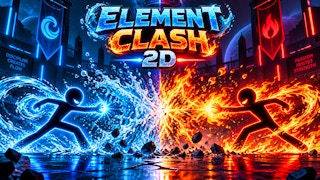
Pick the counter element
Element Clash 2D
Click Fire, Water, or Earth
Play loads a game hosted by GamePix that may show ads and use cookies.
Provided by GamePix. Ads and cookies may load only after you press Play. Read the GamePix Privacy and Cookie Policy.
Open How To Play and learn the three counters.
How to play
How to Play Element Clash 2D
Read the opposing element, choose its counter, and check health after the exchange.
- 01
Open How To Play to read the Fire–Earth–Water counter cycle and control labels.
- 02
Choose Play vs Bot for a self-contained first match.
- 03
Look at the bot element before clicking the matching counter button.
- 04
After the exchange, compare both health values and the current round label.
About the game
Element Clash 2D
Element Clash 2D is a compact element-choice duel. Its How To Play screen gives the central relationship plainly: Fire beats Earth, Earth beats Water, and Water beats Fire. The player can use visible buttons or the listed keyboard shortcuts, and a Play vs Bot option starts a match without waiting for another person. The first observed bot round began with both sides at 100/100 health and a Fire symbol shown for the bot.
Choosing Water against that visible Fire symbol had an observable effect: the bot's health changed from 100 to 66 while the player's stayed at 100. The round indicator remained 1/3. That confirms a successful counter choice in one round, not the entire match result or a universal 34-damage rule. Use the element relationship to choose, then read the actual health change on the current screen.
The best first lesson is a three-part loop: identify the opponent's displayed element, recall the element that beats it, and make one deliberate selection. Afterwards, check both health bars and the round label. This guide focuses on the bot mode and the rules visible in the game. It does not assume a human opponent, matchmaking, a complete reward schedule, or hidden power-ups that were not tested.
Controls
Controls for Element Clash 2D
- Click or tap Fire, Water, or Earth
- Choose an element for the current exchange.
- 1 or A; 2 or S; 3 or D
- Use the help screen’s Fire, Water, and Earth keyboard shortcuts respectively.
- Play vs Bot
- Start the observed solo-opponent mode.
Useful strategy
Play with a clear next move
- Remember the cycle as Fire→Earth→Water→Fire.
- Read the bot icon before choosing rather than relying on the previous round.
- Check health on both sides after one selection.
- Keep the round indicator separate from the number of attacks made.
Memorize the three counters
The help screen states that Fire beats Earth, Earth beats Water, and Water beats Fire. This is a cycle, not a linear ranking with one strongest option. If the opponent shows Earth, Fire is the named counter. If the opponent shows Water, Earth is the named counter. If the opponent shows Fire, Water is the named counter. You can write the cycle mentally as Fire to Earth to Water to Fire.
The observed first bot round provided a clean example. A Fire symbol was visible for the bot, so Water was the stated counter. Clicking Water reduced the bot from 100 to 66 health while the player remained at 100. That one result supports the game's displayed rule in this situation. It does not show what would happen with a tie or a losing element; do not infer those damage values from the winning case.
If you forget the cycle midgame, return to the principle rather than guessing from color alone. Fire is red, Water blue, and Earth often green or brown in games, but the rule text is the reliable mapping here. Name the opponent's element aloud, then name the one that beats it. This two-step pause is especially helpful when symbols animate quickly or the previous exchange used a different element.
Start with the bot mode
The menu offers Play vs Bot, which was used for the observed test. That mode is useful for learning because you can begin an exchange without another player joining. On the first round, both player and bot health read 100/100, and the round indicator showed 1/3. These labels establish a starting point for checking what your next input actually did.
Open How To Play before starting if you have not learned the counter cycle. The game lists both button choices and keyboard alternatives. For a first run, clicking the labeled element button makes the selected action especially clear. The keyboard shortcuts can be convenient later, but only if focus is inside the player and the keys correspond to the current help screen.
Once a bot round opens, do not choose immediately based on a favorite element. Find the bot icon and confirm that it is the current opponent's element. Then choose its counter. In the observed Fire case, Water was the right selection. In another round, the symbol may differ, so the initial observation should teach a method rather than become a memorized sequence of button presses.
Read health and rounds after an exchange
Health is the clearest feedback for whether the action affected the duel. In the observed case, bot health went from 100 to 66 while player health stayed at 100. Those numbers show a successful exchange, but they do not prove that every counter always deals 34 damage. Compare the before and after values in your own round; upgrades, opponent state, or other conditions could change the outcome.
The round label still read 1/3 after the observed Water choice. That tells you not to equate one element selection with a completed match. Wait for the interface to present the next decision or outcome. If the icon or buttons remain visible, read them again. A round can contain a transition that is not captured by the instant you clicked.
If both bars change, look at each side separately. A hit that lowers the opponent's health and a simultaneous change to your own health are distinct pieces of information. The early observed exchange happened to leave the player at 100; that should not become a promise of immunity. Future choices should be evaluated against the health you actually have, especially late in a match.
Use buttons or keyboard with clear focus
The help screen lists button selection and shortcuts: 1 or A for Fire, 2 or S for Water, and 3 or D for Earth. Buttons are the easiest way to verify what you chose because their labels are visible. If you prefer keys, click inside the game first so the player receives input, then press one mapped key once. Watch for the health or state change before pressing another.
Repeated key presses can hide cause and effect. If the opponent's health changes after several keys, you cannot tell which selection mattered. Use a single input per visible decision and then pause. This is especially important if the round animation briefly blocks controls. The game may need a moment to finish resolving one exchange before accepting the next.
On a narrow browser window, read the entire button text and icon before tapping. Element names may be more dependable than a quick color impression, and a finger can cover the icon at the moment of selection. The site container is responsive, but the game's actual touch behavior should be judged in the current player; the observed core counter was performed on desktop.
Avoid common counter mistakes
A frequent mistake is reversing the rule. "Fire beats Earth" means choose Fire when the opponent presents Earth; it does not mean choose Earth in response to Fire. Draw the arrow mentally from your choice to the opponent's icon. If the opponent shows Fire, move backward around the stated cycle to Water. This direction check prevents an avoidable losing pick.
Another mistake is treating the last successful element as a permanent best move. Water worked against the observed Fire bot, but Earth would be the named counter if the bot displayed Water. Re-read the current icon at every decision. The skill in this game is recognizing the opponent's present element, not spamming whichever button produced a good first health change.
If an input seems ineffective, check whether the game is still in a menu or animation. Read the round indicator and health bars, then ensure the active controls are visible. A click that lands during a transition may provide no clear result. Rather than trying every button, wait for a stable round display and make one deliberate choice. This protects the meaning of the feedback you see.
Make later rounds intelligible
The help screen mentions winning matches for XP, levels, and titles. Those are advertised progression goals, but the observed test did not finish a full match or receive such a reward. Treat them as reasons to continue only after you understand the basic counter exchange. The reliable first milestone is choosing one counter and seeing a measurable health change.
As you continue, track the round number as well as health. If the round advances, note which opponent element you saw and which choice you made. If health falls unexpectedly, review the counter direction before making another selection. This small record turns a confusing rapid duel into a sequence of explainable decisions.
Stop briefly when a new round begins. The bot may display a new element, and the correct response can rotate with it. A clear routine—icon, rule, one input, health check, round check—works regardless of whether a session is short or long. It also keeps your conclusions tied to the game state in front of you instead of an assumed fixed pattern.
Quick answers
Element Clash 2D FAQ
Which element beats Fire?
The in-game help says Water beats Fire. In the observed bot round, choosing Water against a Fire icon lowered bot health from 100 to 66.
Do I need another player?
Play vs Bot was visible and used for the observed first round.
Are the XP and title rewards verified?
They are described on the in-game help screen, but the observed test did not complete a full match or verify a reward.
Game information
Game details
This game runs in the official GamePix publisher player. The external game may use cookies or show advertising under GamePix terms.
- Distributor and host
- GamePix
More about this game
Keep the break going