Counter Craft Battle Royale
Explore a blocky zombie arena, find weapons, and survive with keyboard and mouse controls.
- Session
- 5–10 min
- Controls
- WASD to move; mouse to aim; left click to attack
- Best for
- Shooter
Landscape gives you more room
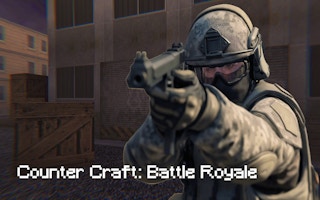
Outlast the horde
Counter Craft Battle Royale
WASD to move; mouse to aim; left click to attack
Play loads a game hosted by GamePix that may show ads and use cookies.
Provided by GamePix. Ads and cookies may load only after you press Play. Read the GamePix Privacy and Cookie Policy.
Use a computer with a keyboard and mouse. Press Play to load the game, then follow its start menu.
How to play
How to Play Counter Craft Battle Royale
Move through the map, locate a firearm, keep zombies at a controllable distance, watch health and ammunition, and clear the remaining enemies without letting a group surround you.
- 01
Use WASD or the arrow keys to move and the mouse to look around. Begin by scanning nearby routes for a weapon pickup while keeping enough open ground to retreat from the starting melee range.
- 02
Approach a weapon carefully and press F when interaction is needed. Confirm the weapon and ammunition display before turning toward the nearest zombies; a pickup is only useful once you know what is equipped and ready.
- 03
Aim with the mouse and use the left mouse button to fire or attack. Create distance before committing to repeated shots, and shift your view between the target group and likely approaches from the sides.
- 04
Press R to reload when you have room to do so. Check the lower-right ammunition display before a close engagement so the reload does not begin after zombies have already reached you.
- 05
Use Shift to sprint when you need to widen a gap or move toward a pickup, and Space to jump. The observed opening mission asks you to kill 100 zombies and shows kill progress with the score at the upper right. Monitor health at the lower left; if it reaches zero, retry with a safer route.
About the game
A single-player fight against blocky zombies
Counter Craft Battle Royale is a desktop browser first-person shooter in which one soldier faces groups of blocky zombies. Despite the title, this is not an online match against other players. The objective is to eliminate the zombies on the map and survive with health remaining.
You begin with a melee weapon and need to explore for firearms. Zombies can approach from different directions, so finding a gun is only the first task. You also need space to aim, an escape lane when a group closes in, and enough awareness to stop a second group from reaching you while you focus on the first.
Health appears in the lower-left corner and ammunition in the lower-right. If health reaches zero, the fight restarts. New weapons can provide more ammunition, which makes pickups part of the combat route rather than background decoration. The game is developed by G55.co and is a separate title with no official connection to Minecraft or Counter-Strike.
Controls
Controls for Counter Craft Battle Royale
- WASD / Arrow keys
- Move through the map.
- Mouse
- Look around and aim.
- Left mouse button
- Fire the equipped gun or attack with the current weapon.
- Space
- Jump.
- Shift
- Sprint.
- F
- Interact with a nearby usable pickup or object.
- R
- Reload the equipped firearm.
Useful strategy
Survive by controlling space and attention
- Find a gun early, but do not run into a dead end for it. Check the ground around a pickup and identify where you can retreat after collecting it.
- Turn and scan regularly. Zombies approaching from behind are more dangerous than a distant target already centered in your sights.
- Back away at an angle instead of retreating blindly in a straight line. This keeps the current group visible while helping you avoid backing into terrain or another enemy.
- Reload during a gap, not when the weapon is already empty at close range. The ammunition display gives you time to choose a safer moment.
- Keep groups stretched out. Sprint to create distance, turn to attack the front zombies, then move again before the rest compress into a crowd around you.
- Use melee as an opening necessity or a last close-range option. Once you find a gun and ammunition, distance gives you more time to aim, reload, and notice threats from another direction.
Make the opening weapon search survivable
The starting melee weapon leaves little room for error, so the early priority is a firearm. Look for weapons floating above the ground and turning, but scan the route before running directly toward one. A pickup in open space is easier to use than one reached through a narrow corner where approaching zombies can trap you during the interaction.
Move with the camera active. Sweep the view across the path, the pickup, and the space behind it so that you understand where the first enemies are coming from. If zombies are already close, lead them away from the weapon, curve back when a gap opens, then collect it. This costs a little movement but protects the moment when you need to face and interact with the pickup.
After collecting a gun, confirm the ammunition display in the lower-right corner. Do not assume that the new weapon removes every resource problem. Choose a firing position with a retreat route, test the aiming feel on a clear target, and keep other weapon locations in mind because later pickups can replenish your ability to keep fighting.
Prevent zombies from closing a full circle
A single visible group is manageable because you can maintain distance and aim at its front. The larger danger is attention locked in one direction while another zombie approaches from the side or rear. After a short burst of attacks, turn far enough to check the surrounding ground, then return to the main group if the route remains clear.
Use open areas to make enemies approach through a narrower part of your view. You are not building a fixed defensive position; you are choosing ground where you can see threats and leave when necessary. Avoid backing deep into corners. If the available space is shrinking, sprint past the edge of the group before the gap closes rather than waiting until enemies touch you from several sides.
Think of movement as a loop: create distance, turn and attack, scan the sides, then move again. Staying still for too long lets separate zombies collect into a tight crowd. Running without looking can be just as risky because it hides the direction of pursuit. Alternating movement and observation keeps the group stretched and the escape lane visible.
Plan ammunition and reloads before they become urgent
The lower-right display is part of the aiming routine. Check it when a group is still at medium distance, not only after the weapon stops firing. If ammunition is running low, decide whether to reload in the current open space or move toward another weapon pickup. The correct choice depends on enemy distance and whether the pickup route remains clear.
A reload creates a vulnerable interval, so earn that interval with movement. Sprint away, turn to confirm that the nearest zombie is no longer in immediate range, then press R. Continue looking around as soon as the reload finishes. Reloading beside a pickup or wall can feel protected, but it becomes dangerous if that position removes your sideways exit.
Use a desktop setup for reliable control
The browser listing identifies this version as a desktop game, and its control scheme depends on simultaneous keyboard movement and mouse aiming. A keyboard and mouse let you retreat, turn, sprint, reload, and fire without moving one hand between unrelated inputs. Give the game area enough screen space to read both health and ammunition while keeping the crosshair visible.
Touch controls have not been verified for this version, so a phone or tablet is not the recommended setup for this guide. The strategies here assume that you can move with the keyboard while aiming with the mouse. If the player loses input focus, click the game area in a safe moment before resuming movement.
Quick answers
Counter Craft Battle Royale FAQ
Is Counter Craft Battle Royale multiplayer?
No. This browser game is a single-player fight against zombies. The “battle royale” title describes the survival setup, not an online match with other players.
Is the game officially connected to Minecraft or Counter-Strike?
No. Counter Craft Battle Royale is a separate game. Its blocky visual style and title may feel familiar, but it is not presented as an official Minecraft or Counter-Strike product.
What weapon do you start with?
You begin with a melee weapon. Explore for floating firearm pickups, check the approach before interacting, and confirm the ammunition display after equipping one.
Where are health and ammunition shown?
Health appears in the lower-left corner of the game screen, while ammunition appears in the lower-right. Check both before entering a close fight.
What happens when health reaches zero?
The current fight ends and you need to retry. On the next attempt, change the earliest route or positioning decision that allowed the group to surround you.
Can you play Counter Craft Battle Royale on a phone?
This version is listed for desktop and uses keyboard-and-mouse controls. Touch controls have not been verified, so play on a computer for the intended control scheme.
How do you avoid being surrounded?
Keep moving through open space, scan behind you after short attacks, and sprint through a remaining gap before enemies close it. Avoid retreating deep into corners with no sideways exit.
Game information
Game details
Counter Craft Battle Royale is developed by G55.co and distributed here under a GamePix license through the GamePix-hosted player. It is a separate title with no official connection to Minecraft or Counter-Strike.
- Developer
- G55.co
- Distributor and host
- GamePix
More about this game
Keep the break going
Similar games
Time Shooter 3: SWAT
Time Shooter 3: SWAT
Plan your movement in a slow-motion shooter, avoid incoming shots, and protect hostages.

Keep the wheels above water
Race Survival: Arena King
Steer an automatically accelerating car across a collapsing arena, jump over gaps, and try to be the last car standing.