Pool Blast: Merge Balls
Aim your numbered ball toward a matching partner and watch the pair combine into the next tier.
- Session
- Short merging sessions
- Controls
- Click or tap and drag to aim
- Best for
- Skill
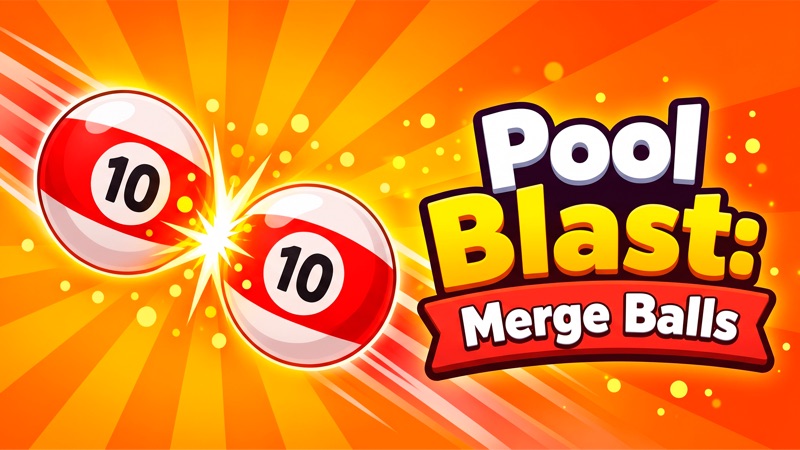
Aim for a matching number
Pool Blast: Merge Balls
Click or tap and drag to aim
Play loads a game hosted by Playgama that may show ads and use cookies.
Provided by Playgama. Ads and cookies may load only after you press Play. Read the Playgama Privacy and Cookie Policy.
Read your active ball and choose a matching-number target.
How to play
How to Play Pool Blast: Merge Balls
Choose a same-number target before you release the shot, and wait for the table to settle before judging it.
- 01
Read the active ball at the bottom of the opening table. Identify its number and compare it with the balls already on the felt.
- 02
Find a matching-number target with a clear approach. The opening table uses yellow 1 balls, blue 2 balls, and red 3 balls.
- 03
Click or tap and drag to direct the aiming line. Inspect where it crosses the table before releasing; pointing near a ball is different from passing through it.
- 04
Release to launch, then watch the ball movement and any same-number collision. Allow the result to finish before setting another aim.
- 05
Check the new ball, the score, the top circular-arrow counter, and the next active ball. A completed shot can use an opportunity without producing a merge.
About the game
Aim for the same number, then read the result
Pool Blast: Merge Balls turns a billiards-style table into a numbered-ball merging puzzle. Read the number on your active ball, find a matching ball on the felt, and use the aiming line to plan their collision. Click or tap and drag to aim, then release to launch. The objective is a useful merge, rather than simply striking any object or treating the table as a standard pocketing game.
A non-matching shot can leave a ball on the table without raising the score. A matching pair of blue 2 balls becomes a red 3, and a further matching collision can create a purple 4. The opening chain example below finishes at a score of seven. This guide explains those early decisions and the visible feedback. It does not establish every scoring formula, the complete rules of the remaining-move counter, or how the optional boosters behave.
Controls
Controls for Pool Blast: Merge Balls
- Click or tap and drag
- Direct the aiming line, as described by the official game instructions.
- Release
- Launch the ball after aiming.
- Visible game-field resume prompt
- Resume play if the player shows Click to keep playing before taking another shot.
- Touchscreen
- Use the drag-and-release controls described by the official game page.
Useful strategy
Spend each shot on a clear collision
- Choose by number first. Color helps you scan the table, but the printed number tells you which pair you are trying to combine.
- Check the active ball again after each resolved shot. For example, moving from a yellow 1 to a blue 2 changes which partner you should target.
- Prefer an understandable direct route while learning. A cushion route adds another place where the moving ball can miss its intended partner.
- Keep your eyes on the aiming line before release. Do not infer the trajectory from a drag gesture alone.
- Read score and ball changes together. A 2-to-3 merge can lead to another matching collision; the opening chain example ends with a purple 4 and a score of seven.
- The booster controls are labeled Watch Ad. Basic aiming and merging work independently of those offers; read the displayed reward requirements before choosing an optional booster.
Read the active ball before choosing a target
The starting table contains several numbers at once. The opening arrangement includes yellow 1 balls, a blue 2, and red 3 balls, with the active ball near the bottom center. Those objects do not all offer the same opportunity. Before touching the controls, read the active number and locate its matching partners. That simple decision gives the aiming motion a purpose instead of sending the ball toward the busiest cluster.
The colors make matching easier to see, but they should support the number rather than replace it. When the next active ball is a blue 2, the useful direct target becomes the other blue 2 on the table. Reusing the intention from the first yellow-ball shot would have been the wrong plan for that new ball. Read the new state after every shot, even when the table looks largely unchanged.
Look for the open approach as well as the matching number. Another ball can sit between your active ball and the intended partner. Hitting that obstacle is not the same as reaching the pair you selected. The first few shots are easier to understand if you choose a clear route and follow the whole movement. You can then tell whether the aim missed, an intervening object changed the path, or the collision actually produced a new ball.
How to aim and launch a shot
The official controls describe dragging to direct the aiming line and releasing to launch. Use the line as your immediate reference. It shows the direction you are currently setting, while a remembered gesture from another pool game may use different controls. Make a deliberate adjustment and look at where the line crosses the felt. For a direct same-number collision, you want it to pass through the target rather than merely point toward that general side of the table.
After releasing, give the shot time to resolve. A moving ball can change position across the table before coming to rest, and the next active ball can then appear at the bottom. A yellow 1 can move away from the launch area and remain on the felt without a merge, leaving the score at zero. The shot has changed the arrangement without completing the matching task. That is why movement alone is not a useful measure of success; look for the upgraded number before treating the attempt as a successful merge.
For a blue 2, set a line toward the matching blue target. Their collision creates a red 3 and can set up another matching collision as the balls keep moving. If the player loses focus and displays Click to keep playing, resume the game before making a new decision. Keep that action within the visible play field and separate from any advertisement or reward control around the table. The current ball and the line are the relevant controls for a basic shot.
Tell a successful merge from a simple hit
The useful result is visible in the balls themselves. A pair of blue 2 balls combines into a red ball marked 3. A following collision with another 3 can produce a purple 4; the opening chain example finishes with that purple ball and seven trophy points. The upgraded number tells you that a merge happened. A bounce or a ball shifting across the felt does not show that upgrade on its own.
Read the top circular-arrow counter too. In the opening example, it moves from three to two after a non-merging shot, then returns to three after the matching chain finishes. These outcomes help you notice the difference between wasting a shot and making progress. This guide does not provide a complete formula for every counter change. The official description says to keep merges going before moves are exhausted, so monitor the current value rather than assuming unlimited shots.
A newly created ball also changes what the next useful pair might be. A red 3 created by a merge matches the tier of other red balls already visible on the table. If the moving result reaches a matching partner, the chain can continue, but a new tier does not guarantee that contact. Check their locations and the next active ball first. A higher-numbered piece can be useful later without making every route toward it immediately valid.
Use cushions only when you can read the route
The official page describes cushion bounces as a way to reach targets when a straight path is blocked. That is an additional planning task: the initial direction must lead to a useful rebound, and the returning path must still reach the matching ball. A bank shot can look attractive because it avoids a crowded center, but it also adds an angle to estimate. Start by understanding a direct collision before treating the cushion as a guaranteed shortcut.
If an attempt does not merge, identify what actually happened before adjusting. Did the ball miss the matching target, contact a different number, or finish in a different area? Change the next aim in response to that visible result. Do not use a larger or faster drag as a general remedy. A miss can still move a ball and change the available table, so the next choice should be based on the new arrangement rather than a plan made before the shot.
For another aiming task, Infini Golf asks you to choose a launch direction and reach a hole while avoiding water. For another matching-number task, Ball Merge offers a different combining puzzle. These are useful next games for the two skills that meet here, and both are linked below. Their own controls and objectives differ, so keep the numbered collision rule of Pool Blast: Merge Balls separate from a golf finish or a different merge board.
Quick answers
Pool Blast: Merge Balls FAQ
How do I merge matching balls?
Read the active number, aim toward the same number on the table, and release the shot. A blue 2 collision with another blue 2 creates a red 3.
Is this ordinary pool where I pocket balls in order?
This page covers Pool Blast: Merge Balls by Kshtult. Its official objective is matching-number collisions and merges, not the rules of the separately titled Pool Blast or a standard nine-ball match.
Why did my shot move a ball without increasing the score?
Movement does not guarantee a matching collision. A non-matching shot can leave a yellow 1 on the felt and the score at zero. Look for an upgraded number after a matching collision; the opening chain example produces a purple 4 and a score of seven.
Does every shot change the top counter in the same way?
This guide does not give a complete counter formula. In the opening example, it goes from three to two after a miss and returns to three after the matching chain. Monitor its current value and the game’s instructions.
Do I need a booster to make the first merge?
You can make a basic matching collision with aiming and shooting. The optional booster buttons are labeled Watch Ad; read the on-screen offer for their requirements. This guide focuses on ordinary shots.
Game information
Game details
A beginner guide to the official Kshtult game on Playgama, covering aiming and matching-number collisions. It uses the publisher’s mouse and touch controls and keeps this title separate from ordinary pool.
- Developer
- Kshtult
- Distributor and host
- Playgama
Keep the break going