Mahjong Match
Collect three matching designs in the tray, clear the opening board, and watch the countdown.
- Session
- Short play sessions
- Controls
- Click a tile
- Best for
- Quick
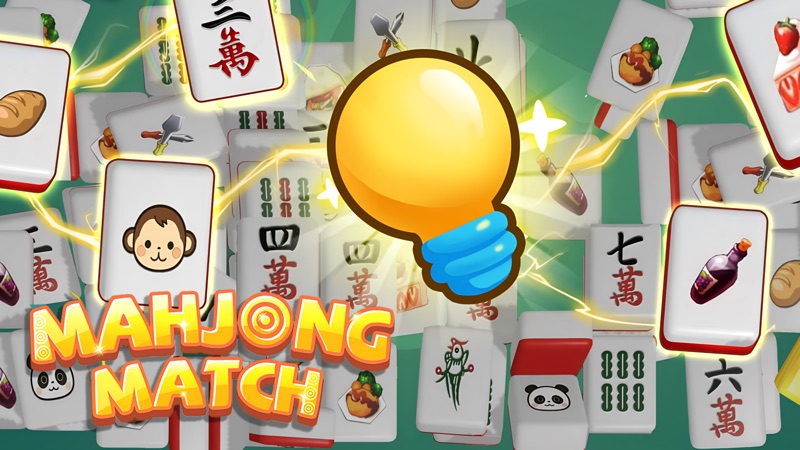
Match three identical tiles
Mahjong Match
Click a tile
Play loads a game hosted by Playgama that may show ads and use cookies.
Provided by Playgama. Ads and cookies may load only after you press Play. Read the Playgama Privacy and Cookie Policy.
Choose Start and find three identical designs.
How to play
How to Play Mahjong Match
Make your first complete triple before collecting unrelated tiles.
- 01
Use Play to open the hosted player, then choose Start for Level 1.
- 02
Read the opening instruction and locate the board, bottom tray, countdown, and pause button.
- 03
Find three tiles with exactly the same design before selecting the first one.
- 04
Click one tile and watch it move into the tray. Click the other two matching tiles.
- 05
Wait for the three-tile clearing animation to finish before reading the remaining board.
- 06
Look for the next complete group and keep checking the countdown as you work toward an empty board.
About the game
Choose three identical tiles and watch the tray clear
Mahjong Match by yzy is a browser tile puzzle distributed through Playgama. Use Play here to open its official player, then choose Start on the Level 1 screen. The opening instruction is direct: click three identical mahjong tiles to eliminate them. A selected tile moves from the board into the tray near the bottom; completing a matching group makes those tiles disappear.
Begin by finding one complete group before clicking. The opening board shows Type 3, Total 9, with bamboo designs and a bird design. Similar green marks can belong to different tiles, so compare the arrangement of the symbols rather than their general color. Follow one selection into the tray, then choose its two matching companions and let the clearing animation finish.
This is the Mahjong Match developed by yzy. Its three-tile collection task differs from the pairs used in Mahjong Classic and from table mahjong with drawing, discarding, and opponents. You can learn the opening without knowing traditional mahjong scoring. The useful skill is recognizing identical pictures while managing the tray and watching the visible countdown.
Controls
Controls for Mahjong Match
- Mouse click
- Select a tile on desktop and send it to the collection tray.
- Tap
- Publisher-listed touch input for selecting tiles on mobile.
- Start
- Begin the displayed level from the main game screen.
- Pause icon
- Open the in-game pause control beside the level display.
Useful strategy
Make each selection part of a complete group
- Count the small marks on bamboo designs; two similar green patterns can be different tiles.
- Locate the second and third matching tiles before collecting the first.
- Check what entered the bottom tray when a selection looks ambiguous.
- Let a completed group finish clearing before making a rapid run of new clicks.
- Keep room in the tray by completing groups instead of gathering many different designs.
- Use the visible countdown to pace your search, and locate Pause before stepping away.
Compare the design, not just the color
The opening bamboo tiles make the main recognition problem easy to see. Some show two green marks, while others arrange three marks across the face. Both are mostly white and green, and both may be tilted. Treat the number and arrangement as the identity of the tile. A matching group repeats that full pattern three times; a shared color alone does not establish a match.
Scan the board once for a design you can recognize confidently. Find its other copies before clicking, then collect that group deliberately. This keeps your attention on one visual pattern while you learn the movement into the tray. You do not need to learn the formal names of the mahjong suits to distinguish the small opening set.
If the angle of a tile makes it difficult to read, compare it with a clearer copy nearby. Look at the marks inside the white face rather than the direction the entire tile points. After selecting it, inspect the face in the tray as well. That gives you a second view and helps you avoid repeating the same misreading on the next selection.
Understand what changes after each click
The board and tray have different jobs. The board holds the tiles you are choosing from, while the tray temporarily collects your selections. Clicking one tile is a selection, not a completed match. Seeing a single tile settle into the tray is useful confirmation that the game received the click and that you selected the intended picture.
The opening tray displays seven spaces. Keep its contents in view instead of looking only for attractive tiles on the board. Selecting several different pictures creates several unfinished groups. A simpler opening is to finish one triple, watch it clear, and then choose another. That approach reduces the number of patterns you must remember at the same time.
There is a short clearing effect when a triple completes. During that effect, tiles can have left the board while the tray or a counter is still updating. Give the animation a moment before deciding that something failed. Use the settled board and tray together to judge the result rather than reacting to one frame of a moving tile.
Use Level 1 to learn selection before chasing speed
The opening Level 1 labels its layout Type 3 and Total 9. Those labels help you understand the small task in front of you: identify the three designs and work through their copies. They describe this opening layout, rather than promising that later levels use the same tile count or arrangement. Read the current level each time the board changes.
The opening tiles are spread out and can be selected directly with a mouse click. Later arrangements may make access and recognition less obvious. Follow the live board response when that happens. A picture visible under another tile does not, by itself, prove that the lower tile is selectable, and this guide does not transfer the free-edge rules of a different mahjong game onto every later board.
A useful first-round routine is to identify a complete triple, collect it, and pause your clicking long enough to inspect the result. Then repeat with the remaining designs. Once that sequence feels natural, reduce the delay between decisions. Faster random clicking is less useful than a small improvement in how quickly you recognize a complete group.
Quick answers
Mahjong Match FAQ
Where can I play the exact Mahjong Match by yzy?
Use Play on this page to open the official Playgama player. The developer is yzy; the official source below identifies the game so you can distinguish it from other titles called Mahjong Match.
Do I match two tiles or three?
Three identical designs complete a group. The opening instruction says to click three identical mahjong tiles to eliminate them. Two selected copies are still an unfinished group.
Why did a tile move to the bottom without disappearing?
A selection goes into the tray first. Find its two identical companions and allow the completed triple to clear. Check the design carefully, especially the number and arrangement of green bamboo marks.
Is this the same as Mahjong Classic?
Mahjong Classic uses a different pair-matching task. This yzy game collects triples in a tray. Read the current board rather than assuming another mahjong game’s selection or scoring rules apply.
Is there a timer?
The opening round displays a countdown beside the level information. Keep it in view while choosing groups and use the in-game pause control when you need a break.
Can I play on a phone?
Playgama lists Android and iOS support and tap controls. The board uses a portrait layout. Use the live player on your device to judge tile readability and tapping comfort.
Game information
Game details
Mahjong Match is developed by yzy and distributed through the official Playgama player.
- Developer
- yzy
- Distributor and host
- Playgama
More about this game
Keep the break going