Fusion Reactor
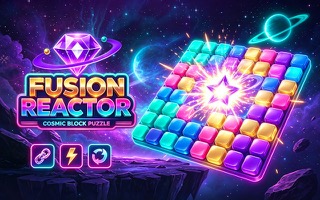
Drag colored shapes onto a cosmic grid, complete lines, and keep enough room for every new set.
- Session
- Open-ended block runs
- Controls
- Drag one offered shape onto the grid
- Best for
- Block
Place blocks and build energy
Fusion Reactor
Drag one offered shape onto the grid
Play loads a game hosted by GamePix that may show ads and use cookies.
Provided by GamePix. Ads and cookies may load only after you press Play. Read the GamePix Privacy and Cookie Policy.
Choose Classic for a direct survival run or Challenge for extra rules.
How to play
How to Play Fusion Reactor
Choose a mode, inspect all offered shapes, drag them onto empty grid cells, and complete lines before the board fragments into unusable pockets.
- 01
Choose Classic for the direct survival rules or Challenge when you are ready for the additional erosion and talents systems.
- 02
Inspect all three offered shapes before placing the first one. Compare their width, height, and awkward corners with the open regions on the grid.
- 03
Drag a shape from the lower tray to a valid group of empty cells. Placed blocks stay fixed, so release only when the outline fits the longer plan.
- 04
Complete a full horizontal or vertical line to clear it. Use the new space to keep the center connected and prepare for the remaining pieces.
- 05
Keep placing while preserving room for the offered shapes. Track fusion energy, run chain, chain record, and level progress as feedback on the quality of the run.
About the game
A block-placement survival puzzle with space management at its core
Fusion Reactor opens with two modes. Classic is labeled Pure Survival, while Challenge adds erosion and talents. In Classic, three colored shapes appear beneath a large grid. You drag one shape onto empty cells, and the piece remains where it lands. The fusion energy counter rises with placement. The game continues by presenting more pieces, so the real objective is to keep enough connected space for every new set.
Unlike a falling-block game, Fusion Reactor lets you choose the placement before committing. That removes reflex pressure but increases planning responsibility. A locally tidy move can divide the grid into pockets that later pieces cannot use. Lines provide the main recovery mechanism: fill a complete row or column to clear it and regain space. Run chains and level progress reward sustained, efficient clearing rather than random filling.
Controls
Controls for Fusion Reactor
- Mouse
- Drag one offered shape from the tray onto a valid empty area of the grid.
- Touch
- Press a shape, slide it to the target cells, and release after confirming the fit.
- Pause
- Use the pause button in the upper corner to stop or review the current run.
Useful strategy
Fusion Reactor tips for more reliable runs
- Study the complete three-piece set before placing anything.
- Keep the center connected so large shapes can reach more than one region.
- Protect at least one long horizontal lane and one long vertical lane.
- Use small pieces to repair line gaps instead of scattering them into new pockets.
- Place awkward shapes first when they have only one safe home.
- Do not hug every block to one corner if that closes the paths needed for line clears.
- After a clear, rebuild from the new empty lane rather than preserving an outdated plan.
- When a run ends, find the first move that divided the board, not merely the final piece that failed to fit.
Plan the full offered set before the first drop
The three visible shapes form one planning problem. A large or irregular piece may have only one viable region, while a single block can fit almost anywhere. If the flexible piece is placed first, it may occupy the only cell needed by the awkward shape. Begin by ranking the pieces from least flexible to most flexible.
Mentally test all three placements without releasing. Check whether they overlap and whether the resulting board still leaves a path toward a row or column clear. You do not need a perfect long-term forecast; you need a sequence that avoids creating an immediate dead pocket and leaves a useful line target.
When two shapes can share the same region, place the one that contributes more cells to a near-complete line. The remaining shape should still have a safe alternative. This approach turns the set into coordinated construction instead of three isolated drops.
Preserve usable shapes of empty space
Empty cell count alone is misleading. Ten scattered cells may be useless to a wide piece, while a smaller connected rectangle can accept several shapes. Protect broad areas and straight lanes. Whenever a placement creates a one-cell notch or narrow isolated pocket, decide which future piece could realistically fill it.
The center is valuable because pieces can expand from it in several directions. Filling it solidly too early can split the grid into separate edges. Keeping one connection between regions makes later placements more flexible and lets a line clear reopen multiple areas at once.
Corners are useful anchors for shapes with matching geometry, but they can become traps when every piece is packed along the border. Leave routes from the corner toward a planned line. The goal is not to make a perfectly smooth block; it is to build structures that can be completed and removed. Before filling a corner, compare its opening with the shapes currently in the tray. A corner can safely hold a compact square or short bar when the rest of that placement advances a line. It becomes dangerous when a jagged edge leaves only a thin channel that no visible shape can enter. Keep at least one clean route from each occupied edge toward the central working area. That route gives later bars and L-shaped pieces more than one valid approach, reducing the chance that a single narrow gap ends the run.
Create line clears with controlled gaps
A nearly full line is only valuable if the missing cells can be filled by the offered pieces. Avoid leaving several isolated single-cell gaps across different rows. Concentrate progress on one or two lines, and keep their missing shapes simple enough that common pieces can complete them.
Small pieces work best as repair tools. A pair or single block can close the final gap in a row without disturbing a large open region. Save that flexibility when a larger shape already has an obvious home. Spending a small piece in an arbitrary corner may remove the only easy way to finish a line later.
After a line clears, reassess every region. The new open strip changes which shapes fit and may reconnect areas that were separated. Do not keep following the placement plan created before the clear. Treat the changed board as a fresh puzzle while preserving the broader goals of connected space and simple gaps.
Use the end of a run to find the first structural error
When an offered piece has no clear placement, the immediate problem may have started several moves earlier. Look backward for the move that split the board, consumed a long lane, or created pockets narrower than the shapes that followed. That earlier structural decision is the one to change next time.
Fusion energy and run-chain information provide feedback during play. A sequence of useful placements and clears keeps momentum, while long stretches without a clear show that the board is accumulating risk. Use those indicators to prompt a space check rather than chasing the number by placing quickly.
Classic mode is the best place to practice shape reading and line control. Challenge adds erosion and talents, so it is easier to understand those extra pressures after ordinary placements are reliable. Move to Challenge when you can explain why your Classic board remains open, not simply after one high score.
Quick answers
Fusion Reactor FAQ
What is Classic mode in Fusion Reactor?
Classic is labeled Pure Survival and focuses on placing shapes, clearing lines, and keeping the board open.
What is different in Challenge mode?
The menu labels Challenge with erosion and talents, adding systems beyond the Classic run.
Can I rotate the pieces?
The game does not show a rotation control during placement, so plan around the orientation presented in the tray.
How do I clear space?
Complete a full horizontal or vertical line to remove it and reopen cells.
Does Fusion Reactor have a timer?
Classic uses deliberate drag placement and does not show a move timer on the board.
Game information
Game details
Fusion Reactor is provided through the GamePix-hosted player.
- Distributor and host
- GamePix
More about this game
Keep the break going