Fast Typing: Word Rush
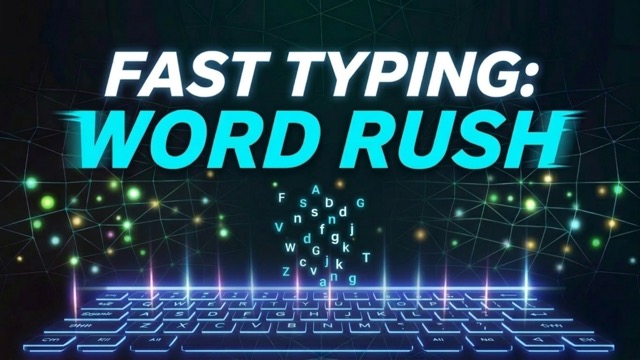
Type English words before the timer runs out and keep accurate streaks going. A physical keyboard is recommended.
- Session
- 1–5 min
- Controls
- Type the displayed English words
- Best for
- Quick
Landscape gives you more room
Fast Typing: Word Rush
Fast Typing: Word Rush
Type the displayed English words
Play loads a game hosted by Playgama that may show ads and use cookies.
Provided by Playgama. Ads and cookies may load only after you press Play. Read the Playgama Privacy and Cookie Policy.
Type English words before the timer runs out and keep accurate streaks going. A physical keyboard is recommended.
How to play
How to Play Fast Typing: Word Rush
Type each displayed English word exactly before the timer expires, building accurate streaks and earning more time from correct entries.
- 01
Set both hands on your normal typing position and focus the game before the first word appears. This title is listed for PC and expects physical keyboard input.
- 02
Read the complete word before typing. Notice repeated letters, unusual endings, and which hand must begin so the first keystroke is intentional.
- 03
Type the letters exactly as shown. A correct word advances without an Enter key, so stop as soon as the final required character is entered.
- 04
Watch the timer between words rather than during every keystroke. Correct words add time, while hesitation and corrections consume the remaining reserve.
- 05
Protect the streak multiplier by favoring clean entries. If a mistake breaks the streak, reset your rhythm on the next word instead of trying to recover the lost score in one rush.
- 06
When time expires, review the word or transition that disrupted your pace. Press Space to restart, then make one specific adjustment in the next round.
About the game
An English typing game where accuracy protects your pace
Fast Typing: Word Rush by Dissorto is a PC keyboard game built around short English words and a running timer. Type the word shown on screen exactly, and the game advances automatically when the entry is correct. Correct words add time, while a mistake breaks the current streak multiplier. The round ends when the clock runs out.
The real challenge is deciding how fast you can type without creating expensive corrections. A burst of rushed input may finish one word quickly but break a strong streak on the next. A controlled typist reads ahead, starts from a stable hand position, and treats difficult letter transitions as moments to slow slightly rather than panic.
This is a desktop-focused word rush, not a general mobile typing test. Use a physical keyboard and pay attention to the exact letters on screen. The best practice goal is repeatable accuracy under pressure: keep the timer alive, preserve clean sequences, and restart with Space after a completed round when you want another attempt.
Controls
Controls for Fast Typing: Word Rush
- Physical keyboard
- Type each English word exactly as it appears; correct words advance automatically.
- Space
- Restart after the round has ended.
Useful strategy
Build speed from clean word completions
- Read the final two letters before starting. Many rushed errors happen at suffixes because the hands begin moving before the eyes have finished the word.
- Use a slightly slower pace for unfamiliar letter pairs. Losing a fraction of a second is cheaper than breaking a long streak and spending more time correcting the rhythm.
- Release tension after every word. A brief reset of the fingers keeps one awkward entry from affecting the next several words.
- Keep your eyes on the word area instead of the keyboard when possible. Looking down and back up creates a timing gap and makes it harder to preview the next prompt.
- After a mistake, type the next word at your dependable pace. Trying to compensate immediately often causes a second error and turns one broken streak into a longer collapse.
- Use several short rounds for focused practice. Stop when accuracy falls consistently, because repeating tired errors teaches less than reviewing one difficult pattern clearly.
Balance speed and accuracy word by word
Maximum finger speed is not the same as useful game speed. The timer rewards completed words, and the streak rewards consecutive accuracy. A fast attempt with frequent errors spends time without producing the same value as a slightly slower sequence that finishes cleanly. Choose a pace you can sustain across several prompts.
Adjust within the round. Common words with familiar patterns can be typed near your natural top speed. A word with repeated letters, an awkward hand change, or an unfamiliar sequence deserves a small pause before the first key. This variable pace protects the overall run better than forcing one speed onto every prompt.
Judge the decision after the word, not during it. If an entry felt rushed but landed correctly, settle before the next prompt instead of carrying extra tension forward. If it failed, identify whether the problem was reading, finger position, or speed. Each cause needs a different correction.
Finish reading before the fingers start
Use a quick three-part scan: beginning, middle, ending. The beginning sets the starting hand, the middle often contains the awkward transition, and the ending tells you when to stop. Seeing all three reduces late substitutions and prevents an extra key after the correct final letter.
Repeated letters deserve special attention because the hands may press once or continue too far. Mentally group the pair as one feature of the word. For longer prompts, notice familiar chunks without assuming the rest. Recognition should accelerate accurate reading, not replace it.
Keep the visual target stable. If you glance at the timer, return to the full word before resuming input. Starting from the last letter you remember can create omissions. The clock matters at the decision level; the current spelling matters at the keystroke level.
Protect a streak without becoming cautious
A growing streak can tempt you to slow dramatically, but excessive caution lets the timer shrink. Preserve it with preparation rather than fear: read fully, type in one controlled sequence, and release the hands after the last character. The routine stays the same whether the streak is new or long.
When the time reserve is healthy, invest a fraction more attention in awkward words. When the reserve is low, remove unnecessary pauses between prompts while keeping the keystrokes clean. This distinction helps you gain pace from transitions instead of gambling on careless spelling.
Do not watch the multiplier while entering a word. Score feedback arrives after the important decision has already been made. Keep attention on letters and use the multiplier only between prompts as a reminder that accuracy across words matters more than one dramatic burst.
Recover from a mistake in one word
The most costly error is often the second one. A broken streak creates urgency, and urgency makes the next word feel like a chance to win everything back. Instead, return to your baseline pace for one clean entry. A successful reset restores control even before the multiplier grows again.
Name the error precisely after the round. Did you misread a letter, transpose two keys, add an extra character, or lose your hand position? Practice the relevant transition slowly a few times away from the timer, then begin the next run with normal rhythm.
Avoid redesigning your technique after every typo. One error may be random; a repeated error pattern deserves attention. Track which word shapes or finger changes fail across attempts, and change only that part of your approach so the comparison remains useful.
Turn short rounds into focused practice
Choose one goal per session: fewer reading errors, cleaner repeated letters, steadier pace, or faster transitions after a correct word. A narrow goal is easy to observe. Chasing a score, flawless accuracy, and maximum speed at the same time makes it hard to learn from the result.
Compare several rounds rather than celebrating one peak. A dependable typist can reproduce a solid pace without frequent collapses. Notice whether the timer usually fails after a specific kind of word or after several rushed prompts. That pattern suggests what to practice next.
Use Space to restart only after taking a brief review moment. The immediate restart is convenient, but repeating without reflection can reproduce the same mistake. One sentence of diagnosis between rounds makes the next attempt a test of an adjustment rather than another identical run.
Quick answers
Fast Typing: Word Rush FAQ
Is Fast Typing: Word Rush a PC game?
Yes. The official listing specifies PC, and the game uses a physical keyboard for English word entry. Set focus on the player before you begin typing.
Do I press Enter after each word?
No. The game advances automatically when the displayed word has been typed correctly, so stop after the final required character and prepare for the next prompt.
What happens after a correct word?
A correct word advances the prompt and adds time. Consecutive accurate words build the streak multiplier, making steady completion valuable for both survival and score.
What should I do after a typing mistake?
Return to a dependable pace on the next word. After the round, identify whether you misread, transposed letters, or rushed an awkward hand transition, then practice that exact issue.
How do I restart a finished round?
Press Space after the game-over state. Take a moment first to identify the decision or letter pattern you want to handle differently on the next attempt.
Should I watch the timer while typing?
Glance between words to judge the reserve, then return attention to the complete spelling. Watching the clock during individual keystrokes can disrupt reading and hand rhythm.
Game information
Game details
Fast Typing: Word Rush is developed by Dissorto and provided through the Playgama-hosted player. The external player may display advertising and is governed by Playgama's privacy terms.
- Developer
- Dissorto
- Distributor and host
- Playgama
More about this game
Keep the break going
Similar games
Fill the cozy crossword
Busha's Crossword
Select a square, read its across or down clue, and type a short answer into the connected grid.

Unscramble the market list
Busha's Bargain Hunt
Read each picture clue and tap scrambled letters in order before the market timer runs down.