Deep Drill Run
Enter the mine, move into rock to drill, and keep the O2 meter and entrance in your route plan.
- Session
- Short play sessions
- Controls
- WASD to move
- Best for
- Skill
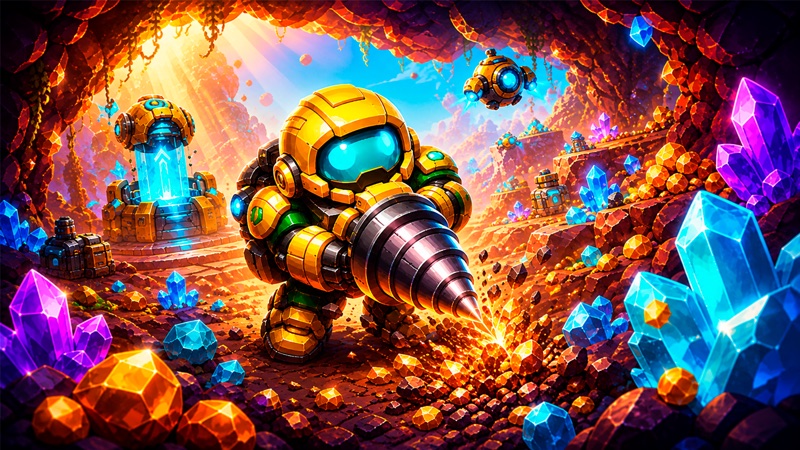
Break rock, read the route
Deep Drill Run
WASD to move
Play loads a game hosted by Playgama that may show ads and use cookies.
Provided by Playgama. Ads and cookies may load only after you press Play. Read the Playgama Privacy and Cookie Policy.
Choose TO MINE and identify the entrance arrow.
How to play
How to Play Deep Drill Run
Start with a small area near the entrance and use the changing rock and resource count as feedback.
- 01
Start the player and choose the large TO MINE button on the base screen.
- 02
Locate the miner, the nearby blue entrance arrow, the top-right O2 segments, and the resource counter.
- 03
Click inside the game, then use WASD to move on desktop. The publisher also lists arrow-key movement.
- 04
Move toward a reachable rock block and keep the direction held briefly. The drill works while you push into the rock.
- 05
Watch for sparks, a cleared block, and a change in the resource counter. Release the key before choosing your next direction.
- 06
Keep your opening route short and recognizable. Recheck the O2 display and your path toward the entrance before digging farther away.
About the game
Break nearby rock and learn your way around the mine
Deep Drill Run by Mirra Games is a browser mining game built around moving a small drilling machine through underground blocks. Use Play to open the official hosted player, then choose TO MINE from the base screen. Inside the mine, move into a reachable block to start drilling. You do not need to search for a separate attack button to break the first ordinary rock.
A useful first trip is short: identify the entrance, break a few nearby blocks, and watch the resource counter. The top-right O2 display uses blue segments, while a curved indicator sits above the miner. Keep both visible as you move. The opening shows a blue upward arrow near the entrance; use that location as a reference while learning the mine instead of wandering until you no longer recognize your route.
This page covers Deep Drill Run, rather than similarly named idle mining games. Its immediate task is movement and mining in a visible underground area. The publisher describes later drill and mine upgrades, but prices, exact danger thresholds, and a complete upgrade order are not needed to understand your first block.
Controls
Controls for Deep Drill Run
- WASD
- Move the miner on desktop; pushing into rock activates drilling.
- Arrow keys
- Alternative movement controls listed by the publisher.
- TO MINE
- Enter the mining area from the base screen.
- Virtual joystick / touch
- Publisher-listed mobile movement; follow the interface shown on your device.
Useful strategy
Learn a small mining route before going deeper
- Begin with nearby ordinary rock so you can see what successful contact drilling looks like.
- Use short key presses while positioning, then hold only when you intend to drill a particular block.
- Watch the resource count after a rock disappears. A change is clearer feedback than sparks alone.
- Remember the entrance arrow and the turns you made away from it.
- Keep checking O2 while exploring; do not invent a safe number of seconds from one short trip.
- Compare drill or mine upgrades by their live descriptions and prices after learning the basic movement loop.
Drilling begins when movement meets a block
The first practical distinction is between moving through open space and pushing into rock. In open ground, a direction changes the miner’s position. At a reachable block, the same movement brings the drill into contact and produces sparks. Hold that direction long enough to see whether the block changes, then release it before deciding to move along a different edge.
Some rock takes longer to break than the material beside it. If you see drilling but little progress, try a nearby ordinary block rather than immediately assuming the controls are broken. This comparison helps separate slow excavation from missing keyboard focus. A miner that moves across open ground is receiving input; a machine that never changes position may need you to click inside the game first.
Use the cleared space as a visible record of your action. You can follow the new opening back toward familiar ground and choose the next adjacent block deliberately. Your first objective is to understand contact, drilling, and collection together. A deep tunnel is less useful than a short route whose controls and results you can recognize.
Look for a cleared block and a changed resource count
Sparks tell you that the drill is working against something, but they are only one part of the feedback. Watch the nearby rock and the top-left resource display as well. When a block is removed and the number changes, you have a stronger indication that the mining action completed. Do not confuse an animation with a promised amount of loot.
Different blocks and later progression may produce different outcomes. The publisher describes more valuable glowing material and resources that expand as mines improve. Treat that as a reason to read the current environment, not as a fixed reward table. You can compare ordinary and special-looking rock once the basic controls are familiar, without assuming that every bright block is worth the same amount.
If you want to learn efficiently, make one short excavation and pause to read the display. Then repeat nearby. Changing the route, material, and upgrade setup all at once makes it harder to understand the result. A small, consistent comparison gives you a useful basis for deciding whether the next block is worth approaching.
Monitor O2 without guessing a universal safety threshold
The O2 label is in the top-right corner beside blue segments. Find it before heading away from the entrance, and glance at it after each small part of the trip. Its position makes it easy to overlook while concentrating on a block near the miner, so build the habit of checking both the local drilling scene and the corner display.
There is also a curved indicator above the character. Notice its changes rather than assigning it an exact threshold or formula that the screen does not explain. The publisher describes heat and increasing risk during longer trips, but that does not establish a universal safe depth, countdown, or escape deadline for every mine. Use the live cues to make a conservative decision.
A practical beginner plan is to stay near recognizable ground while learning those indicators. Stop extending the route when you are unsure how much margin remains. More valuable material farther away is only useful if you understand the route and the resources supporting the trip. Learning to read the display is part of mining effectively, not an interruption of it.
Make the entrance part of your route plan
The opening mine places a blue upward arrow near the entrance. Remember that area before you start breaking surrounding rock. As you move, the camera follows the miner and the entrance can leave the view. A clear sequence of turns and cleared blocks helps you stay oriented even when the starting area is no longer centered on the screen.
Begin with an out-and-back shape: leave the entrance in one direction, mine a nearby edge, and identify the route toward familiar ground again. Avoid adding several branches before you know how the camera and movement behave. A complicated network of short tunnels can be harder to retrace than one simple excursion, especially while watching the O2 display.
Use the visible entrance cue when you return to that area and follow the game’s current prompt for leaving. This guide identifies the opening cue without promising a particular extraction reward or a successful exit from every situation. If you cannot recognize the return route, shorten the next trip and learn the starting area before seeking more distant material.
Use a specific mining problem to guide your next upgrade
The base presents several improvement icons, and the publisher describes drill power, movement speed, modules, and mine improvements. Read the live option you are considering before using resources. An icon can tell you that a system exists without explaining its price or its exact effect. Do not select an unfamiliar purchase simply because it appears early in the menu.
Ask which part of the trip is currently difficult. If ordinary rock takes too long, a drilling improvement is relevant to inspect. If moving between familiar areas consumes your attention, learn the route before assuming a speed purchase will solve it. If O2 limits your exploration, compare the current mine or supply options described by the game.
This keeps progression tied to an observable need. A fixed best-upgrade list would require prices and effects across several stages, which can change as the mine develops. Your first useful improvement decision comes from the trip you understand: what delayed you, what the screen offered, and whether you can afford that choice without giving up another immediate need.
Quick answers
Deep Drill Run FAQ
Where can I play Deep Drill Run by Mirra Games?
Use Play on this page for the official Playgama browser player. The source below identifies Mirra Games and the exact Deep Drill Run title, helping distinguish it from other drilling or idle mining games.
Which button starts mining?
Choose TO MINE to enter the mine. Once inside, move the miner into a reachable block; drilling starts through contact. On desktop, click inside the play area and use WASD. The publisher also lists arrow keys.
Why do I see sparks but little movement?
You may be drilling a block that takes time to break. Compare with nearby ordinary rock and watch for a cleared space and a resource change. If the miner also cannot move in open ground, click inside the game to restore keyboard focus.
Where is the oxygen display?
Look for O2 and the blue segmented meter in the top-right corner. Check it as you explore, while keeping the entrance and return route in mind. This guide does not prescribe a fixed oxygen threshold for every trip.
How do I find the way back?
Remember the blue upward entrance arrow and the cleared route away from it. Keep the first excursion short, retrace familiar ground, and follow the live exit prompt when you reach the entrance area.
Game information
Game details
Deep Drill Run is developed by Mirra Games and distributed through the official Playgama player.
- Developer
- Mirra Games
- Distributor and host
- Playgama
More about this game
Keep the break going