Cuddle Crane
Position a claw over pastel plushies, press GRAB and try to carry a prize to the chute.
- Session
- Short claw-machine attempts
- Controls
- Drag or tap arrows to position the claw
- Best for
- Casual
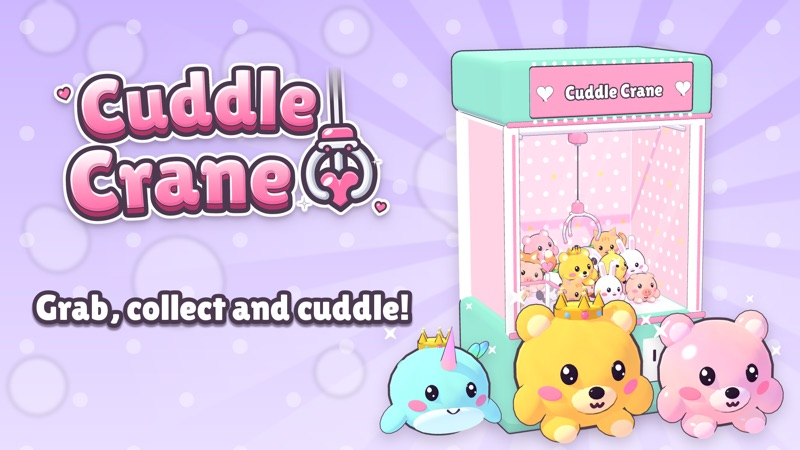
Aim, drop, collect
Cuddle Crane
Drag or tap arrows to position the claw
Play loads a game hosted by Playgama that may show ads and use cookies.
Provided by Playgama. Ads and cookies may load only after you press Play. Read the Playgama Privacy and Cookie Policy.
Open Cozy Classics and enter a challenge.
How to play
How to Play Cuddle Crane
Start with a cabinet and a visible objective. Aim the claw in both directions before committing a grab.
- 01
Press Play, choose a machine such as Cozy Classics, and enter an available challenge. Read the goal shown above the cabinet before moving the claw.
- 02
Look at the toys and choose one with a clear patch above it. Use a mouse drag, finger drag, or the on-screen arrows to move the claw. Watch the floor marker that previews where it will land.
- 03
Use the eye button if the front view hides whether the claw is too far forward or behind your target. Return to the main view and make a small correction if the marker is not centered.
- 04
Press GRAB once. Let the claw descend, close, lift, and travel to the chute. Wait for the complete outcome before moving or pressing GRAB again.
- 05
If you miss, compare the claw path with the toy you aimed at. Change one part of the aim for the next try. Read any luck-meter feedback as information, rather than assuming every miss will behave exactly the same.
About the game
A cozy claw machine where the landing point matters
Cuddle Crane turns a toy arcade cabinet into a small aiming challenge. Choose a themed machine, move the claw over a pile of plushies, and press GRAB when its landing marker is where you want it. The opening Cozy Classics challenge asks you to win a plushie. The claw drops into the cabinet, closes, and travels toward the prize chute. What matters is the position of its tips when it reaches the toy, rather than how close the toy looks from the front alone.
The game presents six themed machines, 48 collectible plushies, a challenge route, and a Free Play mode. Cozy Classics opens with a simple goal: win a plushie. If the claw comes back empty, the challenge stays on screen and the luck meter can advance. Use that result to improve the next attempt. First line the claw up with one visible toy, then change its position by a small amount if it misses. Save questions about later machines and collection progress for when those options appear in your game.
Controls
Controls for Cuddle Crane
- Mouse or touch drag
- Move the claw around the machine to choose a landing point.
- On-screen arrows
- Make smaller directional changes to the claw position.
- Eye button
- Switch to a side view to judge the claw’s depth.
- GRAB button
- Drop the claw at the current marker and attempt a catch.
- Esc
- Close a window or step back through the game menus.
Useful strategy
Spend each grab on a clear target
- Choose one plushie before touching the controls. Moving toward several toys at once makes the result hard to read.
- Check the landing marker on the floor, then look at the side view. The front view alone can disguise a depth error.
- Use a small arrow correction near the target instead of a large drag that crosses the whole pile.
- Wait until the claw has returned after a miss before changing the aim; the moving claw is not a stable reference.
- Notice whether a toy is buried under neighbors. A visible face does not guarantee the claw can get around its sides.
- Use a miss as a measurement: did the claw pass to the left, right, front, or back of the intended toy?
- Read the current challenge goal. Winning one plushie is different from completing the whole album.
Read the cabinet before moving the claw
The main screen contains more information than the pile of toys. The challenge label at the top tells you what counts as the next useful result. The cabinet shows where the claw hangs and where a prize will leave through the chute. A floor marker previews the drop point. The lower panel gives you directional controls, a camera-view button, a luck indicator, and the prominent GRAB button. Locate all of these before you spend an attempt. If you enter a different machine later, check its current objective again rather than carrying the opening challenge goal forward.
On the first Cozy Classics screen, the claw begins near one side of the cabinet while several plushies are packed together farther across the floor. A tempting first input is to hit GRAB immediately because the button is large. That makes the action easy to learn, but it does not aim at the center of a prize. An unpositioned grab can come back empty. The more useful opening sequence is to select a toy, move the claw over it, inspect the marker, and only then commit.
The toys are three-dimensional objects, so the part you can see from the front is not always the best gripping position. A plushie at the back can appear aligned with one at the front. Consider which toy has open space on both sides for the claw tips. If another toy blocks one side, change target or reposition toward a clearer edge. This is a practical visual judgment, not a promise that a particular toy always has a higher catch rate.
Aim across the pile and into its depth
Move the claw horizontally with a drag or the on-screen arrows. The marker on the cabinet floor is more reliable than judging only by the suspended claw, because the claw must descend before it touches anything. When the marker is beside a toy rather than underneath it, correct the position before pressing GRAB. Make the smallest correction that clearly changes the marker. An extreme sweep can make it harder to tell which movement fixed or spoiled your aim.
Depth is the second part of the problem. The eye control swings the camera to a side view. Use it when two plushies overlap in the front view or when you cannot tell whether the marker is in front of the pile. Look for the gap between the projected landing point and the toy you selected. Then return to the main view and make a deliberate adjustment. You do not need to use the eye view for every grab; use it when it answers a real uncertainty.
If a drag appears to do little, try one on-screen arrow press and watch for a small claw movement. The first challenge showed visible arrow controls, and a right-arrow press moved the suspended claw slightly across the cabinet. That makes arrows useful for fine tuning. Do not hammer the control while the claw is falling or returning. Wait for a stable state, then judge one position change at a time.
Watch the whole grab, including the return trip
GRAB is a commitment, not a steering command. Once pressed, the claw travels down and closes at the chosen spot. Observe where its tips land relative to the toy, whether anything lifts, and what reaches the chute. A claw can briefly overlap a plushie in the front view yet still fail to carry it. The complete return trip is the answer. If the claw returns without a prize, the opening challenge remains available for another attempt.
After a miss, identify one likely aiming error. If the claw touched the left edge, shift a little right on the next try. If the front view looked centered but nothing was gripped, inspect depth with the eye control. If the tips landed among several tightly packed toys, try a plushie with a clearer boundary. Avoid changing both horizontal and depth positions drastically at once; a small controlled change tells you more about what the machine is doing.
The luck meter can change after a miss. The game description says repeated misses fill this meter and lead to a Lucky Claw. Treat that feature as feedback, not a substitute for aiming. Watch the meter shown in your current session rather than relying on a fixed number of misses. It explains why the machine may show some progress even when your plushie collection has not increased. You can still make the next drop more precise.
Fix a miss without wasting the next attempt
If GRAB produces an empty return, first ask whether the claw actually descended over the toy you selected. The floor marker, not the toy artwork alone, tells you where it was aimed. Next ask whether the toy had enough clear space around its sides. A crowded center may look easy because many prizes are close together, but the claw may close between them. Choose one visible target and repeat with a slight change, waiting for the return animation to finish each time.
If the claw seems aligned left to right but still misses, check the side view. The front view compresses a deep cabinet into a flat image. A target behind the marker can look directly underneath the claw from one angle. The eye button exists to answer this specific problem. Use it once, compare the depth of the target and marker, then move accordingly. Do not infer an invisible collision or a hidden rule from one failed grab when a simple depth error remains possible.
If an advertisement appears before the cabinet, wait for its clear close control before trying to play. Pressing game controls while the advertisement is on top will not help you aim. If the cabinet is visible but input seems inactive, read any tutorial bubble first and use one stated control. The opening tutorial asks you to move the claw before you attempt a drop. Return to the menu with the game’s back control if you want to choose another machine.
Where to go after a claw-machine session
Cuddle Crane is a good short session when you want to aim at a visible object and see a quick physical outcome. If your favorite part is collecting cute characters, Merge Kitty Cats offers a different kind of collection puzzle with cats rather than a moving claw. If you prefer steering a tool across a space to collect things, Magnet Master 3D uses a magnet and a selling point rather than a prize chute. These are useful next choices because they keep either the collection or the control task while changing the mechanic.
For another round in Cuddle Crane, change only one part of your approach. Try a clearer plushie, inspect the side view, or make smaller arrow corrections. The goal is not to memorize a supposed perfect spot for the entire cabinet; the pile can change as toys move. Read the current arrangement, aim the marker, commit one grab, and use the visible result to choose the next adjustment.
Quick answers
Cuddle Crane FAQ
What is the first objective in Cuddle Crane?
Cozy Classics Challenge 1 asks you to win a plushie. Aim the claw at one toy and press GRAB to attempt the catch.
How do I move the claw?
Drag in the machine with a mouse or finger, or use the on-screen arrows for smaller corrections. Watch the floor marker before dropping.
Why did the claw miss when it looked centered?
The front view can hide depth. Use the eye button to inspect the side view, and check whether the claw tips have room around the target.
Does a missed grab end the challenge?
A miss can leave the opening challenge active. The claw returns empty and the luck indicator may advance; read the current game state before the next try.
Game information
Game details
Cuddle Crane runs in the official Playgama-hosted player. Airy Arcade provides the guide and link to that authorized player.
- Developer
- DBS Solucoes
- Distributor and host
- Playgama
More about this game
Keep the break going