Bee Swarm
Play Bee Swarm by GGames: collect pollen, follow FLY HOME to the glowing hive, and make honey.
- Session
- Short play sessions
- Controls
- WASD or arrow keys
- Best for
- Relaxed
Landscape gives you more room
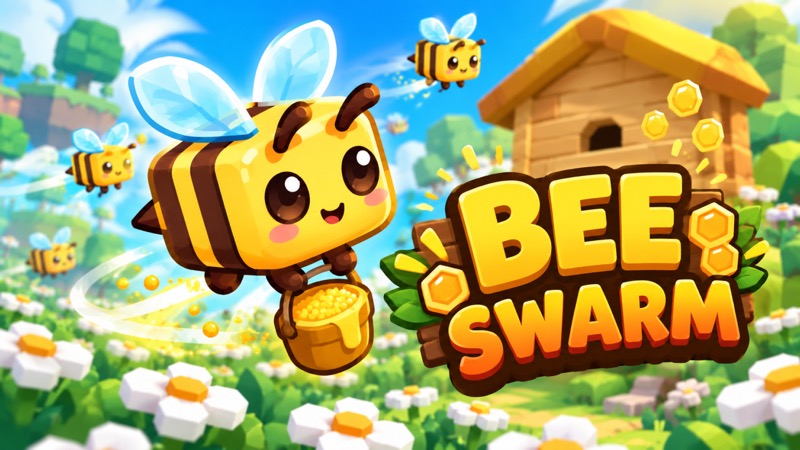
Collect, return, make honey
Bee Swarm
WASD or arrow keys
Play loads a game hosted by Playgama that may show ads and use cookies.
Provided by Playgama. Ads and cookies may load only after you press Play. Read the Playgama Privacy and Cookie Policy.
Move through nearby white flowers and watch the pollen cargo rise.
How to play
How to Play Bee Swarm
Collect pollen, watch the cargo gauge, and enter the glowing hive area when the return prompt appears.
- 01
Start the hosted game and click inside its play area so keyboard input reaches the bee.
- 02
Use WASD or arrow keys to move into the nearby white flowers. Look for the cargo percentage to increase as you travel through them.
- 03
Continue across flower patches until the cargo gauge reaches FULL. The opening tutorial then changes from COLLECT FLOWERS to FLY HOME.
- 04
Follow the large arrow back toward the wooden hive. Correct your direction with short presses as the camera moves.
- 05
Enter the glowing yellow hive region and remain there while pollen converts. Watch both the falling cargo gauge and rising honey balance.
- 06
After unloading, return to flowers for another trip. Open UPGRADES when you want to review the next available improvements.
About the game
Make your first honey from a meadow of flowers
Bee Swarm by GGames is a voxel bee-collecting game that runs in your browser through Playgama. Move your bee through the flower meadow, fill the pollen cargo, and return to the hive to turn that cargo into honey. This page covers the GGames browser game; it has a different opening and control scheme from Roblox Bee Swarm Simulator.
Your first useful goal is one complete collecting trip. Click inside the game, use WASD or arrow keys to move toward the white flowers, and watch the vertical cargo indicator rise. When FULL and FLY HOME appear, follow the large return arrow toward the wooden hive and enter its glowing yellow area. Stay there while the cargo drains and the honey counter increases.
The meadow is shown from an angled view, and the camera follows your movement. Use short movements while learning the route rather than holding a direction until the hive leaves the screen. You do not need a long expedition for your first honey: nearby flowers give you a clear collecting area and a simple return journey.
Controls
Controls for Bee Swarm
- WASD / arrow keys
- Move the bee on desktop.
- Hold left mouse button
- Alternative desktop movement listed by the publisher.
- Virtual joystick
- Move on a phone or tablet using the game’s touch control.
- Click / tap UPGRADES
- Open the improvement menu when available.
Useful strategy
Keep the first collecting route easy to repeat
- Begin with the nearby white flowers. The other flower types show locks in the opening, so plan around the flowers you can reach now.
- Check the cargo percentage after a short movement. A rising gauge tells you that your route is collecting pollen rather than just crossing empty grass.
- Treat FULL as your return signal. More wandering with a full cargo delays the honey you could already be making at the hive.
- Follow the return arrow before choosing a long direction. The angled scene and moving camera can make the hive appear offset from your expected path.
- Enter the yellow hive region fully and pause there. Flying beside the building is different from reaching the conversion area.
- Compare honey and cargo separately: honey is your converted resource, while the vertical gauge holds pollen for the current trip.
Read the cargo gauge before chasing more flowers
The cargo indicator on the right measures the pollen carried on your current outing. The honey counter near the top is a separate total. Collecting in the meadow can increase cargo without immediately increasing honey, because the return to the hive is the second half of the loop. Keep both numbers in view so you know which action should come next.
A small cargo increase is enough to confirm that you have reached a productive flower patch. Continue through nearby flowers instead of taking an unnecessary detour to a distant part of the meadow. When your current patch gives little progress, move a short distance into another visible cluster and compare the gauge again. The useful feedback is the change in carried pollen.
At full capacity, the tutorial displays FULL and FLY HOME. This is a change of task: your immediate objective is now unloading. Resist the urge to keep searching for more valuable colors while the cargo is full. A completed return gives you honey to use later and clears room for the next collection trip.
Use the return arrow and yellow hive region together
The large arrow helps you find home after collecting, while the glowing yellow region identifies where to finish the return. First travel in the arrow’s direction until the wooden hive is clearly visible. Then shorten your movements and aim for the highlighted region rather than merely passing near the roof or the side of the building.
The camera follows the bee, so the scenery slides as you move. This can make a direction that seemed correct a moment ago look different once the hive reaches the center of the view. Reassess after each short press. If the building moves farther away or to the wrong side, release the key, read the arrow, and adjust before continuing.
Once you enter the conversion region, pause and watch the indicators. The cargo falls as the honey total rises. Let that exchange finish before heading out again, so your next trip starts with available capacity. The amount you earn belongs to your current cargo and progression; a single trip’s counter change is not a promised reward for every future return.
Build a short flower-to-hive route before expanding
Choose an opening route that you can recognize from the hive. Fly into a nearby band of white flowers, collect across that band, and return along the visible home cue. Repeating a simple route teaches you how far a key press moves the bee and how quickly cargo fills without adding the confusion of a large exploration loop.
Try to cross flowers deliberately rather than making random circles through empty grass. A useful route balances collection and return distance: nearby flowers that fill the gauge reliably can serve the first trip better than an attractive patch far away. Use the gauge to evaluate the route instead of judging it only by how many flowers appear on screen.
After one clean return, change one part of the trip at a time. You might use a neighboring flower patch or make the return more direct. Keeping the rest familiar makes it easier to notice whether the change helped. This is a practical way to learn the meadow while keeping your next task clear: fill, return, unload, and repeat.
Review upgrades after completing the basic loop
The publisher describes flight-speed improvements, larger pollen capacity, and helper bees that assist with collection. These are progression options after the opening loop. Read the live upgrade menu for the price and effect of an available choice; do not assume every improvement is immediately affordable or that a locked flower color opens after a fixed number of trips.
Think about the part of your route that currently slows you down. If carrying space fills quickly, capacity is a relevant improvement to inspect. If returning takes most of the trip, flight speed is worth comparing. This gives you a reason to examine an upgrade without treating an unverified price sequence as a mandatory build order.
Helper bees belong to the game’s longer progression, but your first successful trip does not depend on hiring one. Learn the manual collection and conversion cues first. They remain useful for understanding what the helpers are contributing later, and they stop you from confusing a growing honey total with a cargo bar that still needs a return.
Quick answers
Bee Swarm FAQ
Where can I play Bee Swarm by GGames?
Use Play on this page to start the official Playgama-hosted browser player. The source link below also opens the publisher’s Bee Swarm listing.
Is this Roblox Bee Swarm Simulator?
No. This page is for Bee Swarm by GGames on Playgama. Follow this game’s flower, cargo, and hive cues rather than Roblox equipment or hive-claiming instructions.
What does FULL / FLY HOME mean?
Your pollen cargo is full. Follow the large return arrow and enter the glowing yellow region around the wooden hive to convert pollen into honey.
Why does collecting pollen not immediately increase honey?
Pollen is carried in the cargo gauge. The honey balance increases during conversion at the hive, so collecting and unloading are separate parts of the same trip.
Why is my bee not moving?
Click inside the play area before using WASD or arrows. If a keep-playing prompt appears, resume the game first. Then try a short movement and check the bee and scenery.
Can I use a phone?
The publisher lists mobile and tablet support with a virtual joystick. Use that on-screen movement control; keyboard instructions apply to desktop play.
Game information
Game details
Bee Swarm is developed by GGames and distributed through the official Playgama player, which may show advertising or use cookies under Playgama terms.
- Developer
- GGames
- Distributor and host
- Playgama
More about this game
Keep the break going